Troubleshooting & Analysis
The first thing I noticed was the click
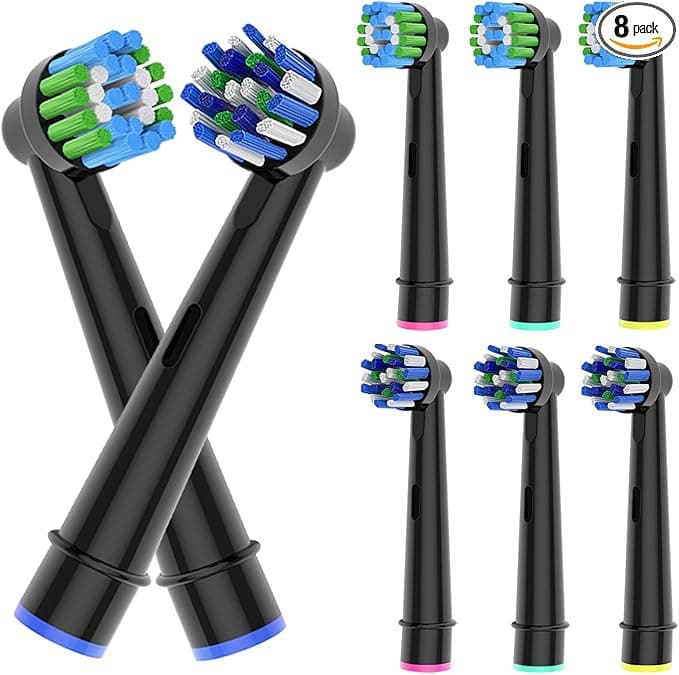
Not the bristles, not the price — the click. I pulled the worn-out head off my Oral-B handle, rinsed the metal shaft under warm water like I've done a hundred times, and pushed this compatible PRECISION CLEAN head down until it seated. That little snk when it locks on. I'll be honest, I was half-expecting it to feel mushy, like the plastic collar was a size off and would wobble. It didn't. It clicked the same way the genuine Oral-B head clicks, sat flush against the handle with no gap, no rattle. I turned the brush on and waited for that telltale buzz of a head that isn't gripping the shaft right — the kind that makes the whole thing sound like a dying bee. Nothing. Just the normal hum.
So right out of the gate, the thing I was most nervous about — fit — was a non-issue. And that matters more than people think, because a brush head that's slightly loose on the shaft doesn't just feel cheap, it bleeds power. The oscillation gets sloppy and you're basically smearing toothpaste around instead of driving bristles into the gumline.
The math that made me try these in the first place
Here's what pushed me off the genuine heads. A single OEM PRECISION CLEAN refill runs me about $10 at the drugstore — sometimes $9 if there's a deal, sometimes a straight-up $11 with tax. You're supposed to swap the head every three months. That's four a year, so call it $40 annually just to keep one toothbrush stocked. I've got two handles in my house. You can see where this goes.
These compatible heads? I paid right around $20 for an eight-pack. Eight heads. That's two full years for one person at the three-month interval, for the price of two of the genuine ones. Read that again — a year's supply for what two originals cost. The first time I added it up I actually went back and re-checked the listing because the gap felt like a typo. It wasn't.
And before anyone asks: yes, the bristles are DuPont. Same nylon filament supplier Oral-B uses. That was the detail that moved me from "maybe" to "fine, I'll risk twenty bucks." If they'd been some no-name bristle I'd have walked.
Three months of actually using them
I ran one head as my daily for a full cycle — morning and night, the whole routine, no babying it. A few honest observations.
The cleaning feel is genuinely there. That squeaky, just-left-the-dentist feel on the front teeth after a session? I get it with these. The bristle pattern grabs the back molars about as well as the genuine head does, and the indicator bristles — the blue ones that fade as they wear — actually faded on schedule, which told me the filament quality wasn't lying to me. By week ten they'd gone pale, right on cue, and that's my reminder to swap.
Where it's a touch behind: the bristle tips. Genuine Oral-B end-rounds their filaments a hair more precisely, and for the first two or three days I could feel a faint extra scratchiness along the gumline — not painful, not bleeding, just there. Like the bristles needed to break in. By day four it was gone and the brush felt broken-in soft, the way it should. But I'm not going to pretend that first-week scratch isn't real, because it is. If you've got sensitive or recently-worked-on gums, ease in.
The downsides, and I mean the real ones
Let me actually sit on this part instead of waving it off, because a review that's all sunshine is a review you shouldn't trust.
One — the packaging is cheap. The genuine heads come in that rigid clamshell with each head individually capped. These came loose-ish in a thin plastic tray inside a flimsy box. The heads themselves were clean and sealed fine, but it doesn't feel premium when you open it, and if you're the kind of person who's reassured by nice packaging, this'll nag at you. It didn't bother me — I'm throwing the box away anyway — but I noticed.
Two — there's a very faint plastic smell on a fresh head. Crack one open and give it a sniff and you'll catch it, a slight new-plastic note. I run every new head under hot water for ten seconds and do one "dry" brushing pass with toothpaste before bed, and after that first use it's completely gone. Never tasted it while brushing. But it's there on day one and I'd rather tell you than have you panic at the sink.
Three — color consistency across the eight-pack wasn't perfect. A couple heads had marginally brighter indicator bristles than others out of the pack. Cosmetic. The wear-fade still worked on all of them. But if you're a stickler, you'll spot it.
None of those three touched the actual job: getting plaque off my teeth twice a day. They're the kind of corners you'd expect a company to cut to land at this price, and they cut the right ones — the box, not the bristle.
Why I don't let a worn head ride
Quick reality check on why the three-month swap matters at all, compatible or genuine. My dentist put it bluntly at my last cleaning: splayed, worn-out bristles stop reaching into the gumline and just buff the flat surfaces of your teeth. The plaque that causes actual problems — the stuff down at the gum margin — gets left behind. On top of that, an old head that's been sitting wet in a bathroom for four-plus months is a little bacteria condo. Frayed bristles, trapped moisture, your mouth. Not where you want to cheap out by stretching a head to six months because refills felt expensive. Which is sort of the whole point: when a year of heads costs twenty bucks, you actually swap them on time instead of guiltily nursing a frayed one.
So who should skip these?
If you're fresh off gum surgery, deep scaling, or you've got genuinely raw, sensitive gums right now, I'd buy the genuine heads for a cycle or two — that slightly finer end-rounding on the OEM bristle is worth it while you're healing, and the few extra dollars is nothing against your comfort. Same if packaging and pack-to-pack uniformity genuinely matter to you. No judgment.
But for a normal mouth doing a normal twice-a-day routine? I've run these for a full cycle, the fit is dead-on, the DuPont bristles clean like they should, the indicator fade is honest, and the only real complaints are a throwaway box and a day-one smell that rinses off. For the cost of two genuine heads I got a year-plus of brushing — and when this eight-pack runs low, I'm reordering the same thing. I already know I am.



