Troubleshooting & Analysis
The drugstore aisle decision
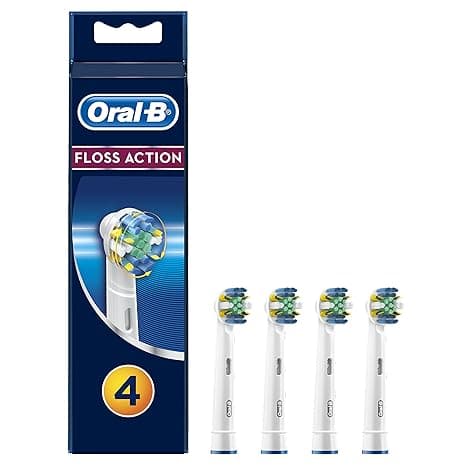
I was standing in the oral care aisle holding two boxes, and the math felt almost insulting. A genuine Oral-B Precision Clean four-pack was sitting there at around $32. Right next to it, the compatible heads — same flat trim, same little blue indicator bristles — a year's worth for roughly the price of two original packs. I did the quick version in my head: buy the OEM, I'm spending close to $60 a year just on plastic and nylon. Buy the other one, I get twelve months of heads for what a single name-brand pack costs.
And here's the thing. I didn't trust it. I've got a $80 brush handle that I actually like, and the idea of jamming some no-name head onto the shaft and having it rattle loose or chew up my gums — no thanks. So I bought one pack of the compatibles specifically to call them out. Spoiler: they survived, and I've since gone through three more packs. But let me walk you through it honestly, because there are a couple of real catches.
What you're actually paying for
The OEM Precision Clean heads are not bad. I want to be clear about that. Oral-B isn't selling junk. The problem is purely the price-per-head and how often you're supposed to swap them — every three months, which means four heads a year per person. In a two-person house that's eight heads. At full name-brand pricing you're looking at the wrong side of $50, sometimes more if you don't catch a sale.
The compatible heads I landed on use DuPont bristles — the same nylon supplier a lot of the premium heads source from — and the cleaning geometry is the same flat-with-a-slight-cup Precision Clean shape. So the part that actually touches your teeth is, functionally, doing the identical job. What you're saving on is the brand name and the packaging, not the bristle. That distinction mattered to me. I'd have walked away if the savings came from thinner, sparser bristle tufts, because that's the part that does the work.
The fit — does it actually click on?
This was my number one worry and it turned out to be a non-issue, with one honest caveat. You pull the old head straight off the metal shaft — it comes off with a firm tug, no twisting — rinse the shaft under warm water to clear the gunk that collects down at the base, and push the new head on until you feel and hear the click. On my handle, the compatible heads seated with the same positive snap as the originals. No wobble side to side once it's on. No gap at the collar.
The caveat: the very first head out of the first pack went on a hair tighter than the OEM, and for a second I thought it wasn't going to seat. It did. Just needed a firmer push. Every head since has gone on clean. So if your first one feels stiff, push through it — it's not the wrong part, it's just a slightly tighter mold tolerance on the inner collar. Once it clicks, it stays put. I've never had one fly off mid-brush, and I'm not gentle.
Where it's honestly a touch behind
I'm not going to tell you these are indistinguishable from the brand heads, because that's the kind of thing that makes a review smell fake. Two real things.
One: the blue indicator bristles — the band that fades as the head wears out so you know when to replace — fade a little faster and a little more unevenly than the OEM band does. By about week eight they look more worn than the head actually is. I stopped trusting the color and just put a reminder in my phone for the three-month mark instead. Minor, but it's real.
Two: the very first day, fresh out of the wrapper, there's a faint plastic-y smell and the bristles feel a touch stiffer than a broken-in head. Run it under hot water for ten seconds before the first use and brush once without thinking too hard about it — by day two it's gone and the bristles have softened to normal. The packaging is also cheaper, just a thin plastic tray and a printed sleeve, nothing like the OEM blister pack. Doesn't affect your teeth one bit, but if you were hoping for something that feels premium in the hand before you throw it in the trash, it isn't that.
Why I don't let any of mine run long
Here's the part people skip, and it's the part a dentist actually cares about. A worn brush head isn't just less effective — splayed, flattened bristles literally stop reaching into the gumline, so plaque builds in exactly the spots you think you're cleaning. And an old head that's been sitting wet in a bathroom for four months is carrying a genuinely gross bacterial load. The three-month swap isn't a marketing trick to sell you heads. It's the actual point of replacing them.
Which, weirdly, is the strongest argument for the compatible heads. The whole reason people stretch a brush head to five or six months is that swapping feels expensive. When a year's supply costs what two OEM packs cost, you stop rationing. I swap on schedule now because it's cheap enough that I don't think twice. My actual oral hygiene got better because the cheaper head removed the guilt of replacing it.
Who should skip these
If you're someone who needs the indicator band to be dead accurate, or you've had a bad reaction to a third-party head before, or you just don't want to fuss with one stiff first-fit — buy the OEM and don't lose sleep over the extra thirty bucks a year. There's no shame in paying for the sure thing.
But for me? Same DuPont bristle, same Precision Clean shape, clicks on solid, does the identical job on my teeth — and it costs me roughly a third of what the brand heads do over a year. I bought the first pack to catch it cheating. It didn't. I've reordered three times since, and I'll reorder again when this pack runs out. For the price of two original packs getting me through a whole year, that's an easy call to keep making.



