Troubleshooting & Analysis
My gut said: there's a catch. Cheap brush heads have to be worse, right? Looser fit, bristles that go flat in three weeks, maybe some weird plastic taste. I almost closed the tab. Instead I bought one pack to call the bluff — figured if they were garbage I'd be out twenty dollars and I'd have my answer.
The price thing, spelled out
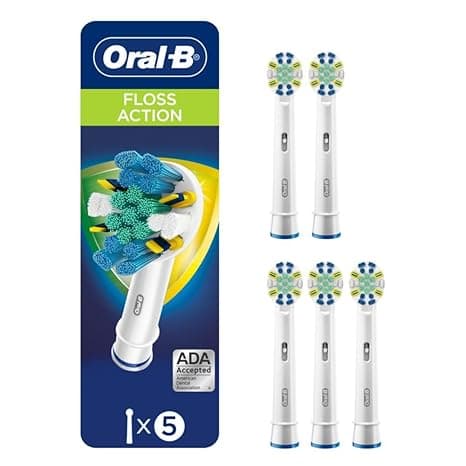
Let me put real numbers on it because that's what made me try this in the first place. Genuine FlossAction replacements, depending on the pack size and where you buy, land around $11–13 per head. The compatible set I bought worked out to roughly $5 per head. You brush twice a day, you swap every three months, that's four heads a year. So we're talking about $48 a year on the real ones versus $20 on these. Same job — scrubbing plaque off your molars twice a day — and one of them costs you $28 less every year. Over the life of a brush handle, that gap is not nothing.
And here's the part that surprised me when I actually looked: the bristles on the better compatible heads use the same DuPont nylon filament that the originals do. That was the thing I assumed they'd cheap out on, and it's the one thing they didn't.
Does it actually fit the handle?
This was my real worry. The whole brush-head system lives or dies on that metal shaft connection — if the head wobbles, you lose cleaning contact and you can wreck the drive over time. So I paid attention.
Pulling the old head off is exactly what you'd expect: grab it, pull it straight up off the shaft, it comes free. I rinsed the metal stem under warm water — there's always a little gunk down at the base, do this part — and then pushed the new compatible head on until it clicked. And it did click. Seated with that same little snap the originals make.
Honest detail though: the fit is a hair looser than OEM. Not loose — it doesn't rattle, it doesn't fly off, it tracks the oscillation fine. But if you grip the genuine head and try to wiggle it side to side, there's basically zero play. On the compatible one I can feel the tiniest bit of give if I really go looking for it. In four months of daily use it has never once mattered. But I'm not going to pretend it's a molecularly perfect match, because it isn't.
How it actually cleaned
I ran one of these heads as my daily for a full three-month cycle, same as I'd run a real one. Morning and night.
The clean feeling? Genuinely the same. That squeaky, just-left-the-dentist feeling along the gumline was there. The crisscross bristle pattern grabs between teeth the way FlossAction is supposed to — that's the whole point of that head style and the knockoff nails it. My next cleaning, the hygienist didn't say a word about more plaque or tartar than usual, and she is not shy about scolding me.
Where it's a touch behind: bristle longevity. The original heads, the little blue indicator bristles fade to about half-color right around the three-month mark, like a clock. On the compatible ones, the bristles started looking a bit tired maybe two or three weeks earlier than that — slightly splayed at the edges. Not dead, just past their prime sooner. Which, fine — at five bucks a head I'll happily swap a couple weeks early. But if you're the type who pushes a head to four or five months, you'll feel the difference faster on these.
The downside nobody warns you about
Two things, and I want to be straight about both.
First, the smell. The first two or three days there's a faint plastic-y odor when you first turn the brush on — that fresh-injection-molded smell. It's mild and it rinses out completely after a few uses, but it's there and it's a little off-putting the first morning. The originals don't really do that.
Second, the packaging is cheap and the quality control is less consistent. The OEM heads each come individually sealed; my compatible four-pack came as a flimsier clamshell with the heads loose-ish inside. Out of the four heads in my pack, three were perfect and one had a couple of bristle tufts that looked very slightly uneven right out of the box. Cosmetic, honestly — it brushed fine — but it tells you the factory tolerances aren't as tight. With genuine heads I've never seen that. So you're trading a little consistency for that lower price. For me, worth it. If a single off head would drive you up a wall, that's a real consideration.
Why a worn head is the actual risk
Here's the thing that reframed this whole decision for me. The real danger isn't using a compatible head — it's using an old head, any head. Once those bristles splay out and go soft, they stop reaching the plaque at the gumline, and that's exactly where gum disease starts. My hygienist's line was blunt: a frayed brush head is basically polishing the front of your teeth while plaque builds up where you can't see it. And an old head that's been sitting wet in a bathroom for five months is harboring a startling amount of bacteria.
So the move that actually protects your teeth is swapping every three months without flinching. And you are far, far more likely to do that on schedule when a replacement costs you $5 instead of $12. The cheap heads don't just save money — they remove your excuse to stretch an old one another month.
So who should buy what
If you've had a specific bad reaction to aftermarket heads before, or you simply want the absolute tightest fit and most uniform bristle life and the few extra dollars don't register — buy the genuine FlossAction. No shame in it, they are very slightly better made.
But me? After four months and a clean bill from a hygienist who notices everything, I reorder the compatible ones. Same DuPont bristles, same click onto the shaft, same clean feeling, for $28 less a year. The looser fit never bit me, the plastic smell was gone by day three, and the slightly shorter bristle life just means I swap on time — which I should be doing anyway. I called the bluff on the cheap box, and the cheap box was telling the truth. I'd buy it again, and I have.



