Troubleshooting & Analysis
Forty bucks a year to brush my teeth? Yeah, no.
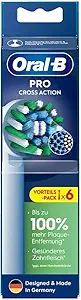
I did the math standing in the toothpaste aisle, which is a weird place to have a financial crisis. The genuine Oral-B CrossAction heads were $9.97 apiece in the 3-pack — call it $10 a head. You're supposed to swap them every three months, so that's four a year. Forty dollars. To put bristles on a stick that I spit on twice a day. Right next to it, a generic 8-pack of CrossAction-compatible heads for $19.99. That's $2.50 a head. A full year for the price of two genuine ones. Two.
I'd been buying the real ones for years out of pure inertia, and honestly a little fear — the dentist guilt, the idea that the cheap head would somehow be worse for my gums. So I bought the generic 8-pack to find out if I'd been getting fleeced. Spoiler: mostly, yeah.
The part that actually mattered: do they fit the handle?
This is the only thing I was genuinely nervous about. The CrossAction handle has that little metal shaft, and a head that doesn't seat right either rattles or pops off mid-brush. I pulled my old genuine head straight off, rinsed the shaft under warm water — there's always a ring of pink toothpaste gunk down there, brush it off — and pushed the new compatible head on.
It clicked. Same click. Same satisfying little thunk when it bottoms out on the shaft. I tugged it to see if it'd wobble loose and it didn't budge. After three months of daily use it still hasn't loosened, and there's no rattle when the handle vibrates — which is the first thing that goes wrong with a bad-fit knockoff. So the fit, the thing I was most worried about, was a non-issue. These are molded to the same shaft spec as the genuine CrossAction, and on my handle they're indistinguishable on fit.
How they actually clean
The marketing says DuPont bristles, same cleaning power. I can't see inside a nylon filament, so I judged it the only way I can: the squeak test after brushing, and how my teeth feel by the dentist chair.
Day to day, I can't tell the difference. The angled CrossAction bristle pattern is there, the oscillation grabs the same way, and my teeth get that clean-glass squeak when I run my tongue across them. Plaque check at my last cleaning came back fine — the hygienist didn't say a word, which from her is high praise. For the everyday job of knocking plaque off and not letting bacteria set up shop, these do what the genuine head does. And that matters more than people think: a worn-out, splayed brush head stops reaching the gumline, and an old head you've been babying for six months is a little bacteria hotel. The whole point of swapping on schedule is to not brush with a dead, germy head — and at $2.50 a pop, I actually swap on time now instead of stretching a $10 head to five months out of guilt.
Now the downsides — and there are real ones
I'm not going to pretend these are identical. They're not.
First, the bristles are a touch stiffer out of the package than the genuine ones. The first two or three days I noticed it — a slightly scratchier feel, and my gums were a hair more sensitive than usual. It broke in by about day four and softened to basically normal, but if you've got tender gums, brush gentle that first week. The genuine heads feel "worn-in" right away; these need a short break-in.
Second, the bristle longevity isn't quite as good. The genuine CrossAction head holds its shape for the full three months. These compatible ones start to splay a little earlier — I'd say by week ten they were looking a bit tired, where a genuine head looks fine until the very end. But here's the thing: you're meant to toss them at three months anyway, and when they cost $2.50 instead of $10, I'd rather just swap one a couple weeks early than nurse an expensive one. The math still wins by a mile.
Third — and this is small but real — the indicator bristles (the blue ones that fade to tell you it's time to replace) fade unevenly on the generics. On the genuine head the color-fade is a clean, even indicator. On these it's blotchy and not super reliable, so I just go by the calendar instead. Honestly I set a phone reminder every three months and ignore the bristle color entirely now.
And the packaging is cheap. The genuine heads come with those individual hygienic caps and a tidy box; the 8-pack came in a flimsy plastic clamshell with no caps. Not a dealbreaker — I keep mine in a drawer — but if you like the little travel caps, you'll miss them.
The second thing I noticed after a few weeks
One more lived-in detail: there was a faint plastic-y smell to the new heads the first day, the kind you get from anything freshly molded. A quick rinse under hot water before the first use knocked it right out and I never smelled it again. By the second head in the pack I just did the hot rinse automatically. Minor, but I'd rather you know than be surprised brushing your teeth at 7 a.m. wondering why your mouth tastes faintly like a new shower curtain.
So who should still buy genuine?
If you've got genuinely sensitive gums or you're recovering from gum work, the slightly stiffer break-in on these might bug you enough that the softer genuine head is worth the premium. Same if you travel constantly and you actually use those hygienic caps. And if $7.50 a year of savings genuinely isn't worth a single thought to you — fair, buy the real ones and never think about it.
But for me? I run a regular CrossAction handle, normal gums, and I brush twice a day like everyone else. These fit the same, click the same, clean the same, and cost me $20 a year instead of $40. The stiffer first week and the slightly earlier splay are real, but they're the kind of small you forget about by the second week. I've reordered the 8-pack twice now. At a quarter of the price for the same daily job, I'm not going back to paying $10 to spit on a stick.



