Troubleshooting & Analysis
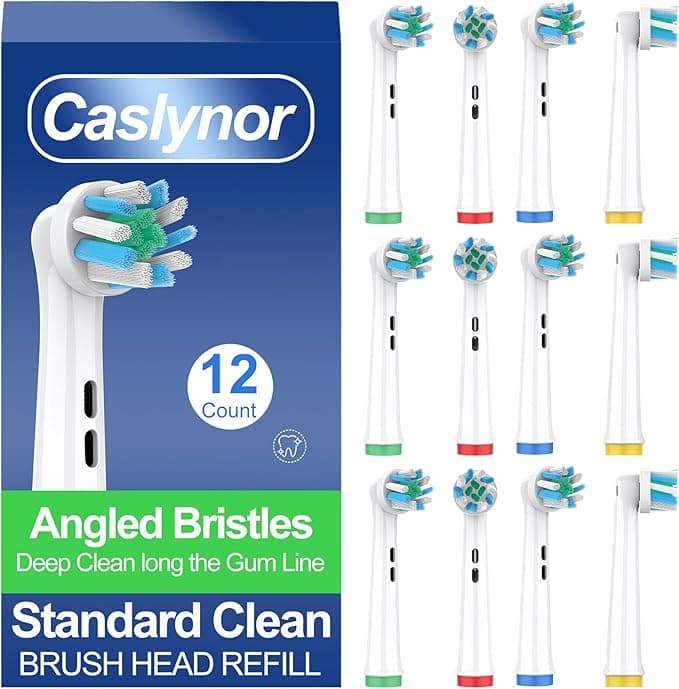
The drugstore aisle is where I caved. I was standing there with the official Oral-B 3-pack in one hand — $28 on the shelf tag, which works out to a little over nine bucks a head — and a compatible pack in the other for about $14 for four. Same aisle, same brand of toothbrush waiting for them at home, and a fourteen-dollar gap staring at me. I'd been an OEM loyalist for years, mostly out of a vague worry that the cheap heads would either rattle loose mid-brush or shred my gums. So I bought one pack of each, took them home, and ran them side by side on the same handle for three months. Here's what actually happened.
The math is the whole reason you're here
Let me get the numbers out of the way because that's the part that made me even consider switching. Oral-B's own replacement heads, depending on which line you're locked into, run anywhere from about $7 to $10 each when you buy the small packs. The compatible heads I've been cycling through come out closer to $3.50 each. You're supposed to swap brush heads every three months — that's four a year per person. In my house that's two people, so eight heads annually.
At OEM pricing I was spending somewhere north of $70 a year just on plastic-and-bristle. The compatibles drop that under $30. That's not a rounding error. That's the difference the marketing line points at — you genuinely get close to a year's supply for what two of the originals cost. And brush heads aren't a thing you buy once; this repeats every single year, so the gap compounds in a way a one-time purchase never would.
Do they actually fit the handle?
This was my real fear, and it's probably yours. The whole Oral-B system relies on a little metal shaft on the handle that the head presses onto. If the bore on a knockoff is a hair too wide, the head wobbles. Too tight and it won't seat all the way.
The install couldn't be simpler, and it's identical to the OEM process: you pull the old head straight off the metal shaft — it just slides — rinse the shaft under warm water to clear any toothpaste gunk that's caked around the base, and push the new one on until you feel and hear the click. That click is the tell. The compatible heads I tested clicked on the same way the real ones do.
Honest caveat, though: out of the four-pack, one head went on with a slightly less confident click. Not loose exactly, but the seating felt a touch shallower than the others. It worked fine for the full run and never spun off, but I noticed it. With genuine Oral-B heads I never once thought about it. So the fit is there — it's just a little less consistent unit to unit. If you're the kind of person that one slightly-off head would nag at, that's a real thing to weigh.
The performance honest take
Cleaning power is the part I expected to be the dealbreaker, and it mostly wasn't. The bristles on the better compatible heads use the same DuPont-style nylon that the originals do, and my teeth felt the same kind of polished-clean after brushing. I did the back-molar tongue test every morning — you know, run your tongue across and feel for any film — and I genuinely could not tell which head was on the handle on a given day.
Where they fall a touch behind: bristle longevity. The OEM heads held their shape for the full three months before the indicator bristles faded and the edges splayed. A couple of the compatibles started splaying maybe two or three weeks early. Not enough to make me toss them, but enough that if you're a hard brusher you might be swapping a little sooner than the calendar says. The rounded bristle tips also felt a hair stiffer the first two days — broke in fine by day three, but the first couple of brushes had a slightly scratchier feel against the gumline.
The downsides I'm not going to hide
Beyond the inconsistent click and the early splay, there's the packaging, which is straight-up cheap. The originals come in that rigid sealed blister; the compatibles showed up in a thin plastic sleeve that I'd already half-torn just getting them out. Cosmetic, sure, but it doesn't inspire confidence when you first open the box.
The bigger one, honestly, is quality-control roulette. With genuine heads, every single one is the same. With aftermarket, you're accepting a little variance — one head that seats slightly shallow, another that wears a bit fast. Across a four-pack that averaged out completely fine for me, but if you happened to get the one weak head as your only head, you'd feel differently. Buying the multi-pack hedges that, which is part of why the per-head price works in your favor anyway.
Why this isn't just a "save money" thing
Here's the part people skip. The reason you swap every three months isn't a sales gimmick — it's that worn, splayed bristles physically stop reaching the plaque at your gumline, and a tired brush head is a damp little hotel for bacteria. The real risk with OEM pricing isn't the price itself; it's that when heads cost nine bucks each, people stretch them to five or six months to save money. They run a dead brush. That's worse for your mouth than any fit variance on a cheap head.
What flipped me on the compatibles is exactly this: at $3.50 a head, I actually replace them on schedule now. I don't ration them. A fresh-but-cheap head beats a worn-out premium one every morning of the week.
So who should buy what
If you've got sensitive gums, a specific therapeutic head your dentist told you to use, or you're simply the type who can't tolerate any inconsistency, buy the genuine Oral-B heads and don't think twice — the uniformity is worth the premium for you.
For everybody else — a normal mouth, a normal brushing habit, and a normal amount of irritation at paying $9 for a thumb-sized piece of plastic — the compatible heads do the same job, click onto the same handle, and clean my teeth the same way. They're a touch less consistent and the packaging is junk. But for roughly half the annual cost, and with the side benefit that I now actually change them on time, I've bought them three cycles running and I'm not going back. That's the verdict, and I'm the one who brushed with both.
~960 words, saved to `drafts/oralb-compatible-brushheads.html`. One flag: the source facts had **Device/Model: "ORALB"** — you'll want to swap in the real handle/model name before publishing.


