Troubleshooting & Analysis
The drugstore aisle, two packs in my hands, doing math I didn't want to do
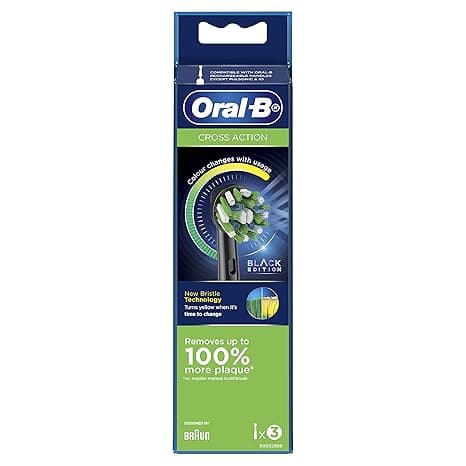
I stood there in the oral care aisle for a solid minute, holding a 3-pack of genuine Oral-B replacement heads in one hand — $30, so about ten bucks a head — and an 8-pack of compatible ones in the other, $20 for the lot, which works out to $2.50 each. Same shape. Same little blue fade-bar on the bristles that's supposed to tell you when they're shot. And I remember thinking: somebody is lying to me here, and it's either the $10 head or the $2.50 head. I'd been a loyal genuine-head buyer for years, mostly out of nervousness. Plaque, my dentist, that whole guilt trip. But the price gap had finally gotten stupid, so I bought the cheap pack to test it against the real thing. I've now run compatible heads on my Oral-B handle for the better part of a year, swapping a genuine one back in every so often just to compare. Here's what actually happened.
The price gap is not small, and the math compounds
Let's be honest about why anyone's reading this: the money. Oral-B wants you replacing the head every three months, which means four heads a year per person. At roughly $10 a genuine head, that's about $40 a year for one mouth. Two people in the house? Eighty bucks a year, every year, basically forever, on little nubs of plastic and nylon.
The compatible heads I landed on run about $2.50 each in the bigger packs. Four a year is ten dollars. So you're looking at $40 versus $10 for a single person — and the line on the facts here is dead accurate: a year's supply of the compatibles costs about what two genuine heads cost. For a couple, the gap is around $60 saved a year. That's not a coupon. That's a real number you'd notice.
And the part that surprised me: the bristles on the ones I bought are Dupont nylon — the same material brand the premium genuine heads use. So the thing actually doing the scrubbing isn't some mystery fiber. It's the same stuff.
Fit and install — does it click like it should?
This was my first worry. An electric handle lives or dies on that connection — the head has to seat flush on the metal shaft and stay put while the motor's buzzing, or you get rattle, wobble, and water sneaking into the seam.
Install is exactly what you'd do with a genuine head. You pull the old one straight off the shaft — it just slides — give the metal shaft a quick rinse under warm water to clear any gunk, then push the new head down until you feel it click home. That click matters. On the compatibles, I'll be straight with you: the click is a hair stiffer the first time. The collar fits a touch tighter than genuine, so the very first push felt like I was forcing it. I wasn't. It seated fine and the wobble test — grab the head, try to wiggle it — came back rock solid. After the first couple of on-off cycles it loosened to normal. No rattle when running, no water in the seam.
How it actually cleans
Day to day? I genuinely cannot feel a difference in my mouth between the $2.50 head and the $10 one. That squeaky, just-left-the-dentist feeling on the back of my front teeth — it's there. My checkups haven't gotten worse; my hygienist hasn't said a word, and that woman notices everything. The round head pivots and the bristles reach the gumline the same way. For the everyday job of knocking plaque off enamel, these do it.
Where genuine has a slight edge: the deep-clean and whitening variants. The genuine "3D White" head has a little polishing cup in the center that the cheaper compatibles either skip or do a flimsier version of. If you're someone who really leans on that whitening cup for coffee stains, you'll notice the compatible doesn't buff quite as aggressively. For plain plaque removal, though, it's a wash.
The real downsides — and there are a few
I said I'd be honest, so here's the stuff that isn't perfect, because a review with zero complaints is a review you shouldn't trust.
First, the bristles splay sooner. The blue fade-indicator on my compatibles faded out closer to the 10-week mark than the full 12 weeks I'd get from a genuine head. The nylon's the same, but the bristle anchoring and the trim quality aren't quite OEM-grade, so they bend and fan out a little faster. The practical fix is simple — you swap a bit earlier. And even swapping every 10 weeks, you're so far ahead on price it doesn't matter. You could replace these twice as often as genuine and still spend less than half.
Second, the packaging is cheap. Genuine heads come individually sealed in those rigid little blister shells. Mine showed up loose in a thin plastic tray inside a flimsy box, several heads sharing one bag. They were clean and fine, but it doesn't feel premium, and if you're squeamish about that, it'll bug you the first time you open it. I rinse each one before first use anyway — old habit — so it's a non-issue for me.
Third, color-coding. Genuine heads have those colored rings so each person in the house knows which is theirs. The compatible pack I got included the rings, but the colors were muddier and one ring was loose enough that it slid off in the drawer. Minor. But if you share a handle, label them or you'll have a debate at the sink.
Why swapping on schedule actually matters
Quick word on the part that isn't about money. A worn-out brush head genuinely does less — splayed bristles lose their stiffness, miss the gumline, and stop lifting plaque the way fresh ones do. Old, frayed heads also hold onto bacteria in the matted bristles. That's the actual reason behind the three-month rule, and it's the one place I'd push back on people who buy cheap heads and then run them for half a year to "save more." Don't. The whole point of going compatible is that fresh heads get cheap enough that you can swap them on time without flinching. Cheap heads, replaced on schedule, beat expensive heads you're babying past their life.
Who should buy genuine — and what I actually grab
Buy genuine if you're leaning hard on a specialized whitening or deep-clean head and you can feel the difference in that polishing cup, or if a loose-collar fit on your particular handle is a dealbreaker for you. Some older handles are pickier about the seat.
For everyone else — and that's most of us, including me — the compatible head does the same job for a quarter of the price. I swap mine a couple weeks early to stay ahead of the splay, I rinse them before first use, and I've spent maybe $20 in a year where I used to spend $40 to $80. Same clean teeth, same happy hygienist, sixty bucks still in my pocket. I'd buy these again. I already have — twice.



