Troubleshooting & Analysis
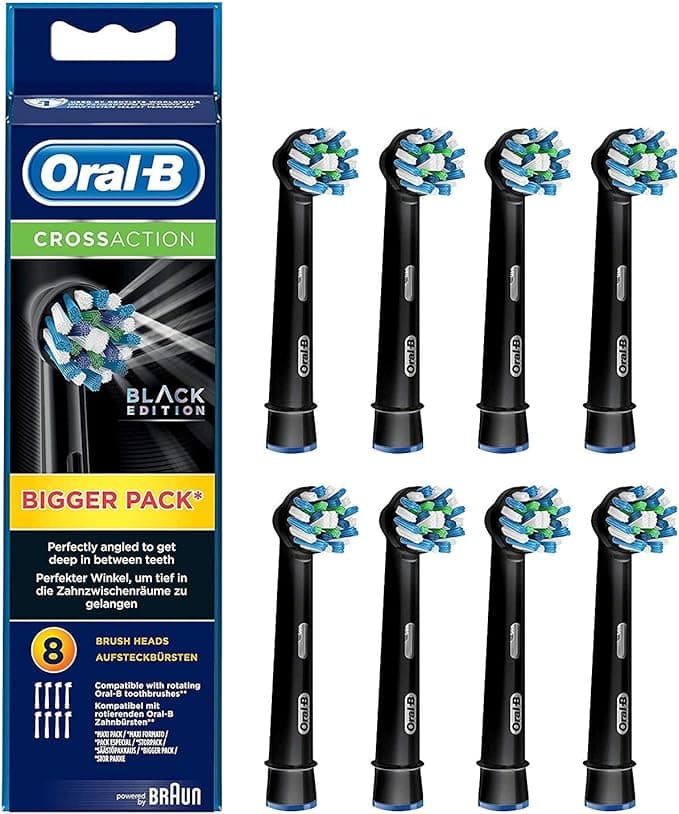
There I was, standing in the oral-care aisle with a four-pack of genuine Oral-B heads in one hand and a value pack of the compatible ones in the other, doing the kind of math you do when you're a little annoyed. The real ones came out to about $11 a head. The compatible pack was eight heads for around $20 — call it $2.50 each. Same shape, same little blue fade bar that tells you when the bristles are shot. I stood there longer than a grown adult should stand in front of toothbrush heads. Then I bought the cheap ones, half-expecting to regret it. I didn't.
The price gap is not small, and that's the whole story
Here's the part nobody at the brand wants you doing on a calculator. Dentists say swap your head every three months, which means four heads a year, per person. At roughly $11 a pop for the genuine ones, that's $44 a year for one mouth. We're a household of three. So we were looking at $130-ish a year just on plastic brush heads. The compatible pack I grabbed gets a year's supply for about what two original heads cost — somewhere near $20 for eight. For three people I now spend less in a year than I used to spend in a single quarter.
That gap felt suspicious to me too. Cheap usually means cheap for a reason. So I treated this like a test instead of a purchase, and I've now been running these for the better part of a year across two different Oral-B handles. Long enough to actually say something.
Do they actually fit? Yes — with one honest caveat
Install is the same dead-simple ritual as the originals. You pull the old head straight up off the metal shaft — it's friction, not threads, so just a firm tug. I rinse the bare shaft under warm water while I've got it apart, because gunk collects down at the base where you never look. Then you push the new head down onto the shaft until it clicks and seats flush against the handle collar. That's it. Replace every three months when the bristles flare out and that color stripe fades to nothing.
Now the caveat, because I promised honesty. On one of my two handles the compatible head seats with a barely-there sliver of wiggle that the genuine head doesn't have. We're talking a fraction of a millimeter of side play you can feel if you wobble it on purpose. In actual use — brushing — I have never once noticed it. It doesn't rattle, it doesn't pop off, it doesn't leak water down into the handle. But if you're the type who notices a picture frame that's two degrees off level, you'll feel it the first day, and I'd rather you hear it from me than feel ambushed.
How they clean compared to the real thing
This is where I expected the cheap ones to fall apart, and they mostly didn't. The bristles are the same DuPont-style filament the genuine heads use, and after a brushing my teeth pass the tongue test exactly the way they did with the originals — that squeaky, just-left-the-dentist feeling. The oscillating action of the handle is doing most of the heavy lifting anyway; the head is just the business end. Plaque at the gumline, the back of the lower front teeth where tartar loves to set up shop — handled.
Where they're a touch behind: bristle longevity. My honest read after a year is that the compatible bristles start splaying maybe two or three weeks earlier than the genuine ones did. The originals held their shape closer to the full three months. These start looking tired around week nine or ten. But here's the thing — you're supposed to toss them at three months regardless, and at $2.50 a head I have zero hesitation throwing one out early. With the $11 heads I used to guilt myself into stretching them to four months, which is honestly worse for my teeth. Cheaper heads made me replace more often, not less.
The downsides I actually lived with
Two real ones, beyond the slight wobble. First: the first couple of days, a brand-new head has a faint plastic-and-packaging smell — not taste, smell — that you catch when it's right under your nose. Toothpaste buries it instantly and it's gone by day three, but it's there. The genuine heads didn't do that. Second: the packaging is cheap and a little chaotic. The eight heads come loose in a single plastic clamshell instead of individually sealed caps like the brand-name ones. No hygienic travel cap, no individual wrapper. I keep mine in a drawer in a small zip bag and it's a non-issue, but if you wanted each head sealed and pristine, this isn't that. You're paying brand prices for that little cap, basically.
I'll add a second usage detail because it matters: the color rings. The genuine multi-packs come with little colored bands so each person in the house knows which head is theirs. My compatible pack came with a strip of those rings too, but they're thinner and one of them snapped when my kid jammed it on. Minor. We mark the handle ends with a paint pen now. Not elegant, works fine.
Why a worn-out head is the part you shouldn't neglect
The reason I'm fine spending less is precisely so I'll change them more. A flared, splayed brush head doesn't reach the plaque the way fresh bristles do — your dentist will tell you frayed bristles basically slide over buildup instead of lifting it off. And an old head that's been damp for four months is a quiet little bacteria hotel; the bristle base traps millions of them. The hazard here isn't the compatible head being unsafe — it's anybody, name-brand or not, stretching a tired head past its life because new ones feel expensive. The cheap heads solved that problem for me by removing the excuse.
Who should buy the real ones — and who should grab these
Buy genuine Oral-B heads if you want each one individually sealed for travel or hygiene reasons, if you rely on a specialized head — orthodontic, sensitive-gum, the fancy contoured ones — that the compatibles don't replicate well, or if a sliver of wobble on one handle would genuinely bug you every single day. Those are real reasons and I won't talk you out of them.
For everyone else — a normal mouth, a standard Oral-B handle, a household that just wants clean teeth without the $44-a-head-a-year racket — I grab the compatible eight-pack, and I have, repeatedly, for a year now. Same bristles, same click, same clean. A faint smell for two days and a hair of wobble on one handle, traded for spending about $20 instead of $90-plus. Look, I'd make that trade again. I keep making it.



