Troubleshooting & Analysis
I did the math at the drugstore and almost put my phone down
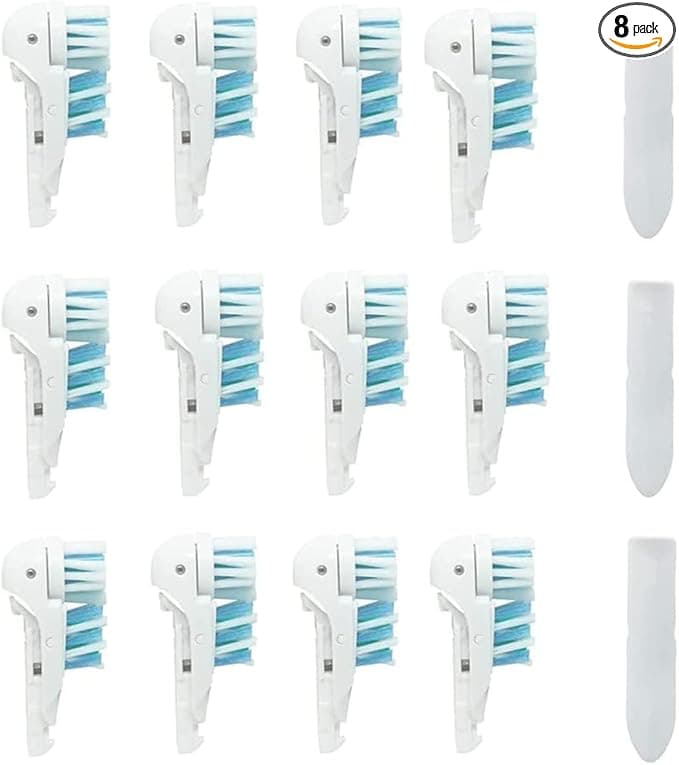
Genuine Oral-B 3D White brush heads were sitting on the shelf at $48 for a four-pack. Forty-eight dollars. That's twelve bucks a head, and the dentist wants you swapping them every three months, so call it four a year — fifty bucks, every year, to keep one electric toothbrush running. Meanwhile I had a tab open on my phone for a compatible eight-pack at $22. Same 3D White fit. Two and a half dollars a head versus twelve. A full year's supply for less than the price of two original refills.
I stood there long enough that a stocker asked if I needed help. What I needed was to know whether the cheap ones were going to feel like brushing my teeth with a doormat. So I bought the compatible eight-pack, kept one OEM head I already had for comparison, and ran them head to head — sorry — for the better part of a year. Here's the honest report.
The first thing I checked: does it actually click on?
This is the part everyone's quietly worried about. You pull the old head straight off the metal shaft, rinse the shaft under warm water, and push the new one on until it seats. With the genuine Oral-B head you get this confident, slightly stiff click and it sits flush against the handle with no gap.
The compatible head clicks too. But I'll be straight with you — the very first one I pushed on felt a hair looser going down, and there was the tiniest sliver of a gap where the head meets the handle collar. Maybe half a millimeter. I wiggled it, it didn't budge, and after a day of use it had settled and I stopped noticing. Across the eight heads in the pack, six seated perfectly and two had that faint initial gap that closed up within a day. Not a single one ever flew off or rattled while running. So: fits, seats, holds. Just don't expect every single one to feel as machined-tight as OEM on the first push.
How it actually cleans
The pack advertised DuPont bristles, and honestly that's the part that made me willing to try them at all — DuPont is the same bristle supplier a lot of name-brand heads use, so it's not some mystery nylon. In the mouth, the feel is dead even with the original for the first six weeks or so. Same oscillating scrub, same slightly-ticklish edge when you hit the gumline, that squeaky-clean tongue test after. My hygienist didn't say a word at my cleaning, which from her is basically a standing ovation.
Where I'll give the OEM a narrow edge: the indicator bristles — the blue ones that fade to signal it's time to replace — fade a touch faster and less evenly on the compatible heads. On the genuine head the color is a pretty reliable three-month clock. On these, the blue was washing out closer to the two-month mark, which made me second-guess whether they were wearing out early. They weren't, really — the bristles themselves held their shape fine — the dye is just cheaper. I ended up ignoring the color and just swapping on a calendar reminder instead.
The real downsides — and there are a couple
Let me not sell you a fairy tale. First few days, there's a faint plastic smell when the head is fresh out of the wrapper. Run it under hot water before the first use and brush once without paste and it's gone by day two, but it's there. The packaging is also cheap — a thin plastic clamshell, no individual wrapping on each head, so they're all loose in one tray. If you're squeamish about that, it'll bug you; I rinsed each one before its turn and moved on.
The bigger honest knock: consistency. With genuine Oral-B, every head in the box is identical. With the compatible pack, there's a little lottery. Most are great. One out of my eight had bristles that splayed out a bit sooner than the rest — by month two it looked more tired than its siblings. At twelve dollars a head that would've annoyed me. At two-fifty a head, I shrugged, tossed it early, and grabbed the next one. That's the whole trade in one sentence: you give up perfect uniformity, and in exchange you stop caring when one's a dud because it cost you pocket change.
Why I don't let a worn head ride, OEM or not
One thing I won't cheap out on is actually changing them. Frayed, splayed bristles don't reach the plaque at the gumline — they just skate over it — and a head you've been running for six months is a little bacteria hotel you're putting in your mouth twice a day. My dentist has been blunt about this: a tired brush head is worse than a cheap one. The point of going compatible isn't to stretch each head longer. It's the opposite — because they're so cheap, I actually replace on schedule instead of guilt-tripping a $12 head into a fifth month to get my money's worth. The low price made me a better brusher, weirdly.
So who should still buy the genuine ones?
If you've got sensitive gums and your hygienist specifically dialed you in on an exact Oral-B head — a gum-care or sensitive variant — and you've noticed real irritation switching brands before, stick with OEM. The few extra dollars per head buys you guaranteed uniformity, and for a sensitive mouth that consistency is worth paying for. Same if the faint break-in smell or the loose clamshell is a genuine dealbreaker for you. No judgment.
For everyone else — for me — it's not close. Same DuPont bristles, same fit on the 3D White shaft, a cleaning my hygienist couldn't tell apart, in exchange for a slightly looser first click, a cheaper indicator dye, and the occasional dud you toss without a second thought. And the number that settles it: roughly $22 a year instead of close to $50, for the exact same job. I bought the compatible pack, I've reordered it, and I'll buy it again. The original makes a good brush head. It does not make a $25-a-year-better one.



