Troubleshooting & Analysis
I didn't believe a $20 kit could be fine either
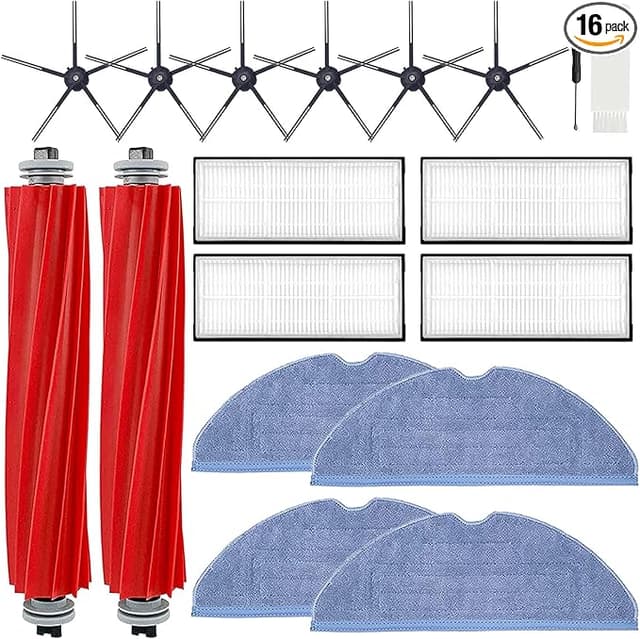
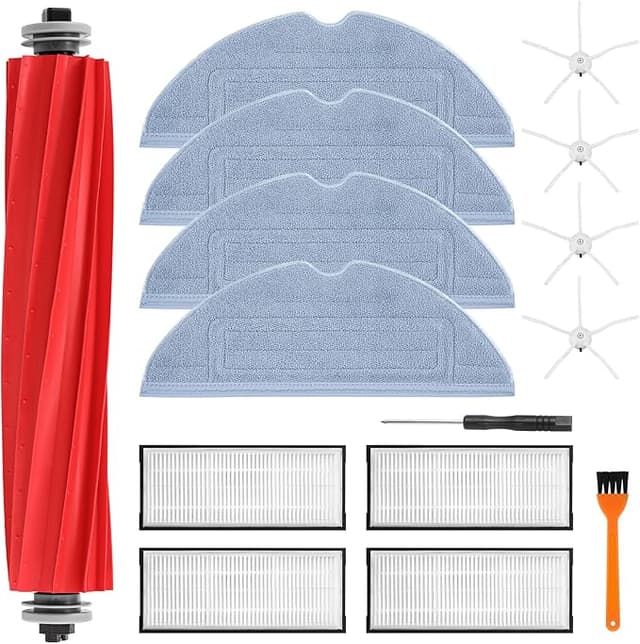
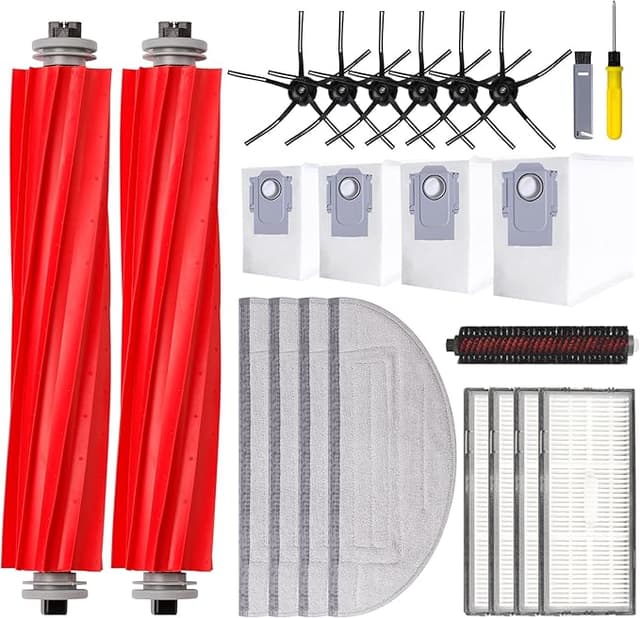
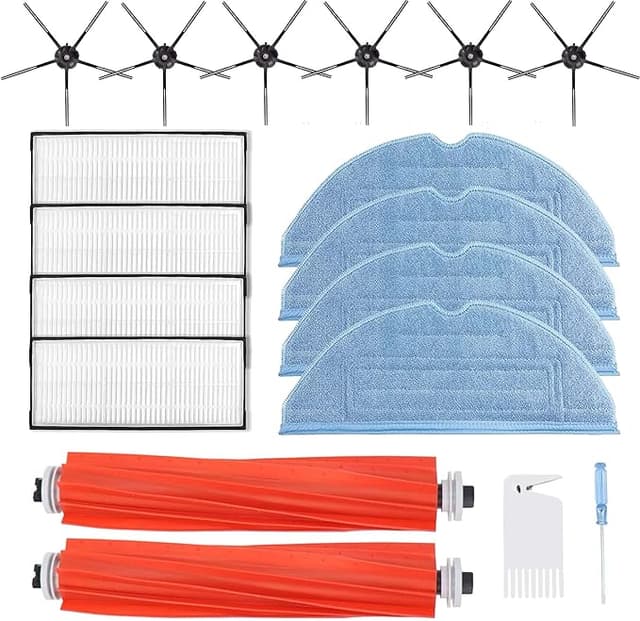
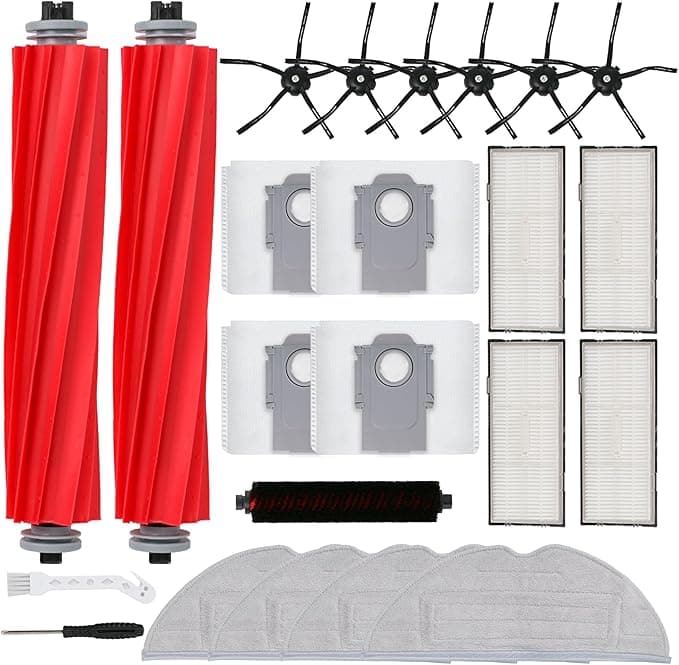
Look, I'll be honest about where I started. I'd had my Roborock S7 MAXV for about a year and a half when the side brush started splaying out like a bad haircut and the mop pads had gone that gray, crusty color no amount of rinsing fixes. So I went to reorder the genuine Roborock kit, saw the price, and closed the tab. Then I found a compatible replacement kit — brushes, mop pads, filter, dust bags, the whole set — for right around $20, and my gut reaction was the same one you're probably having: there's no way the cheap one is actually okay. Something that costs less than half has to cut a corner you'll regret.
I bought it anyway, mostly out of spite toward the OEM price. I've now run that kit through my S7 MAXV for the better part of five months. Here's the actual story, fit, smell, the annoying parts and all.
The price math that pushed me over
The genuine Roborock accessory kits I was looking at landed in the $40-plus range depending on where you buy and what's bundled. The compatible kit I grabbed was about $20. That's not a rounding-error difference — that's roughly half, and on a robot vacuum you're feeding consumables into a few times a year, it stacks up fast.
Think about the cadence. The main brush and filter want swapping somewhere around the 6-to-12-month mark, the side brush and mop pads sooner depending on how filthy your floors are. If you're a two-kits-a-year household, OEM is pushing $80-something annually on parts that are, functionally, brushes and felt pads and a pleated filter. The compatible route runs you closer to $40 a year. Over the realistic lifespan of the machine, that gap buys you a couple of nice dinners. I did that math standing in my kitchen and felt a little dumb for ever paying full OEM.
Does it actually fit? Yeah — with one fiddly bit
This was my real fear. A robot vacuum is a sealed little system and a part that's 0.5mm off can rattle, leak, or throw an error. So I went slow. Powered the unit off, pulled it off the dock, flipped it on a towel on the table.
The main brush dropped into its cage exactly like the original — same length, same end caps, clicked the cover shut with no force. Side brush screwed on, no drama. The filter seated into the dustbin and the bin closed flush, which is the part I was watching closest, because a filter that sits proud means unfiltered air sneaking past. It sat right.
The mop pads were the one spot I had to pay attention. They attach by their velcro/clip orientation and the new ones grabbed a hair more stiffly than the worn OEM ones I'd pulled off — honestly probably because the originals were broken-in and floppy. I pressed the release, slid the old ones off noting which way they faced, and lined the new ones up the same orientation. First try one of them wasn't fully seated on a corner and dragged slightly. Re-pressed it, done. Sixty seconds of attention, not a defect. If you just slap them on without looking you might get a streak on your first mop run, so: look.
How it cleans now, and where it's a touch behind
The suction and pickup? I genuinely can't tell a difference. The S7 MAXV pulls the same lines across my rug, the dustbin fills the same, the brush agitates pet hair off the floor like it always did. On the actual job — moving dirt off my floors into the bin — this kit is doing OEM-level work in my house.
Where I'll give the original its due: the materials feel a notch less premium in the hand. The mop pad fabric is a little thinner than the Roborock pads I remembered, and after a few months mine are showing wear a touch faster — I'd guess I'll cycle them slightly more often than I would the genuine ones. The filter media looks and performs right, but the plastic frame on it is a smidge lighter, less rigid when you flex it. Does that matter once it's clamped into the bin doing its job? In five months, no. But if you're the type who likes everything to feel tank-built, you'll notice the plastic.
One more honest detail: when I first popped the new filter and brushes out of the bag, there was a faint plastic-and-rubber smell for the first day or two. Not chemical-harsh, just new-stuff smell. It aired out completely by day three and I haven't caught a whiff since. The packaging, too, is plain — a poly bag and a thin box, none of the OEM presentation. You're paying for the parts, not the unboxing.
Why I didn't just let the old stuff ride
Here's the part people skip until it bites them. A clogged filter and a worn brush aren't just a cleaning-quality thing — they make the machine work harder and dump fine dust back into your room instead of trapping it. I've got mild allergies and I could actually tell when my old filter was past it; the air in the room felt heavier after a run. Worn brushes also stop lifting debris efficiently, so grit gets pushed around and ground into your floors, and over time that strain isn't kind to the motor. Letting consumables go too long is how a $400 robot turns into an expensive repair. Swapping a $20 kit on schedule is cheap insurance against that.
So who should skip this — and what I actually do
If your S7 MAXV is still under warranty and you're worried that a third-party part could give the maker an excuse to deny a claim, buy OEM for now and don't give them the opening. And if you're someone who simply won't be happy unless every component is factory-stamped, that's a real preference — pay the premium and enjoy it, no judgment.
For everyone else — for me — the compatible kit is the obvious call. It fit, it seated clean, it cleans like the original, and the only honest knocks against it are slightly thinner mop pads and a couple of days of faint new-part smell. For roughly $20 instead of $40-plus, doing the same job in the same machine, I bought it once, watched it work for five months, and I've already reordered. That's the most honest endorsement I've got: I spent my own money on it twice.