Troubleshooting & Analysis
The print job that died at line three
I was halfway through printing boarding passes at 5:40 in the morning — flight at eight — when my HP OfficeJet 6978 threw up that yellow triangle and just... stopped. Black ink, gone. Mid-page. Half a barcode printed, the bottom half blank, useless. And of course the spare cartridge I "definitely had somewhere" did not exist. I'd been babying a genuine HP 902XL black for months, watching the little ink gauge creep down, telling myself it was fine. It was not fine. It chose the worst possible morning to flatline.
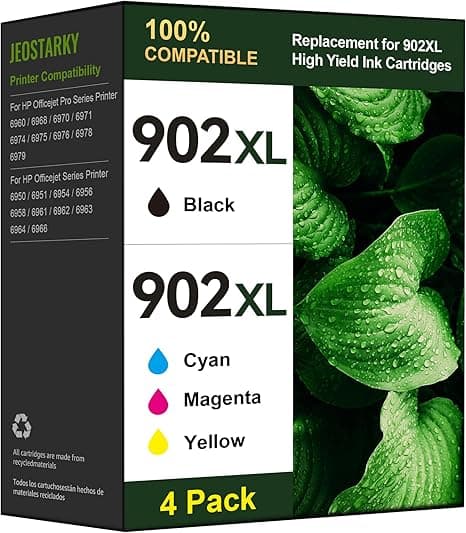
That's the moment that pushed me off OEM ink for good. Because when I went to replace it that week, the genuine HP 902XL high-yield black wanted around $40 — for one cartridge. The compatible 902XL I ended up buying ran me about $20. Same high-yield capacity claim, half the money. After three or four of those panic-at-the-printer mornings, I was done paying brand-name prices to be left stranded anyway.
What the OEM markup actually costs you over a year
Here's the math that finally got me. I print maybe 150–200 pages a month — kids' homework, shipping labels, the occasional photo. On genuine HP cartridges I was burning through a black and a tri-color set every couple months, easy $80–$100 a quarter once you count color. Switch to the compatible 902XL line and that same year of printing dropped by roughly half. The savings line in the listing — "50% less" — isn't marketing fluff in my experience. It tracked almost exactly with what hit my card.
And no, I'm not printing wedding invitations. For everyday documents, school stuff, the odd recipe — the page that comes out looks like a page. Sharp black text, color that's plenty vivid for a pie chart or a coupon. I genuinely cannot tell you which printouts on my desk came from the $40 cartridge and which came from the $20 one. I've tried. I can't.
Does it actually seat right? Mostly yes — with one fiddle
Installing it is the same dance as OEM, which surprised me. You pop the cover, wait for the carriage to slide over and stop — don't rush it, that's how people snap tabs. Press the little tab to release the dead cartridge, lift it out. Then the new one: peel the protective tape off the contacts and the vent, and this is the part people skip. If you leave that tape on, the cartridge starves for air and prints streaky or not at all, and then everyone blames the "cheap ink." It wasn't the ink. It was the tape. Pull all of it.
Slide the new 902XL in at the slight angle the slot wants and push until you hear the click. That click is the whole game — if it doesn't click, it doesn't make contact, and the printer pretends it's empty. Run a test print and you're done. On my 6978 the compatible cartridge clicked in just like genuine. I did, on one of the two I've installed, have to pull it back out and reseat it once because the printer threw a "cartridge problem" warning on first power-up. Reseated it, ran the alignment again, and it's been silent ever since.
The honest downsides — because there are some
Let me be straight, because a review where everything's perfect is a review you shouldn't trust.
First: the chip warnings. HP firmware loves to throw a "non-genuine cartridge" or "counterfeit" pop-up the first time it sees an aftermarket chip. It's a scare screen. You click through it — usually an "OK" or "continue" — and the cartridge prints fine. But it'll nag you again after firmware updates, and if you let your printer auto-update its firmware, there's always a small risk HP pushes a block that suddenly refuses third-party chips. I keep auto-update off on mine for exactly this reason. That's a real annoyance and you deserve to know it before you buy, not after.
Second: the ink gauge lies. On a compatible cartridge the printer often can't read the level accurately, so it'll either show a permanent question mark or it'll show "low" the whole time even when it's mostly full. You learn to ignore the gauge and just print until the quality drops — which, honestly, is a better habit anyway. But if you're someone who likes that tidy little fill bar, it's going to bug you.
Third, and smaller: the packaging is cheap. Thin plastic clamshell, no fancy HP box, sometimes a faint chemical smell off the fresh cartridge for the first day. None of that touched print quality for me, but it doesn't feel premium in the hand. You're paying for ink, not unboxing.
Why a dead-empty cartridge is more than an annoyance
The boarding-pass morning taught me this the hard way: running bone-dry isn't just inconvenient, it's hard on the printhead. On these OfficeJet models the printhead is integrated and ink actually helps keep the nozzles from drying and clogging. Let a cartridge run fully empty and sit, and you're risking a clogged head — which is a far more expensive problem than a $20 cartridge. So the real value of cheap-enough ink is that you stop rationing it. I keep a spare compatible 902XL black in the drawer now precisely because at twenty bucks I can afford to. I never did that at OEM prices, and that's exactly why I got stranded.
Who should skip this — and why I grab it anyway
If you're a photographer printing gallery work, or you run a business where a firmware block on a Monday morning would genuinely cost you a contract, buy the genuine HP 902XL and don't think twice. The OEM color consistency on glossy photo paper is a hair richer, and you never see a warning screen. That's worth $40 to some people. Fair.
But for me — homework, labels, the boarding pass that actually printed in full the next time around — the compatible 902XL does the same job for half the price, and the only cost is clicking through a nag screen and ignoring a fake fuel gauge. I've now bought it three times. I keep a spare on hand. And I haven't been stranded at 5:40 in the morning since. For twenty bucks doing the work of forty, I'd buy it again — and I have.



