Troubleshooting & Analysis
The click is what sold me, honestly
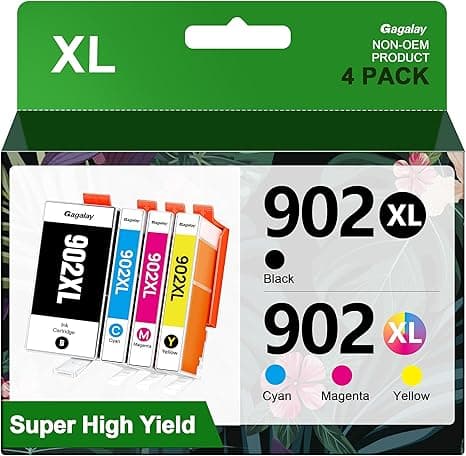
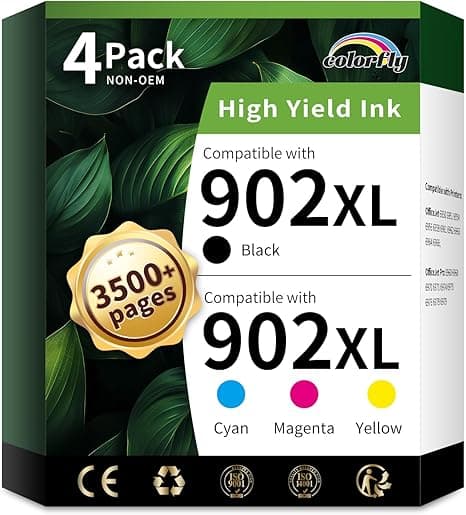
I've installed enough cartridges in my HP OfficeJet to do it half-blind, and the thing I notice first with any new one isn't the print quality — it's whether it seats. The OEM 902XL drops in with this confident little snick, like a seatbelt buckle. The first compatible 902XL I bought for my 6970, I braced for a mushy, vague nothing. Instead I got the same snick. Maybe a hair stiffer going in — I had to push it about a millimeter further than I expected before it caught — but it caught. That sound did more to settle my nerves than any star rating ever has.
So here's where I'm coming from. I run an HP 6970 at home for a small side thing — invoices, shipping labels, the occasional kid's school project printed in a panic at 10pm. It also covers a 6958 my sister parks at her place and a 6966 a friend uses. Same 902XL family across all three. And I got tired, genuinely tired, of the math.
The math is the whole reason I'm writing this
A genuine HP 902XL high-yield black runs you north of $40 the moment you're not catching a sale, and the color set pushes the total way past that. The compatible 902XL I've been buying lands at roughly half — call it 50% less, which on my buying pattern is real money, not couch-cushion change. I go through black faster than color (don't we all), so over a year I'm probably swapping black three or four times. Knock $20-something off each of those and you're looking at the difference between an annoying recurring expense and one I barely think about anymore.
That's the pitch in one sentence: same high-yield 902XL job, sharp text, colors that look right, for about half the brand-name price. But I don't want you buying on a sentence. Let me tell you where it's genuinely good and where it made me wince, because it did make me wince a couple of times.
Install: easy, with one fussy step
The actual swap is exactly what you'd expect. Open the cover, wait for the carriage to slide over and stop — and actually wait for it, don't fight it while it's still moving — press the tab to pop the old cartridge, and pull. New one comes out of the foil, and here's the step people rush: peel the protective tape off the contacts and the print head fully. On the compatibles the tape is cheaper, thinner, and it tore on me once instead of pulling clean. I had to pick a little sliver off with a fingernail. Annoying. Took twenty extra seconds. Then it slides in, you get that click I keep going on about, and you run a test print.
That test print matters more with compatibles than with OEM, and I'll get to why. But mechanically? It fits. No shimming, no wiggling, no "third-party doesn't quite sit flush" horror. It sits flush.
How it actually prints
Black text is where I had zero complaints. Crisp, dark, no graying, no skipping on a fresh install. If you're printing documents — labels, forms, anything that's mostly words — you would not be able to tell my compatible 902XL page from an OEM one in a lineup. I've tried that on people. They can't.
Color is where I'll be honest with you, because the brief I hold myself to is honesty. On plain paper, photos and color graphics look great — vibrant, accurate enough that nobody's complaining. On glossy photo paper, side by side with a true HP cartridge, I think the OEM has a slight edge in the deep shadows. The blacks-within-photos go a touch flatter on the compatible. We're talking pixel-peeping territory. If you print gallery photos for a living, that gap might matter to you. For a school project of a volcano? Nobody on Earth will notice.
The downsides — and there are a few real ones
I promised you wince moments, so here they are, no sugar.
First: the chip and the low-ink warning. HP's firmware is famously suspicious of anything that isn't HP. The first time I installed a compatible 902XL, the printer threw a "used or counterfeit cartridge" message. My stomach dropped — I thought I'd bricked something. I hadn't. You click through it (there's a prompt acknowledging it's a non-HP cartridge), and it prints fine. But you will see that scary screen, and if a firmware update rolls through, sometimes a previously-happy cartridge throws the warning again. It's a known dance with these. If that kind of nagging will drive you up a wall, that alone might be worth the OEM premium to you. For me, clicking one extra button to save twenty bucks is the easiest trade I make all month.
Second: the ink-level gauge lies a little. With compatibles the on-screen "how full am I" estimate is approximate at best. It'll sometimes read low when there's plenty left, or jump down in chunks. I've learned to ignore the gauge and just go by the page — when the black starts faintly streaking, I swap. Which honestly is a better habit anyway, but it's a downside if you like a reliable fuel gauge.
Third, smaller: the packaging is cheap and the foil pouches feel flimsy. One arrived with a tiny smudge of ink at the nozzle — wiped clean, printed perfectly, but it doesn't inspire the same confidence as HP's sealed-and-taped presentation. And as I mentioned, that pull-tab tape is the weak point. Peel it slow.
Why a dead or sketchy cartridge actually matters
People wave off ink like it's trivial until they're standing at the printer at the worst possible moment — the shipping label that has to go out, the boarding pass, the form due in ten minutes — and the thing throws a low-ink stop. A cartridge that won't reliably print when you need it isn't a minor inconvenience; it's the entire reason you own the printer failing you on cue. The flip side of HP's overcautious firmware is that a flaky third-party chip can cause those stoppages. The good compatibles — the ones that seat with a real click and clear the warning cleanly — don't. That's the line I draw, and it's why I'm picky about which 902XL I buy rather than just grabbing the cheapest listing.
So who should skip it — and what I actually do
Buy the genuine HP 902XL if you print high-end photos professionally, or if seeing that "non-HP cartridge" warning even once will genuinely ruin your week. No judgment. Some people want zero friction and will pay for it.
Everybody else — and that's most of us running a 6958, 6966, or 6970 for normal home and small-office stuff — I think the compatible 902XL is the obvious call. Text is indistinguishable, color is great on plain paper, it fits and clicks like it should, and it costs about half. Yeah, you click through one warning and you ignore a lying fuel gauge. For roughly $20-plus saved per black swap, several times a year, across three printers in my life? I bought it again last month. And I'll buy it again next time the streaking starts.