Troubleshooting & Analysis
I didn't believe a $20 cartridge could be fine either
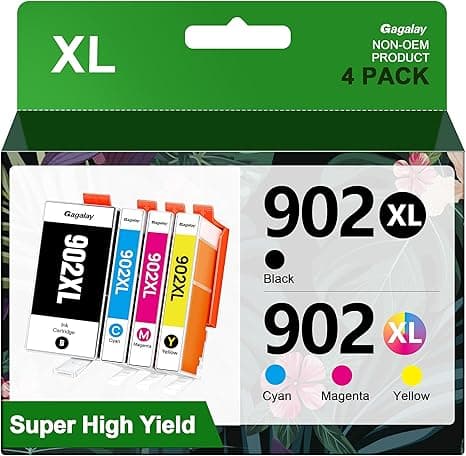
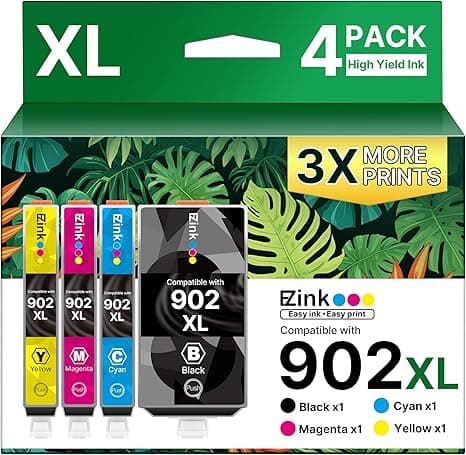
Here's the thing. I've got an HP OfficeJet Pro 6968 sitting on the corner of my desk, and for two years I paid whatever HP told me to pay. A 902XL black, genuine, ran me right around $40. The color set on top of that. I'd watch a low-ink warning pop up mid-document and feel my jaw tighten, because I knew what restocking cost. So when I first saw a compatible 902XL for around $20 — half of OEM, give or take — my reaction wasn't excitement. It was suspicion. Cheap ink is how you wreck a printhead, right? That's the story everybody repeats. I figured I'd buy one, watch it clog or streak, and have my "told you so" ready.
That was eleven months and four cartridges ago. I'm still using them. So let me walk you through what actually happened, the good and the parts that genuinely annoyed me, because I went in as the skeptic and I'd rather you didn't have to.
The money, plainly
The HP-branded 902XL black runs about $40 at full price. The compatible 902XL I've been buying lands at roughly $20 — so a single cartridge is about half. But the real gap shows up when you buy ink the way you actually buy ink: in sets, over a year. I print maybe 150–200 pages a month, mostly text with the occasional shipping label or kid's school flyer in color. On OEM that was costing me close to $200 a year once you tally the high-yield black and the color trio refills. On the compatibles I'm under $100. That's not a rounding error. That's a tank of gas and a couple of lunches, every year, for ink that puts the same words on the same paper.
And the 902XL matters specifically because it's the high-yield number. The standard 902 dries up fast. If you're going to buy compatible at all, buy the XL — the per-page cost drops hard and you stop opening the printer every other week.
Does it actually fit and seat?
This is where I expected trouble, and honestly this is where the cheap stuff usually betrays you — the cartridge that's a half-millimeter off and won't click. It didn't happen. I opened the cover, waited for the carriage to slide over and stop, pressed the little tab to pop the old one loose, peeled the protective tape off the new cartridge's contacts and nozzle, and pushed it in until it clicked. Same click. Same seat. I ran a test print and a single alignment page and it was reading ink levels and laying down a clean line within about ninety seconds of me touching it.
One fiddly note that's worth saying out loud: peel all the tape. The compatible ones I got had a slightly more aggressive strip of tape over the gold contacts than the OEM, and the first time I left a corner stuck and got a "cartridge not recognized" message. Ten seconds of re-seating after pulling the rest of the tape fixed it. Not a defect — just cheaper packaging that demands you actually look at what you're peeling.
How the prints actually look
Text: I cannot tell the difference. Black documents come out sharp, dark, no gray cast, no feathering on normal copy paper. If you printed an OEM page and a compatible page and slid them across the table at me, I'd be guessing.
Color is where I'll give you the honest hair-split. On plain paper — flyers, labels, charts — it's a dead heat. On glossy photo paper, side by side with a genuine HP print, the compatible runs a touch warmer and a hair less punchy in deep blues. You'd only catch it if you laid them next to each other under good light, which nobody does. For my actual life — documents and the rare photo for the fridge — it's a non-issue. If you're printing portfolio photos to sell, that's the one case I'd tell you to spend up. More on that in a second.
The downsides I actually ran into
I promised honest, so here's the real list, not a token complaint.
First, the chip readings are a little dramatic. The ink-level indicator on these compatibles doesn't track as smoothly as genuine HP. It'll sit at "full" longer than it should, then drop fast near the end, and a couple of times it flashed a low warning while there was clearly printing left in the tank. You learn to ignore the gauge and judge by the page. Mildly annoying for the first cartridge, then you just stop trusting the number and you're fine.
Second, packaging. It's cheap. Thin plastic clamshell, no fancy vacuum seal, a sticker that peels crooked. None of that touches print quality, but if presentation reassures you, this won't. It looks like what it is — a $20 product.
Third, and this is the one that genuinely cost me a small headache: HP's firmware. HP pushes updates that sometimes get pricklier about non-genuine cartridges, and on one update my printer threw a warning screen demanding I confirm I was using a non-HP cartridge before it'd print. It still printed — I just had to click through "yes, I understand" once. But if you let your printer auto-update firmware without thinking, there's a small ongoing risk of a more stubborn block someday. I turned off automatic firmware updates in the printer's web settings and haven't had a problem since. That's a thing you should know going in, not discover at 11pm before a deadline.
Fourth, a minor one: the very first page off a fresh compatible black sometimes has a faint streak that clears after one cleaning cycle or two pages. The OEM didn't do that. Costs you one sheet of scrap paper. I can live with it.
Why a dead cartridge is its own kind of disaster
People underrate this. It's not just the cost — it's the timing. Ink always dies at the worst moment: the boarding pass, the signed contract, the return label the night before the package has to go out. That panic is exactly what HP's pricing leans on. The fix isn't only cheaper ink, it's keeping a spare in the drawer, and at $20 a cartridge you can actually afford to. I keep a backup black and a backup color set on the shelf at all times now. On OEM I never did, because stocking up meant $80 sitting idle. That's the quiet win — cheap enough that you're never caught empty.
Who should skip it — and who I am
Buy genuine HP if you sell photo prints, if your printer is under a warranty you're worried about voiding, or if you simply will not tolerate clicking through one firmware nag screen. Those are real reasons and I won't talk you out of them.
For everyone else — the home office, the family printer, the person printing shipping labels and homework and the occasional color flyer — I run the compatible 902XL in my own 6968 and I'm on my fourth one. Same crisp text, half the price, $100-ish saved a year, and the only cost is ignoring a twitchy ink gauge and turning off auto-updates. I went in expecting to be proven right that cheap ink is a trap. Instead I just stopped overpaying. I'd buy it again — and I already have, three times.