Troubleshooting & Analysis
I didn't believe a $17 cartridge could be fine either
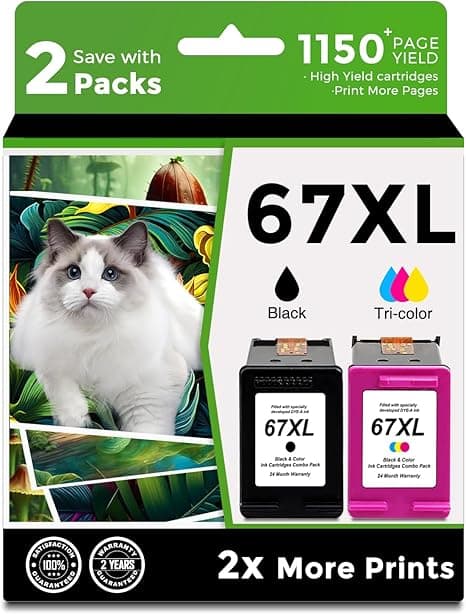
Look, I'm the guy who used to buy genuine HP ink because some part of my brain decided the cheap stuff would clog the printheads and brick a printer I paid more for than the ink. So when my HP 2722E threw a low-ink warning in the middle of printing my kid's school forms, my reflex was to reorder the real 67XL — the genuine high-yield runs about $35 — and just eat it. Again.
Except this time I didn't. I'd seen a compatible 67XL sitting at roughly $17, half the price, and I was annoyed enough at HP's whole ink subscription racket to gamble seventeen bucks on proving myself right that the cheap one was junk. Spoiler: I didn't get to be right. I've now run two of these compatible cartridges through that 2722E and a friend's 4122E, and I'd buy them again — but let me tell you exactly what you're getting and where it's a little rougher than the brand-name box, because it isn't perfect.
The math that finally got me to switch
Here's the part HP would rather you not sit and calculate. The genuine high-yield 67XL is around $35. The compatible one I bought was about $17 — call it half. I go through maybe four high-yield cartridges a year between documents, the occasional photo, and my partner printing recipes she'll never actually cook. That's the difference between roughly $140 a year and $70 a year on ink for a printer that cost me less than a hundred bucks new.
Put another way: in about two cartridge swaps, the compatible ink has paid for the printer all over again in what I didn't hand to HP. That was the number that broke me. Not a feature. Just the realization that I'd been paying a brand tax on a plastic box of pigment.
Does it actually fit? Yes — with one honest caveat
This was my real fear. Aftermarket cartridges that don't seat, or that the printer refuses to recognize. So here's the install, straight, because it matters more than any spec.
I opened the cover and waited for the carriage to slide over and stop — don't rush it, let it settle. Pressed the little tab to pop the old cartridge out. Then the one step people skip and then complain online about: peel the protective tape off the new cartridge completely, including the strip over the contacts and the vent. I've watched someone leave a half-peeled tab on and then swear the "fake ink doesn't work." Pulled it clean, dropped the new one in until it clicked — and it does click, a definite seat, not a vague push — closed the cover and ran a test print.
It printed first try. No "non-genuine cartridge" tantrum that bricked anything. Now the honest caveat: yes, the printer pops up a one-time message telling you it's not a genuine HP cartridge, and you tap to dismiss it. That's it. It's mildly annoying the first time and then you forget it exists. If a single dismissable nag screen ruins your day, buy OEM and pay the $18 difference for the privilege of not seeing it.
How it actually prints
Black text is the easy win — crisp, dark, no streaking, genuinely indistinguishable from genuine on a normal document. I printed a 14-page lease agreement and you could not pick the compatible-ink pages out of a lineup. For everyday text and forms, which is 90% of what most of us do, it's a wash with OEM.
Color is where I'll be straight with you. On plain paper, color graphics and web pages look great — vivid enough, accurate enough, nobody's noticing. On glossy photo paper doing a side-by-side with a genuine print, I could see a hair less depth in the deep blues and a slightly warmer skin tone. Not bad. Just... if you're a photographer printing portfolio shots, you'll notice. For a fridge photo of the dog, you will never in your life tell the difference.
The downsides — the real ones
I promised at least one honest negative and I've got a couple, so here they are without sugar.
- The ink-level gauge lies a little. With compatible cartridges, the printer's "ink remaining" meter is unreliable — it sometimes reads empty when there's clearly plenty left, or just shows a question mark. You learn to ignore the gauge and go by the actual print quality, which is the real signal anyway. First time it happened I thought I got a dud. I didn't. I just had to stop trusting the little bar graph.
- The packaging is cheap and the QC is a touch looser. The box is thin, the cartridge came in a plain foil pouch instead of HP's molded clamshell, and the print on the label was slightly crooked. One out of the handful I've bought had a tiny bit of ink seepage around the nozzle that I wiped off with a paper towel before installing — fine after that, but it's the kind of thing you'd never see on a genuine unit. With OEM you're paying for a more buttoned-up assembly line. That's real and I won't pretend it isn't.
- Slightly more variation cartridge-to-cartridge. One gave me a faint horizontal banding on the very first photo print that cleared up completely after I ran one printhead cleaning cycle. Genuine ink, I almost never have to do that out of the gate. Five minutes and it was perfect — but it's an extra step you might hit.
Why not just let it ride till it's bone dry?
Quick word on this because it bit a friend. Don't run a cartridge completely empty and keep printing — firing a printhead with no ink feeding it is how you cook the head over time, and on these all-in-one HP units the head's tied to the machine. A dried-out, starved cartridge isn't saving you money; it's risking the printer. The whole point of a cheap replacement is you can actually afford to swap it the moment quality drops instead of nursing a dying one to save thirty-five bucks. Cheap ink makes you less precious about replacing on time, which is genuinely better for the printer.
So who should buy what
If you print fine-art photography, run a small print shop where color has to be dead-on, or you genuinely cannot stand a one-time "non-genuine" pop-up — buy the real HP 67XL, pay the $35, and don't think about it.
For everyone else — the school forms, the boarding passes, the shipping labels, the occasional decent-enough photo — the compatible 67XL at around $17 does the same job for half the money. The gauge is flaky, the box is cheap, and once in a while you'll run a cleaning cycle. I know all that. And I still reorder it, because saving roughly $70 a year on a printer that cost less than two genuine cartridges is the only sane move here. I didn't trust it either. Then I used it. Now it's just what I buy.



