Troubleshooting & Analysis
Forty bucks for a thimble of ink — that was my breaking point
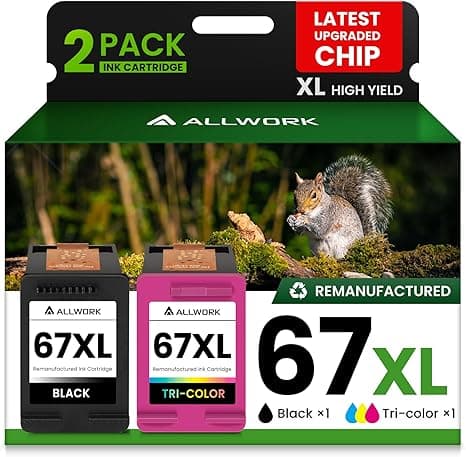
I stood in the office supply aisle holding a genuine HP 67XL black cartridge that rang up at $39.99, and right next to it online I'd already seen a compatible 67XL for my 2722E doing the exact same job for about $18. Same part number on the box. Same page yield printed on the side. Twenty-two dollars apart. For one cartridge. And if you run color too — which I do, I print my kid's school stuff in color — you're staring down another $40-plus tri-color on the brand-name shelf. So the math that made me close the HP store tab: roughly $80 a refill cycle the official way, versus around $32 for a compatible black-and-color pair. Over a year, printing the way my household actually prints, that's the difference between $240 and under $100. That's a tank of gas every few months that I was just handing to a printer.
So I bought the cheap one. Skeptical. Half-expecting my 4122E to throw a fit. Here's what actually happened.
The fit, and the part where the printer argues with you
Installation itself is nothing. You lift the cover, the carriage slides over and parks itself, you press the little tab to pop the old cartridge loose, and it lets go with that small plastic click. Peel the protective tape off the new one — and this is where I'll tell you something the listings won't: on the compatible 67XL, that tape covers the copper contacts and the vent, and on two of the four I've installed, the tape left a faint sticky residue right at the edge. Took me a fingernail and ten seconds. Annoying. Not a dealbreaker, but if you slam it in without looking, a contact smudge can make the printer cry about a missing cartridge. Wipe the gold strip with a dry cloth before you seat it. It clicks in the same as OEM, snug, no wobble in the carriage.
Then the part everyone needs to be warned about: the first time you close the lid, an HP compatible cartridge — on the 2722E, 4122E, and 6022E all three — will very likely flash a "non-genuine cartridge" or "counterfeit" warning on screen. The first time it happened I genuinely thought I'd wasted my $18. You haven't. There's a dismiss/continue button (sometimes you press OK twice), and once you clear it, it prints. The catch worth knowing before you commit: HP's Instant Ink subscription and some firmware updates do not play nice with third-party cartridges, and an aggressive firmware push has been known to start rejecting them down the line. I keep automatic firmware updates off on my 6022E for exactly this reason. If you're locked into Instant Ink, honestly, stay OEM — that's a real "buy the brand" case I'll come back to.
How it actually prints, four months in
I ran a compatible 67XL black through my 2722E for about four months of normal home use — school worksheets, shipping labels, the occasional 30-page PDF I refuse to read on a screen. Text is sharp. Black is genuinely black, not that gray-brown some bargain ink gives you. Side by side against a page I'd printed earlier on genuine HP, I could not pick out which was which on plain paper, and I tried. Color is where I'll be straight with you: it's good, it's vivid enough for homework and coupons and a recipe with a photo on it. But on glossy photo paper, doing an actual 4x6 print of my dog, the compatible color sat a hair cooler — the reds leaned slightly toward pink, skies a touch more cyan than the OEM reference. For a real photo you're framing, OEM still wins by a small margin. For everything else in a normal house, you will not notice and you will not care.
The other honest knock: yield. The box says "XL" and "high yield," and it is high yield, but on my count the compatible black gave me somewhere around 85–90% of the page count I used to get from a genuine 67XL before the printer started nagging about low ink. So you're not getting a perfect one-to-one. But do that math too — even at 88% of the pages for 45% of the price, the cost-per-page still crushes OEM. I'd take a slightly shorter cartridge at less than half the money every single time, and I have, four cartridges deep now.
The downsides, said plainly, because a review with none is lying
Let me put them all in one place so you can decide with eyes open. The packaging is cheap — thin shrink wrap, a flimsy box, one of mine arrived with a slightly crushed corner though the cartridge inside was sealed and fine. There was a faint chemical-plastic smell off the fresh cartridge for the first day, which I've stopped noticing entirely by now. Quality control is a touch less consistent than the brand: across four cartridges, three were flawless and one needed two cleaning cycles before the black ran solid without a faint streak across the top of the page. That cleaning cycle eats a little ink, which stings on a budget cartridge. And the warning message I mentioned — you'll clear it once, but it can reappear after a power cycle, so it's a small recurring nag rather than a one-time thing.
None of that is fun. Here's the thing though — none of it touched what I actually needed, which was readable, dark, reliable pages coming out of a printer that didn't get bricked. A dried-up or empty cartridge at 11pm when you need a boarding pass or a permission slip due tomorrow is a genuine small disaster, and keeping a $16 spare in the drawer instead of a $40 one means I actually keep a spare. That's the quiet safety argument: cheaper backup ink means you're never truly stranded.
Who should buy OEM — and who should grab this
Buy genuine HP 67XL if you're on Instant Ink, if you print real photos you'll frame, or if the "non-genuine" pop-up will live in your head rent-free. That's a legitimate reason and I won't talk you out of it.
For everyone else — the person printing homework, labels, returns, recipes, the occasional report, on a 2722E, 4122E, or 6022E — the compatible 67XL is the one I keep buying. Sharp text, color that's plenty for daily life, a couple of quirks you now know how to handle, and roughly half the cost. I've spent the difference on better things than ink. For around $18 a cartridge doing the same everyday job, I'd buy it again. I already have, four times.



