Troubleshooting & Analysis
That little click when it seats — that's when I stopped worrying
The first thing I noticed wasn't the print quality. It was the sound. I'd snapped a dozen HP 67-series cartridges into my 2722E over the years, OEM ones, and they make a specific little plastic click when the carriage grabs them — a shallow, slightly cheap click. When I dropped the compatible 67XL in for the first time, I braced for it to feel wrong. Loose. Rattly. It didn't. Same click. Maybe a hair softer, honestly, but it seated flush and the carriage pulled back into park like nothing had changed. I sat there for a second, finger still on the cartridge, waiting to be disappointed. Wasn't.
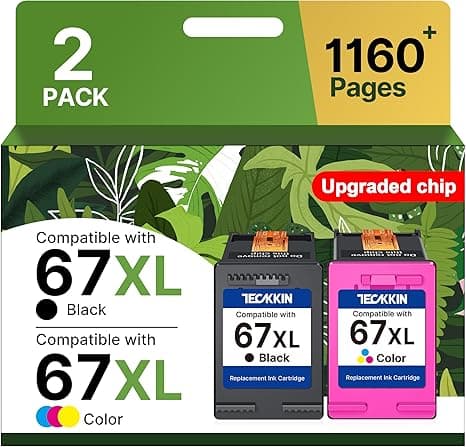
I've been buying ink for an HP 2722E for two years and I'm just tired of the math. So when my black cartridge ran dry in the middle of printing my kid's school forms — of course it did, it always picks the worst moment — I finally pulled the trigger on the compatible 67XL instead of the brand-name one. Here's what four months of actual use looked like.
The price gap is the whole reason we're here
Let's not pretend this is about anything else. An OEM HP 67XL high-yield runs you real money, and the compatible version I bought came in at roughly 50% less. That's not a rounding-error discount. If you print even semi-regularly — a couple hundred pages a month, school stuff, shipping labels, the occasional photo — you're going through cartridges a few times a year. Cut each one in half and over a year that's the difference between dreading the low-ink warning and just... swapping it and moving on. For me it worked out to something like a $20 swing per cartridge, and across a year that adds up to real grocery money. That's the actual stakes. Not "performance metrics." Money you keep.
Install: genuinely a non-event
If you've never changed one of these, don't overthink it. Lift the cover, wait for the carriage to slide over and stop — it has to stop on its own, don't fight it. Press the tab to release the old cartridge and it pops up at an angle. The one step people skip and then panic about: peel the protective tape off the new cartridge. There's a strip of clear plastic film over the contacts and the ink outlet, and if you leave it on you'll get a blank page and assume the cartridge is dead. It's not. Pull the tape. Then slide the new one in at the same angle until you hear that click, close the cover, run a test print.
On the compatible 67XL, the tape was a little stubborn — the tab to grab was smaller than HP's, and I had to pick at it with a fingernail for a second. Minor. But worth knowing so you don't yank and snap it off mid-strip.
How it actually prints
Black text: sharp. I printed a 30-page PDF the first night, dense legal-style text, and put it next to a page from my last OEM cartridge. I could not tell you which was which. No fuzzy edges, no gray-instead-of-black, no streaking. Color was the part I was nervous about — compatible color cartridges are where you usually see the cracks — and on everyday stuff, web pages, a recipe with a photo, a school project with a map, it looked right. Reds were red. Skin tones in a photo weren't weirdly orange.
Where it's a touch behind OEM: glossy photo prints, side by side, the compatible color was very slightly cooler. A photo of my dog had marginally less warmth in the browns than the HP original did. You would never notice it unless you were doing exactly what I was doing — holding two prints under a lamp and squinting. For documents and normal color printing, it's a wash. For gallery-quality photo printing, OEM still has a small edge. I'll come back to who that matters for.
The downsides — and there are a couple of real ones
I'm not going to hand you an all-upside review, because those are useless and you know it. Here's what actually bugged me.
First, the page-count estimator on the printer got confused. The 2722E shows you an ink level gauge, and with the compatible cartridge it either showed full forever or jumped around. A few times the printer threw a "non-genuine cartridge" nag screen on startup — you click through it once, tell it yes you know, and it stops bugging you, but the first time it pops up your stomach drops a little because you think you bought a dud. You didn't. It's HP being HP about third-party ink. The cartridge works fine; the software just sulks. Annoying, not a dealbreaker, but I'd rather warn you now than have you return a perfectly good cartridge over a pop-up.
Second, real-world yield felt a touch under the OEM high-yield. Not dramatically — but where my OEM 67XL got me through a heavy month and change, the compatible one tapped out maybe a little sooner under the same load. So the savings aren't quite a clean 50% once you account for changing it marginally more often. Call it more like 40% real savings. Still a lot. Just don't expect the math to be perfectly linear.
Third — and this is small — the packaging is cheap. Thin cardboard, a generic shrink bag instead of HP's foil pouch. It doesn't affect the ink at all, but if you're the type who eyes the box and judges, the box looks like a knockoff. The ink inside performed like it wasn't.
Why a dead cartridge actually matters
The thing nobody tells you: running a cartridge bone-dry isn't free. Print enough with an empty or near-empty cartridge and you can dry out or clog the printhead path, and on these all-in-one HP units that's a much bigger headache than just buying ink. So the dirty secret of cheap ink isn't "is it safe" — it's that affordable ink makes you more likely to actually replace it on time instead of squeezing a dead one for three more weeks because you don't want to spend $45. Keeping a cheap spare in the drawer is honestly easier on the machine than rationing an expensive one.
The verdict
Buy OEM if you print real photographs you care about — wedding prints, portfolio stuff, anything where that small color warmth difference shows. For that, pay up. No shame in it.
For literally everyone else — school forms, work documents, shipping labels, the occasional color page — I grab the compatible 67XL and I don't think twice anymore. I've now bought it three times. It clicks in the same, prints text I can't distinguish from the original, and saves me around $20 every single swap. Yeah, the printer whines about it being non-genuine for one pop-up, and the box looks cheap, and you'll change it a hair sooner. I'll take all three of those over paying double. I did the squinting-under-a-lamp test so you don't have to — and I still reordered it. That's the most honest thing I can tell you.



