Troubleshooting & Analysis
Two cartridges, one cart, and me doing math in the office supply aisle
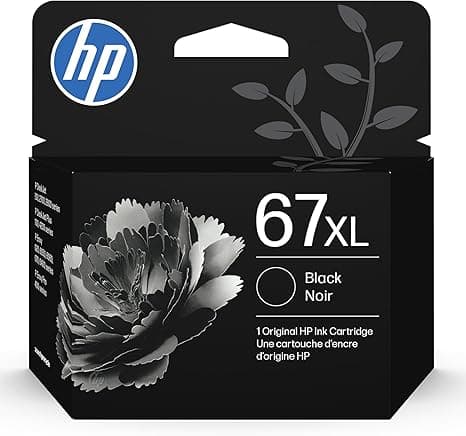
I had the HP 67XL OEM in my right hand and a compatible 67XL in my left, and I stood there longer than I'd like to admit. My 2710E had just thrown the low-ink warning mid-print — of course it did, right before I needed to print a shipping label — and I'd driven out to grab a replacement. The genuine one was the kind of price that makes you do a little involuntary head-tilt. The compatible one was roughly half. Same "67XL" stamped on it, same high-yield promise. And I just kept thinking: if this thing clogs the printhead, I've ruined a printer to save twenty bucks. That's the actual fear, isn't it? Not the ink. The machine.
So I bought the compatible one. Then I bought a couple more from the same batch over the following months, because I wanted to know if it was a fluke or a real thing. Here's the honest report after running them through my 2710E and a friend's 6422E.
The price gap is not subtle
This is the whole reason anybody's reading this, so let me be blunt. HP's own high-yield 67XL runs in the low-to-mid forties depending on the day and whether it's the combo pack. The compatible I've been using lands around $20 — call it half, give or take a couple dollars. On a single cartridge that's a $20 difference. But nobody buys one cartridge for the life of a printer. If you print enough to need XL cartridges at all, you're replacing a few times a year, and that gap stacks into real money — the kind where after two or three swaps you've basically paid for the printer again in ink, which is exactly the racket these things run on. That's the part that finally pushed me. Not "is it good," but "am I really doing this dance at full OEM price four times a year."
Does it actually fit and click?
Yes. And I was braced for it not to. The install on these E-series HP units is genuinely simple — you pop the cover, the carriage slides over and parks itself, you press the little tab to release the old cartridge, peel the protective tape off the new one (don't touch the gold contacts, I always want to and never do), and push it in until you feel the click. That click matters. On the compatible, the click felt slightly less crisp than the genuine one — a hair more plastic, a touch less of that confident snap — but it seated, the carriage moved, and the test print came out clean on the first pass. No "cartridge not recognized," no blinking error, nothing. I'll come back to the recognition thing because it's the one place I want you to go in with eyes open.
How it actually prints
For text? I honestly cannot tell the difference, and I've held pages side by side under a desk lamp like a crazy person. Black text is sharp, edges are clean, no ghosting on a normal document. This is most of what a home printer does and the compatible nails it.
Color is where you find the small honest gap. On plain paper — receipts, a kid's worksheet, a coupon — it's a wash, looks identical. On glossy photo paper, pushing a full-bleed image, I could see the genuine HP run very slightly richer in the deep blues and skin tones. We're talking the difference you'd only catch in a direct A/B, and only on photos. If you're printing gallery prints of your vacation, sure, splurge on OEM for those. For the ninety-some percent of what comes out of a home printer, the compatible holds its own.
The real downsides — and there are a few
I promised you honesty, so here's the stuff the product page won't tell you.
First: the packaging is cheap and a little anxiety-inducing. The genuine HP comes in that crisp foil with the satisfying tear. The compatible came in a thinner pouch, and the cartridge itself had a faint chemical-plastic smell when I first peeled the tape — not strong, gone within a day, but it's there and it tells you these weren't made in the same clean room. Cosmetics, mostly. But cosmetics shape trust, and I'd rather you not be surprised.
Second, and this is the big one: the firmware game. HP periodically pushes printer updates that get cranky about non-genuine cartridges. One of my compatible cartridges installed flawlessly; another, on a different unit that had auto-updated, threw a "used or counterfeit cartridge" nag screen. The cartridge still printed — you click past the warning — but it's an extra step and it'll spook you the first time. My move: I turn off automatic firmware updates on the printer settings before I commit to compatibles. That's a real hassle and you deserve to know it exists. It's not the cartridge failing; it's HP defending its margin. But it lands on you either way.
Third, batch consistency. Across the few I bought, one had a slightly stiffer fit going in — needed a firmer push to get that click. Nothing broke, but the genuine ones are uniform every single time, and the compatibles have a little more variance unit to unit. If you hate fiddling, that's a tax you should price in.
Why a dead or bad cartridge isn't just annoying
Quick word on why this matters beyond convenience. A printer that sits with a cartridge run bone-dry, or one that's been printing streaky for weeks because you kept putting off the swap, can dry out and clog the printhead — and on these integrated-head HP units, a clogged head is a much bigger problem than a $20 cartridge. So the worst move financially isn't buying compatible. It's limping along on a failing cartridge to avoid the OEM price, until the thing you were protecting gets damaged anyway. Cheap, reliable replacements you'll actually swap on time are the thing that keeps the printer alive. That reframed it for me.
So who should buy what
Buy the genuine HP 67XL if you print photos for a living or to frame, if you're on a managed office fleet where someone else handles firmware and a nag screen is a support ticket, or if any extra install step genuinely isn't worth twenty dollars of your time. No shame in that.
For everybody else — the home office, the family printer, the person printing labels and homework and the occasional decent color page — I grab the compatible 67XL, and I've now done it on two machines. It fits, it clicks, the text is indistinguishable, the color is a whisper behind only on glossy, and it costs about half. The plastic smell fades, the firmware nag is dodgeable, and for roughly $20 doing the same job as a $40-plus cartridge, I'd buy it again. I have, in fact, three times now. That's the most honest endorsement I've got: I keep spending my own money on it.



