Troubleshooting & Analysis
The morning my OfficeJet quit on me
It was a Tuesday, and I had eleven pages of a signed contract that had to be scanned, printed, and back in someone's inbox before lunch. Page three came out with a horizontal white streak right through the signature line. Page four was worse. By page five the black had gone gray and ghosty, like the printer was whispering instead of talking. My HP OfficeJet — a 6958, the one that's lived on the corner of my desk for three years — had a cartridge that was technically "20% full" according to the little dashboard, and was lying to my face.
I'd been running a half-dead 902XL black for weeks because I didn't want to pay HP's ransom for a new one. That was the real failure. Not the printer. Me, stretching a cartridge past the point where it could do its one job, watching print quality rot a little more each day until it cost me an actual deadline. I yanked it, shook it like that's ever helped anyone, got nothing, and finally went looking for a replacement that wouldn't make me wince at checkout.
The price gap that started all of this
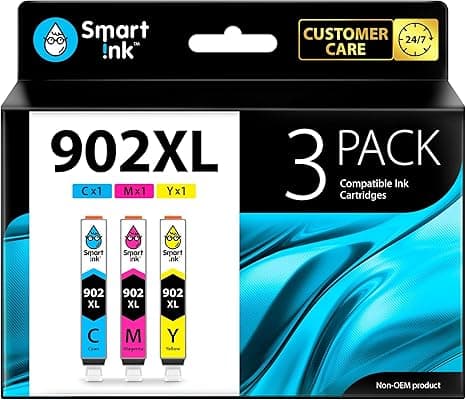
Here's the math that radicalized me. A genuine HP 902XL high-yield black runs around $40 most places. The tri-color set pushes the whole thing north of $65 if you need color too. I print maybe 150 pages a month — invoices, shipping labels, the occasional kid's homework — so I'm buying ink three or four times a year. That's well over a hundred bucks annually to feed a $80 printer. The compatible 902XL I switched to cost me about $20 for the equivalent high-yield black. Same page count promise, half the price. Fifty percent less, and I do mean roughly half.
I'll be honest about what that number is and isn't. It is a real saving on a consumable you will absolutely buy again. It is not a magic trick — a compatible cartridge is a third party filling a remanufactured or new-build shell with their own ink, and the experience around it is a little rougher than HP's. I'll get to the rough parts. But the print on the page? For everyday documents, I genuinely could not tell you which cartridge made which sheet.
Does it actually fit the carriage?
This was my first worry, because a cartridge that doesn't seat is just expensive trash. The install is the same dance you already know. Pop the cover, wait for the carriage to slide over and stop — don't fight it while it's moving — press the tab to release the old 902XL, and pull it out. The new one needs its protective tape peeled off the contacts and the print head; this matters, and the cheaper brands sometimes use a clingy tape that wants to leave a sticky edge, so take the extra two seconds to get all of it. Then push it in until you feel the click. That click is the same click. It dropped into my 6958 with no shimming, no wiggling, no prayer.
One real fiddle: the first cartridge I tried threw a "non-genuine cartridge" warning on the screen. That's expected, and it's HP being HP — you press OK or Dismiss, the printer keeps going, and the warning never comes back for that cartridge. The second concrete thing worth knowing is the test print. Run one immediately. On a fresh compatible cartridge the very first page sometimes comes out with a faint band or two while the ink works through the head. Mine cleared after a single cleaning cycle from the maintenance menu and one more test sheet. If it doesn't clear after two cleanings, that's your sign the cartridge is a dud — and the good sellers replace those without a fight.
How it actually prints, honestly
Text is the easy win. Black document text out of this compatible 902XL is sharp, dark, and dead-even down the whole page. Contracts, resumes, labels — nobody on the receiving end will ever know. I held a genuine-printed page next to a compatible-printed one under a desk lamp and the only difference I could find was in my own head.
Color and photos are where I'll temper expectations. The colors are vivid and perfectly fine for a pie chart, a logo, a coupon, a school project. But if you're printing a glossy 4x6 of your dog to frame, OEM still has a slight edge in how smoothly it blends skin tones and deep skies — the compatible can go a touch more saturated, a hair less subtle. For 95% of what a home OfficeJet does, you'll never notice. For gallery prints, you might.
The downsides I'm not going to hide
The packaging is cheap. Thin plastic clamshell, no fancy box, instructions printed on a slip of paper the size of a fortune cookie note. It feels like less because it is less — that's part of where your $20 saving comes from, and I'd rather they spend nothing on a box than load the cost into the cartridge.
Yield consistency is the more honest concern. HP's quoted page counts are conservative and reliable. Compatibles vary cartridge to cartridge — I've had one that clearly matched the high-yield claim and one that tapped out maybe 15% early. Across a year of buying these, it averages out cheaper even with the occasional short one, but any single cartridge is a little less predictable than OEM. Buy from a seller with a real return policy and you're covered.
And the firmware tension is real. HP periodically pushes printer updates that get pickier about non-genuine ink. It hasn't bricked anything for me in three years on the 6958, but if you let your printer auto-update aggressively, know that's the one variable outside the cartridge's control. I turned auto-updates off and have had zero trouble.
Why a tired cartridge is worth replacing now
Back to that Tuesday. The thing about a dying cartridge isn't just ugly pages — it's that you don't notice the decline until it costs you something. A starved print head works harder, you run more cleaning cycles trying to fix streaks, and you burn ink chasing quality that the cartridge can't give anymore. Swapping in a fresh one the moment quality dips is the cheap move, not the expensive one, when the fresh one is twenty dollars.
So who should buy what
If you're a photographer printing portfolio work off this printer, or you're under a strict business policy that forbids non-genuine ink, buy the genuine HP 902XL and don't think twice. That's a real use case and OEM earns its price there.
For everyone else — the invoices, the labels, the homework, the contract that has to go out before lunch — I grab the compatible 902XL. It clicks into the 6958, 6966, and 24-series the same way, it prints text I can't distinguish from genuine, and it costs about half. I've bought it again, and again, and the streaky page that started this whole thing has never come back. For fifty percent less, doing the same job, that's an easy call — and I've already made it.



