Troubleshooting & Analysis
$80 for one cartridge. For toner powder.
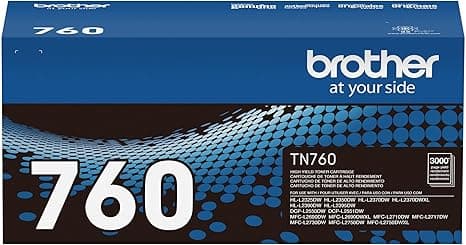
That's the number that stopped me. I'd run my Brother HL-L2550DW into the ground for two years — it's the workhorse that prints my kid's school forms, my tax stuff, the occasional shipping label — and when the genuine TN760 high-yield finally ran dry, I went to reorder. Eighty bucks. For a black plastic shell full of toner. I stood there at checkout doing the math: the way we print, that's basically two cartridges a year, a $160 annual habit to feed a printer that cost about $130 in the first place.
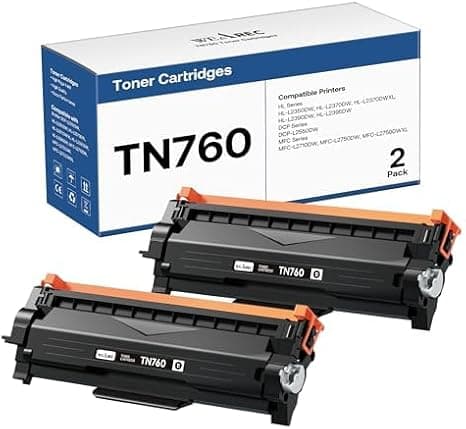
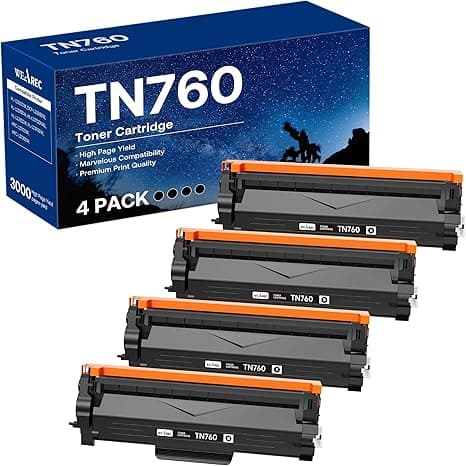
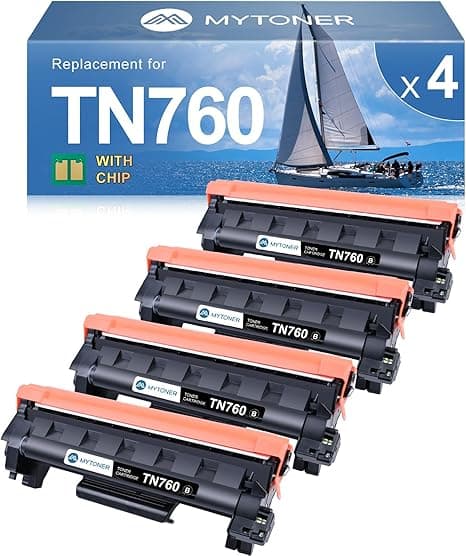
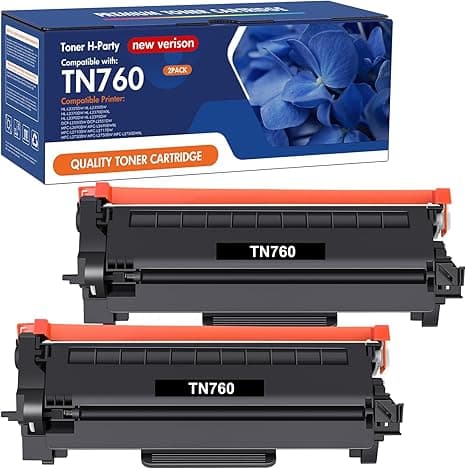
So I did the thing I'd been too nervous to do for years. I bought the compatible TN760 instead — roughly half the price. I paid right around $40 for a single high-yield cartridge, and the two- and three-packs drop the per-unit cost lower than that. Same TN760 designation, same advertised page count. And I went in fully expecting to get burned, because every forum thread has that one guy whose off-brand cartridge leaked everywhere and supposedly killed his drum unit. I'd read enough of those to stay scared straight for years.
Does it actually fit, though?
This was my first worry, and the easiest to put to rest. The TN760 isn't some loosely-specced mystery part — it's a toner cartridge that snaps into the DR730 drum unit, and the compatible one is molded to the same shape. I popped the front cover, waited for the carriage to settle, pressed the green release tab, and the old genuine cartridge slid out the way it always does. Pulled the orange protective strip off the new one — there's also a bit of tape over the toner port you do NOT want to forget, ask me how I know — and pushed it into the drum assembly until it clicked.
That click is the whole game. If you don't hear it, it isn't seated, and the printer will throw a cartridge error at you. Mine clicked first try. Slid in exactly like the genuine one — no shaving, no forcing, no weird wobble. Closed the cover, the printer did its little warm-up whir, and I ran a test page. Clean. No streaks, no light patches, no toner dusting the bottom edge of the sheet. That last one is what I was really watching for, because a bad seal is where all the horror stories start.
How it actually prints
Here's the part that surprised me: for plain text, I genuinely can't tell the difference. Black is black. My everyday documents — letters, forms, the 11-page packet I had to print for school last week — come out sharp and dense, no graying. Brother rates the TN760 around 3,000 pages as a high-yield, and a few hundred sheets in, this compatible one isn't fading or thinning the way a half-full knockoff would. It feels like the real quantity of toner, not a shell dressed up to look full.
Where I'll be straight with you: it's a touch behind on the heaviest black fills. If you print big solid blocks — a full-bleed black header, a dense bar chart — you can occasionally catch a very faint mottling under good light that the genuine cartridge didn't show. We're talking about something you'd only notice if you went looking, on a page that's mostly ink. For text and normal documents? Invisible. For a resume I was mailing to a dream job, sure, I might still keep one genuine in the drawer. For everything else I print, it's a non-issue.
The downsides — and there are real ones
Let me not pretend this was flawless, because that's how you know a review is garbage. First, the packaging is cheap. The genuine cartridge shows up in a clean sealed bag with foam end caps; this one came in a thinner bag with a strip of tape I had to fully chase down before installing. Miss a piece of that tape and you'll get either a "no toner detected" error or a streak straight down every page. It's not hard — it's just fussier — and the printed instructions inside were a postage stamp of gray text I needed my reading glasses to make out.
Second, and this is the one I actually want you to hear: the chip. Brother bakes a chip into these cartridges that talks to the printer and counts down toner. The compatible makers have to reverse-engineer that chip, and it's a moving target — Brother has pushed firmware updates in the past that made some third-party chips stop being recognized. My cartridge was recognized fine and the toner gauge reads correctly. But if your printer has auto-updates switched on and pulls new firmware down the road, there's a small chance a future compatible cartridge plays dumb until the maker catches up. My fix: I turned off automatic firmware updates in the printer menu. Took thirty seconds and it's been a non-event since.
Third, smaller thing — more expectation than defect — the toner-low warning fires earlier and more aggressively on the compatible chip than I remember the genuine doing. Mine started crying "replace toner" while it was clearly still printing perfectly. Brother printers let you keep going in continue mode well past that first warning, and I got a solid stack of good pages after the panic message. So don't toss it the second it complains.
Why the dead-cartridge moment matters
The reason I keep a spare at all is timing. Toner never runs out when it's convenient — it runs out at 11pm the night before you need a boarding pass or a signed contract. That's exactly the moment OEM pricing has you over a barrel: pay $80 in a panic, or don't print. Stocking a $40 compatible spare in the drawer turns the low-toner warning into an annoyance instead of an emergency. That, more than the per-cartridge savings, is what actually changed my relationship with this printer.
So who should buy what
Buy genuine if your printer is leased or under a service contract that voids over third-party consumables, or if you do high-volume photo-grade and heavy-graphics work where that faint solid-fill difference would genuinely show. That's a real, but narrow, set of people.
For everyone else — the home office, the student, the person who just needs sharp black text and the occasional form — I grab the compatible TN760 now without thinking twice. It fit on the first click, it prints clean, it cost me half, and the one real catch (the firmware chip) takes a single menu toggle to sidestep. I've reordered it twice. At $40 instead of $80, doing the same job for the way I actually print, it stopped being a gamble. It's just the smart buy — and I've made it three times running.