Troubleshooting & Analysis
I genuinely thought a $20 brush head would be junk. I was wrong, and a little annoyed about it.
Here's the thing I'm not proud of. For about two years I paid full freight for Philips DiamondClean replacement heads, the official ones, because some part of my brain decided that anything cheaper would shred my gums or fall off mid-brush. I'd done the math on it once, felt a little sick, and then just… kept buying them anyway. Brand loyalty is mostly just fear wearing a nice coat.
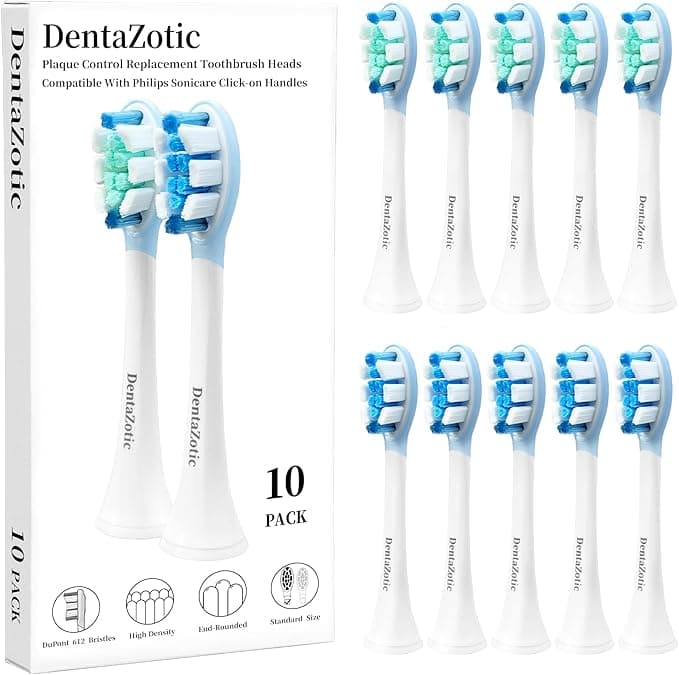
So when my brother-in-law showed me the compatible heads he'd been running on his DiamondClean — a whole 8-pack for roughly what I was paying for two genuine ones — my first reaction was, honestly, to assume he was cutting a corner he'd regret. Cheap bristles. Bad fit. The kind of thing that wobbles on the shaft and you can feel it. I bought a pack mostly to prove a point. The point did not get proven. They've been on my handle for months now and I keep meaning to feel smug about it and can't, because the compatible ones are just fine.
The price gap is the whole reason this conversation exists
Let me put real numbers on it, because vague "save money!" talk is useless. Genuine DiamondClean heads run you in the neighborhood of $11 to $13 each when you buy them in the small two-packs. The compatible set I'm using works out to about $3 a head, and you get eight of them. Same shape, same click-on shaft, the same DuPont nylon bristles the official ones brag about.
Now run that out over a year. You're supposed to swap a brush head every three months — four heads a year, minimum, and more if you're a hard brusher or you've got a partner sharing the handle with their own color ring. Four genuine heads is something like $48 a year, every year, forever, for a thing you spit on and throw away. The compatible route covers two full years for less than the cost of one year of OEM. That's not a coupon. That's the difference between caring and not caring whether you replace the head on schedule — which, as I'll get to, is the part that actually matters for your mouth.
Does it actually fit, or does it wobble?
This was my real worry, more than the bristles. The DiamondClean head doesn't screw on or lock — you just pull the old one straight off the metal shaft and push the new one down until it clicks. It's a friction-and-magnet fit, and a sloppy clone could leave you with a head that rattles or slips a few millimeters down when you press into your back molars.
It clicks. That's the short version. I pulled my worn head straight off, rinsed the shaft under warm water like you're supposed to (gunk builds up down there, nobody tells you that), and pushed the new one on. Same firm seat, same little click you feel more than hear. I grabbed the handle and tried to wiggle the head side to side — barely any play, no more than my old genuine one had after a few weeks of use. It tracks the handle's vibration cleanly. No buzz, no dead spots where the oscillation stops transferring.
One honest note on fit: the colored identifier ring on mine is a slightly cheaper, harder plastic than the Philips one, and the very first time I seated a head it took a touch more push than I expected — like the tolerance was a hair tight rather than a hair loose. Better problem to have than wobble, but it's there. After the first seat it's been normal every time since.
Where it's genuinely as good — and the one place it isn't
Cleaning power, I can't tell the difference, and I went looking for one. Same brushing feel, same coverage, my teeth pass the run-your-tongue-over-them test exactly like before. My dentist didn't flag anything at my last cleaning, and I didn't tell her I'd switched, which felt like a fair blind test.
Here's the downside I promised, because a review with no downside is a sales page. The bristles on the compatible heads hold up well but the little blue indicator bristles — the ones that fade to signal it's time to replace — fade faster and less evenly than the genuine ones. On the official heads that color-fade is a fairly reliable three-month clock. On these, the fade is more of a vague suggestion than a precise gauge. By month two and a half mine looked done even though the bristles still brushed fine. So if you're someone who relies on that visual cue to remember to swap, you'll want to just put a reminder in your phone instead and not trust the color. Small thing. But real, and I'd rather tell you than have you notice it yourself and feel cheated.
The other nitpick: the packaging is nothing. Thin plastic blister, no satisfying box. If part of what you're paying Philips for is the unboxing, you're not getting that here. I throw the packaging away in four seconds so I genuinely do not care, but you should know the cheaper price shows up somewhere, and this is where.
Why I won't let the head go past its date — cheap or not
This is the part people skip, and it's the part that actually matters. A worn-out brush head isn't a neutral thing you can stretch "a few extra months" to save money. Frayed, splayed bristles stop reaching the gumline and start dragging across it — which is how you get receding gums and a brush that's polishing the fronts of your teeth while plaque quietly builds where you can't see it. And an old head that's spent months damp in a bathroom is, frankly, a little bacteria colony you press into your mouth twice a day.
That's the real argument for the compatible heads, and it's almost backwards from what you'd think. The cheap one isn't a compromise on your dental health. It's the opposite. When a fresh head costs three bucks instead of twelve, you actually replace it on time instead of squinting at a frayed one and telling yourself it's got a few more weeks. The expensive head you guilt yourself into stretching is the one doing the damage.
So who should still buy genuine?
If you lean hard on that blue fade indicator and know you won't set a phone reminder, the genuine heads earn their premium on that one feature alone — pay for the reliable clock. And if you've got a Philips warranty situation where they could claim third-party heads voided something, read your terms first; I doubt a brush head triggers it, but I'm not your lawyer.
Everyone else: I pull a fresh compatible head off the stack every three months, it clicks on right, it cleans the same, and it costs me about a quarter of what I used to hand over. I bought these to prove they'd be bad. They weren't. I've reordered, which is the only review that really counts.



