Troubleshooting & Analysis
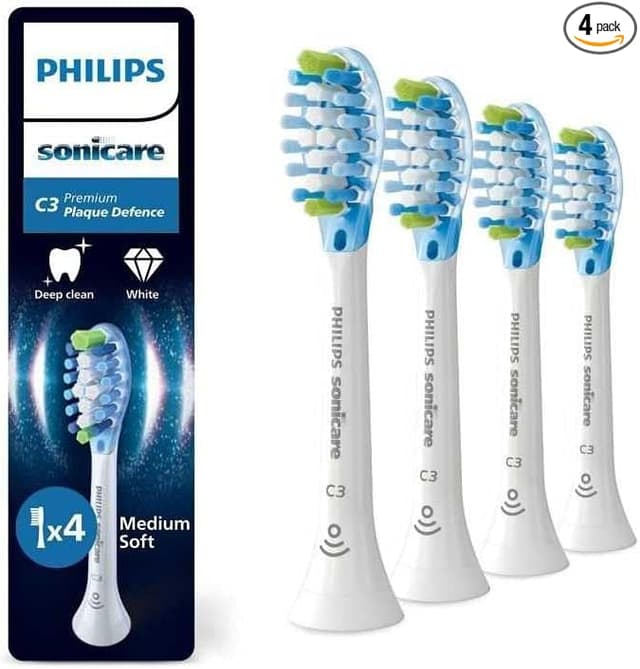
$48 for four brush heads. Forty-eight dollars. For plastic and bristles.
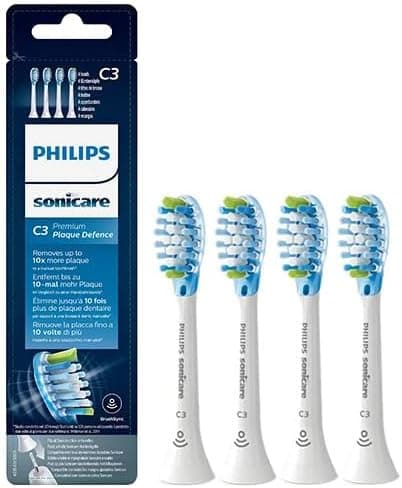
That was the number that broke me. I was standing in the oral-care aisle holding a little blue Philips box — four genuine DiamondClean replacement heads — and the shelf tag said $48. That's twelve bucks a head. And these things are supposed to get swapped every three months, which means the brush heads alone cost me more per year than the toothbrush did to buy. I'd had my DiamondClean (the B0747WZ61B handle, the one that sits in the little glass charging cup) for about a year at that point, and I'd just been... not replacing the head. Running a flattened, splayed-out brush because I didn't want to keep feeding it $12 every quarter. Which, it turns out, is exactly the wrong move — more on that in a second.
So I did what a lot of people do at that price. I went looking for the compatible ones. And the gap is genuinely stupid: I found an 8-pack of third-party DiamondClean-compatible heads for about $25. Do the math on that. The genuine route is twelve dollars a head; the compatible route is roughly three. Eight heads — two full years of replacing on schedule — for the price of two originals. I bought a pack to test, fully expecting to write a "save your money, buy the real ones" review. That's not how it went.
The first thing I checked: does it actually click on right?
This was my whole worry. The DiamondClean head-to-handle connection isn't a screw or a clamp — the head just pushes straight down onto a metal shaft and the brushing motion travels up through it. If the fit is sloppy, you get rattle, you lose power, and in the worst case the head wobbles off mid-brush. I've had cheap heads on other brands that never seated flush and buzzed like an angry bee.
These weren't that. I pulled the old genuine head straight off, rinsed the shaft under warm water (there's always a little gunk down at the base — do this), and pushed the new one on until it clicked. And it does click. Same satisfying little seat-and-stop as the original. Honestly the tolerance felt within a hair of OEM — there's maybe the faintest bit more side-to-side play if I really wiggle it with my fingers, but in actual use, two minutes of brushing twice a day, I cannot feel a difference in how it sits or how the vibration comes through. No rattle. No walking off the shaft. It just works.
How it actually cleans
The bristles are the part I expected to be junk, and they're the part that surprised me most. The pack I bought advertised DuPont bristles, and I was ready to call that marketing fluff — but the feel backs it up. They're soft-but-firm, properly rounded at the tips (run your thumb across them; cheap bristles feel scratchy and cut-off, these don't), and they hold their shape. My teeth feel exactly as clean as they did with the genuine head. That squeaky, just-left-the-dentist feel on the front teeth? Still there.
Where it's a touch behind: longevity, and I want to be straight about it. My honest read after running these for a few months is that the genuine heads hold their bristle shape maybe a couple of weeks longer before they start to splay. The compatible ones are still well within the 3-month window — they don't fall apart — but if you're the type to push a head to four or five months, the OEM will look presentable a little longer. At three-to-one on price, I genuinely do not care. I'd rather replace a $3 head right on schedule than baby a $12 one past its prime.
The real downsides — because there are some
First, the smell. The first two or three days there's a faint plastic-and-rubber odor when you first put the head under water. It's mild, it's the new-packaging-and-fresh-plastic thing, and it rinses out completely by about day three. But it's there, and if you've got a sensitive nose the first morning, that's what that is. Don't panic, just run it under hot water before the first use.
Second, the color band. Philips puts those little indicator rings on genuine heads that fade as the bristles wear, so the brush tells you when to swap. Most compatible heads — including the ones I bought — either don't have that or it's purely decorative and doesn't fade reliably. So you lose your built-in reminder. Not a dealbreaker, but it means you've got to actually track it yourself. I keep it dead simple: I write the swap date on a piece of tape inside the medicine cabinet, or just set a recurring phone reminder for every three months. The fade-band was a nice touch on the originals and I do miss it a little.
Third — packaging. It's cheap. The originals come in that crisp retail box; these showed up in a thin plastic blister with so-so printing. The heads inside were individually wrapped and clean, but if you're buying these as a gift or you just like nice unboxing, manage your expectations. It's a bulk-value product and it looks like one.
Why the cheap head isn't actually the cheap choice
Here's the thing I learned the expensive way by running a worn-out head too long. This isn't just about the brush looking ratty. Once the bristles splay and flatten, they stop reaching the gumline and between teeth the way they're shaped to — so you're getting a worse clean right when you think you're being frugal. Worn, frayed bristles can also be abrasive on your gums, and a brush head that lives wet in a bathroom for six months is, bluntly, a little bacteria hotel. My dentist is the one who pointed this out to me: an old, hammered brush head doesn't just under-clean, it can actually work against you. The whole reason the 3-month interval exists is that bristle effectiveness drops off a cliff after that.
Which is the quiet argument for the compatible heads, not against them. The single biggest thing you can do for your teeth here isn't buying the premium head — it's actually replacing the head on time, every three months. And nothing kills that habit faster than $12 a pop. At $3 a head, swapping on schedule stops feeling like a purchase and starts feeling automatic. I went from "I'll stretch this one another month" to just... grabbing a fresh one from the drawer.
So who should buy what?
If you want the fade-to-tell-you indicator band, the retail packaging, and that extra couple weeks of bristle stiffness — or if your dentist specifically told you to use a particular genuine head — buy the OEM. No shame in it, they're good heads. You're paying $12 each for them and they earn maybe 80% of that.
But me? I run a compatible head on my DiamondClean right now, and I'll buy this 8-pack again when it runs out. Same shaft click, DuPont bristles that clean my teeth exactly as well, a three-day plastic smell that rinses away, and a price that finally let me stop rationing brush heads. For somewhere around $25 instead of $96 over the same two years, doing the same job, I'd grab it again — and I have.