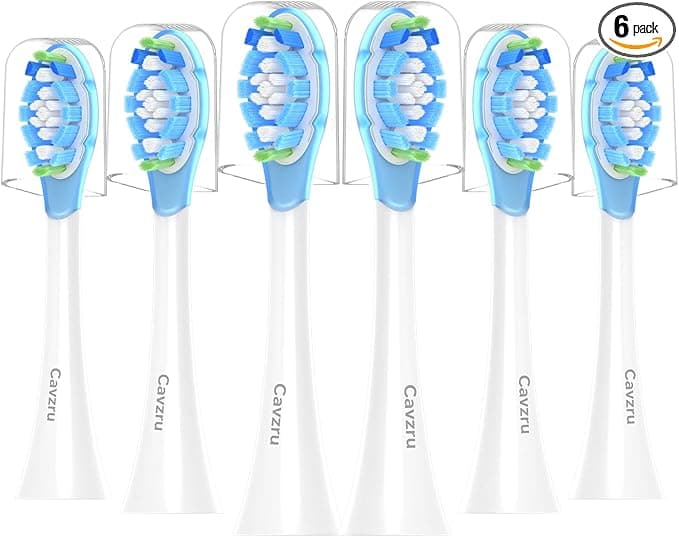
Troubleshooting & Analysis
I didn't believe it either. A 20-dollar 8-pack of brush heads claiming to do the same job as the Philips originals that run me close to ten bucks apiece? My first thought was the one you're probably having right now: cheaper bristles, cheaper everything, and my gums pay for it. I almost closed the tab. Then I did the math on what I'd spent on DiamondClean refills over three years and got annoyed enough to actually order the off-brand set and find out.
So this is me, four months and two brush-head swaps deep into running compatible heads on my Philips DIAMONDCLEAN, telling you what I'd want a friend to tell me.
The price gap is the whole reason you're here
Let's not pretend it's about anything else. The genuine Philips replacement heads, depending on the week and the pack size, land somewhere around $9 to $11 each. You're supposed to swap every three months, so that's four heads a year, call it $40 a year minimum if you stick to one brush — more if your partner's on the same handle. The compatible set I bought was an 8-pack for roughly the price of two original heads. Eight heads. Two years of swaps for one person. That's not a small saving you squint to see. That's the difference between budgeting for this and forgetting it's even a cost.
And here's the part that nagged at me: the bristles on these are listed as Dupont, same material spec the originals lean on. Same blue fade indicator stripe that goes pale when it's time to toss the head. On paper, you're paying four to five times more for the little Philips chip and the box.
Does it actually click on?
This was my real worry, more than cleaning even. The DiamondClean handle has a specific shaft, and a head that wobbles is a head that's going to feel wrong every single morning. So the first thing I did was pull my old original head straight off, rinse the shaft under warm water to clear the gunk that always builds at the base, and push the new compatible head down until it clicked.
It clicked. Seated flush, no gap at the collar, no rattle when the motor spins up. Honest caveat — the tolerance is a hair looser than a true Philips head. On one of the eight, I could feel a tiny bit of play if I deliberately wiggled it with my fingers when the brush was off. In actual use, vibrating against my teeth, I have never once noticed it move or buzz oddly. But if you're the type who'll obsess over a half-millimeter of give, I'm telling you now it exists on the cheap ones in a way it doesn't on the original.
How it cleans, the honest version
Teeth feel clean. That dentist-visit smooth-tooth feeling when you run your tongue across the front — I get it the same as I did with the originals. My last two checkups had no new complaints, no plaque lectures, and my hygienist didn't flag anything different about my gum line.
Where it's a touch behind: the bristles on the compatible heads soften and splay a little faster than the genuine ones. With a real Philips head I felt confident at the full three months. With these, by week ten or so the outer bristles start fanning, and I find myself swapping closer to eleven weeks than thirteen. Given you've got eight of them sitting in a drawer, swapping a couple weeks early costs you basically nothing — but it's a real difference and I'm not going to pretend the bristle life is identical. It isn't.
The downsides I actually hit
Three things, and I want to spend real time here because a review that only stacks up positives is lying to you.
First, the smell. Brand new out of the wrapper, the first head had a faint plastic odor — that fresh-injection-molding smell. I ran it under hot water, brushed once without paste to break it in, and by day two it was gone completely. Minor, but it's there, and if nobody warns you it reads as "this is cheap garbage." It's not. It's just unbranded plastic that hasn't aired out.
Second, the packaging is bare-bones. The originals come in that crisp Philips box with each head individually sealed. These showed up in a single plastic clamshell, all eight loose in their own little sleeves, no instructions, a sticker that was slightly crooked. Doesn't touch performance one bit — but if you're giving a set as a gift or you just like things to feel premium, the unboxing is nothing.
Third, and this is the one that matters most: consistency across the pack. Out of eight heads, six felt flawless. One had that tiny bit of shaft play I mentioned. One had a couple of bristles slightly longer than the rest, which I trimmed flush with nail scissors in about ten seconds. With genuine Philips heads, I've never had to think about quality control across a pack. With these, you should expect one or two to be a little off. Not broken — off. For the price, I made my peace with that fast.
Why a worn head isn't just a cosmetic thing
The reason I won't push a three-month interval past its limit, original or compatible: a frayed, splayed brush head stops doing its job and starts doing harm. Bristles that have fanned out lose the stiffness that actually lifts plaque from the gum line, so you brush longer and get less. Worse, an old head that's been damp in a bathroom for months is a genuine bacterial nest — you're effectively scrubbing your mouth with a sponge that's been growing things. Dentists warn about exactly this, and it's the one place I'd tell you to be strict. The good news is that strictness is suddenly affordable. When a fresh head costs you a couple of dollars instead of ten, you swap on time, every time, no flinching.
Who should skip these — and who I'd point at them
Buy genuine Philips if you've got sensitive gums that react to the slightest change, if you have a dental history where your hygienist wants you on a precise regimen, or if a half-millimeter of fit play would genuinely live in your head. In those cases the premium buys you certainty, and certainty is worth paying for.
For everyone else — which is most of us, with healthy-enough teeth and a budget that notices forty bucks a year — I grab the compatible 8-pack and I don't look back. Same Dupont bristles, the same clean-tooth feeling, a fit that's a touch looser but solid in real use, in exchange for paying roughly a quarter of the price. I've now reordered them once. The proof for me is simple: I had the chance to go back to genuine heads when my set ran low, and I didn't. I bought the cheap ones again. Knowing what I know after four months, I'd tell you to do the same.
(I also dropped a copy in `drafts/` — delete it if your pipeline only wants the inline output.)


