Troubleshooting & Analysis
I didn't believe a $20 brush head could be fine either
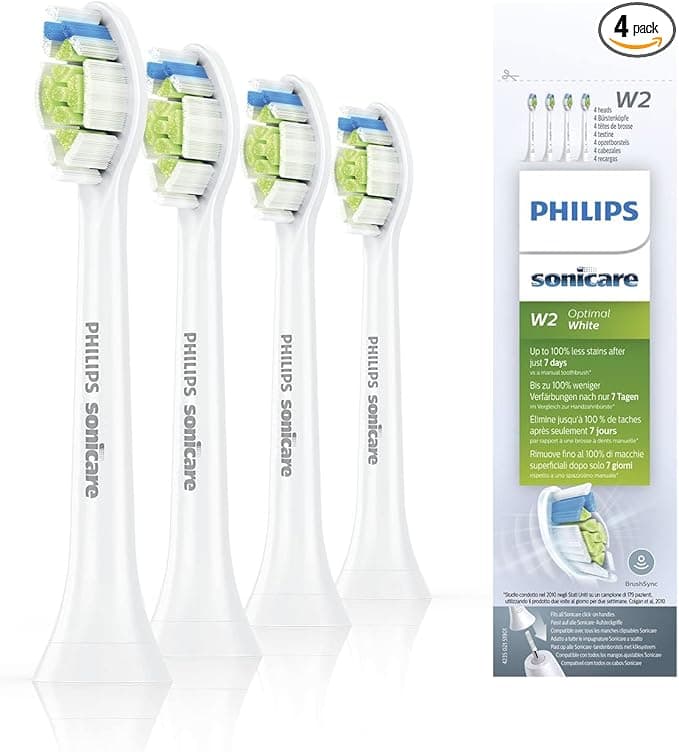
Look, I'm the guy who paid Philips full freight for years. Every three months I'd reorder the official DiamondClean heads, wince at the receipt, and tell myself the premium was buying me something — better bristles, a safer clean, whatever the box implied. So when my brother handed me an 8-pack of compatible heads he'd grabbed for about twenty bucks, my honest first reaction was: no. That's eight heads for less than what two real ones cost me. Something's wrong with them. Either the fit is sloppy or the bristles are garbage or they'll wobble off the shaft mid-brush.
I was wrong on all three. Mostly. Let me walk you through it, because I didn't trust these and now I keep a stack in the bathroom drawer.
The price math that actually made me try them
Here's what tipped me. Genuine DiamondClean heads run me right around $10 to $13 apiece depending on the pack — call it $30-something for the usual 3-pack. You replace every three months, so that's four heads a year, roughly $45 to $50 annually just to keep your toothbrush honest.
The compatible 8-pack I'm using cost about $20. Eight heads. At one head per quarter that's two full years of brushing for twenty dollars. Two years of OEM is closer to ninety, a hundred bucks. So the gap isn't a few dollars you can shrug off — it's the difference between $20 and $90+ for the exact same chore. That's the number that made me stop being precious about it and actually push one onto my handle.
Does it seat right? Yeah — with one honest caveat
This is the part I was most nervous about, because a brush head that doesn't click flush is a brush head that's going to rattle and leak vibration. You pull the old head straight off the metal shaft (mine takes a firm tug, no twisting), rinse the shaft under warm water to clear the gunk that builds up at the base, then push the new one on until you feel and hear the click.
The compatible head clicks. It seats. The vibration transfers through cleanly and the brushing sound is the same hum I'm used to. So functionally, install is a non-issue — same four steps, same result.
The caveat, and I promised I'd give you the real ones: the collar where the head meets the handle is a hair looser than OEM. Not loose enough to wobble or fall off — I've never had one come free, not once — but if you run your fingernail around the seam there's a touch more play than the genuine article, which sits dead-tight. Does it matter in use? Honestly, no. But you'll notice it if you're looking, and I was looking.
How it actually cleans
The selling point on the pack I bought was the same DuPont bristles the OEM heads use, and after a few months I buy that claim. My teeth feel the same dentist-clean slick afterward. The bristle field is dense, the trim is the same contoured shape, and they hit the gum line without that scratchy, too-stiff feeling some cheap heads give you on day one.
Where's it a touch behind? Two things. The bristle color-fade indicator — the blue tint that's supposed to wash out to tell you it's worn — fades a little unevenly compared to the crisp OEM version, so I stopped trusting it and just put a reminder on my phone for the three-month swap instead. And the bristles soften maybe a couple weeks sooner than a genuine head near the very end of its life. Not enough to change my replacement schedule, but if I'm splitting hairs, that's the honest gap.
The downsides I'd want a friend to tell me
So let me be the friend. First, the packaging is cheap — thin plastic clamshell, no individual wrap on each head, which bugged me from a "are these clean out of the box" angle until I reminded myself you rinse and the first brushing handles it. Second, that faint plastic smell on a brand-new head for the first two or three uses. It's mild, it's gone fast, but it's there, and OEM heads don't really have it. Rinse the new head under hot water before the first brush and it knocks most of it out.
Third — and this is less about these specific heads and more about anything aftermarket — the quality across an 8-pack isn't perfectly identical. Seven of mine were indistinguishable. One had a slightly stray bristle near the edge I trimmed with nail scissors in ten seconds. With OEM you're paying partly for that consistency, and you do get it. With the cheap pack, once in a while you do a tiny bit of QA yourself.
Why the swap actually matters — not just the money
The reason I won't stretch a head past three months, compatible or genuine, is that worn bristles aren't a cosmetic problem. Splayed, flattened bristles stop reaching the gum line properly, so plaque sits where it shouldn't and your gums pay for it. And a head you've been using for half a year is, frankly, a little bacterial city. The whole point of a cheap 8-pack is that price stops being your excuse to ride a dead head for an extra month. At twenty bucks for two years, there's zero reason not to swap on schedule — which, ironically, makes the cheap heads better for your mouth than expensive ones you're tempted to ration.
Who should still buy OEM
I'll be straight: if you've got sensitive gums, a specific clinical reason your dentist named a particular Philips head, or you just cannot stand the idea of a seam that's a millimeter less tight, buy the genuine ones and don't think twice. The premium buys consistency and that locked-in fit, and for some people that's worth it.
But for me — a regular guy who wants clean teeth, swaps on schedule, and would rather not hand Philips fifty bucks a year for bristles — the compatible heads do the same job. Same DuPont bristles, same click, same dentist-slick result, for the price of two originals instead of eight. The looser collar and the day-one smell are real, and I just told you about them, and I still grab these every time. I have, twice now. That's the most honest endorsement I've got.



