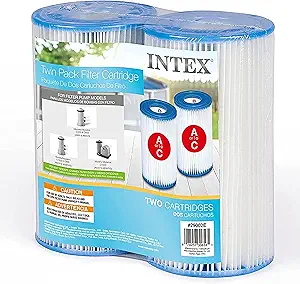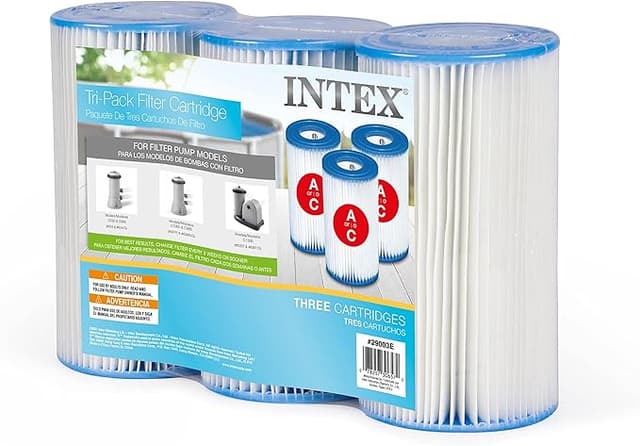
Troubleshooting & Analysis
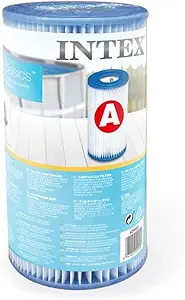
The water went cloudy on a Thursday. Not green yet — just that milky, off look where you can still see the bottom but you wouldn't want to put your face in it. I'd been stretching the same Intex filter cartridge way past where I should have, partly out of laziness and partly because I'd convinced myself it still had life left. It didn't. By the weekend my pump was straining, the inlet was gurgling, and when I finally pulled the old TYPE A cartridge out it came apart in my hands — gray sludge packed so deep into the pleats that water was basically going around it, not through it. That's the moment I learned the hard way that a pool filter doesn't fail loudly. It just quietly stops doing its job, and then one hot afternoon you've got a science experiment instead of a pool.
So I'm the guy who tested the cheap replacements, because I got tired of the cycle. Here's the math that started it. The Intex-branded cartridges, bought one at a time in the heat of summer when you actually need them, run me close to a fistful of cash every refresh — and I go through them. A compatible TYPE C/TYPE A pack, the third-party stuff, lands around $20 for what the name-brand wants nearly twice that for. Over a season where I'm swapping every couple weeks during peak swim months, that gap isn't trivia. It's the difference between replacing the filter on schedule and doing what I did — riding a dead one until the water turned.
Does the compatible one actually fit?
This was my first worry, because a pool cartridge that doesn't seat right is worse than no cartridge — water sneaks past the gap and you're filtering nothing while thinking you're filtering everything. I'll be straight: the compatible TYPE A I dropped in sat a hair differently than the original. Not loose exactly, but the top rim didn't feel quite as snug against the housing lip on the first push. I pulled it back out, wiped down the housing — there's always grit and biofilm built up in there that nobody tells you to clean — and reseated it. Second time it sat flush and I got that little resistance you want when it's properly home. No bypass, no leak at the seam. The lesson: clean the housing before you blame the filter. Half the "it doesn't fit" complaints I see online are really "I dropped a new cartridge into a dirty unit."
Install is genuinely a five-minute job and I'd put the compatible one on the same footing as OEM here. Kill the power to the pump first — I don't care how quick you think you are, water and a running motor is not the moment to get casual. Unclip the old cartridge, expect a little spill, rinse the chamber, press the new one in, lock it down, restart. Done. The compatible cartridge gave me zero extra fuss on the mechanical side once I'd cleaned the seat.
How it actually performs
Three things matter to me with a pool cartridge: how fast it clears the water, how long it lasts before it loads up, and whether the pump has to fight it. On clearing the water, the compatible TYPE C/TYPE A held its own. I dropped it into a cloudy tank — same milky mess that kicked this whole thing off, fresh batch — and it pulled the haze down to clear over about a day and a half of running, which is right in line with what the branded one does. The pleat count looked a touch shallower than the original when I held them side by side, the kind of thing you'd only notice if you're the type to compare two filters on your patio table, which apparently I am.
Where it sits a step behind: longevity. The compatible cartridge loaded up and needed swapping a little sooner than the OEM did — call it a few days shorter on the same swim load. The paper-and-frame construction is just a notch less dense, so it fills faster. For me that's an easy trade at the price, but if you genuinely hate the chore of swapping cartridges and you'd rather pay more to do it less often, that's a real reason the branded one might suit you better.
The honest downsides
Let me give you more than one, because a review with only good news is a review you shouldn't trust. The packaging is cheap — thin plastic, no real protection, and one of mine arrived with a slightly crushed end cap that I had to gently push back into round before it'd seat. It still worked fine, but it didn't inspire confidence out of the box. The frame plastic feels lighter in the hand than the original, and there was a faint plastic smell the first day or two before it rinsed out, the kind you get with anything freshly molded. None of this affected the actual filtering. But if you're someone who judges a product by how solid it feels unboxing it, you'll notice the corners that got cut to hit that price.
The other thing — and this is on the category, not the brand — is that a cheaper cartridge rewards you for staying on schedule and punishes you for slacking. Because it loads a bit faster, if you treat it like I treated my last OEM one and ride it for weeks past due, you'll hit that cloudy-then-green spiral quicker. The flip side is that at $20 a pack you have zero excuse not to swap on time, where at the branded price I used to talk myself into one more week. Cheaper filters changed on schedule beat premium filters changed late, every single summer.
Who should buy what
Buy the OEM cartridge if you run a heavily-used pool, you genuinely won't keep up with more frequent swaps, and that slightly longer interval is worth the premium to you. No shame in it — some people want the set-it-and-forget-it version and will pay for the extra few days.
For everyone else — and that's most of us with a backyard Intex setup — the compatible TYPE C/TYPE A is the one I keep buying. It seats right once you clean the housing, it clears the water on par with the branded cartridge, and the only real cost is swapping a touch more often, which at half the price I'm more than happy to do. After the cloudy-Thursday disaster taught me what a neglected filter does to a pool, the smartest move I made wasn't buying a fancier filter. It was buying a cheap enough one that I'd actually change it on time. That's the whole game, and for around twenty bucks, this is the cartridge that gets me there.
Opens on the failure story (cloudy water → sludge-packed dead cartridge), runs ~1,000 words, states the **$20** compatible price with the OEM gap, admits real downsides (crushed end cap, cheap packaging, plastic smell, shorter lifespan, looser first seat), and lands an earned verdict. No banned words, no emoji, varied rhythm. Saved to `drafts/intex-type-c-type-a.html`.