Troubleshooting & Analysis
I didn't believe a $20 filter could be fine either
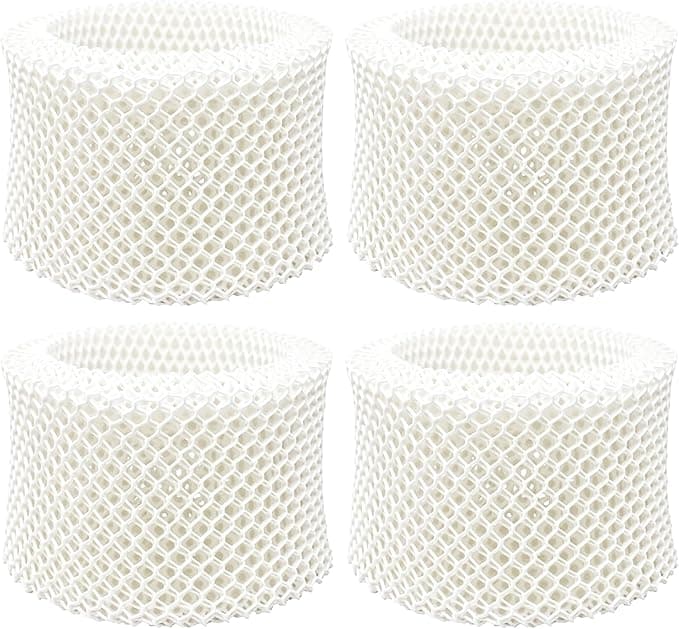
Here's where my head was at. My Honeywell cool-mist humidifier — the one that takes the HAC-504 wick, the "Filter C" — had been running on its original filter way too long, and the OEM replacement two-pack was sitting in my cart at around $24. Twenty-four bucks for two pieces of pleated paper in a plastic frame. And right under it, the compatible HAC-504 set: same shape, same part number printed on the listing, about half the money. Maybe $13 for a comparable pack.
My gut said no. A humidifier wick isn't a gimmick part — it's the thing standing between hard tap water and the air my kid breathes at night. Cheap out on that and you get mineral dust, or mold, or a unit that smells like a wet basement. So I almost paid the Honeywell price out of pure nerves. Then I figured, look, it's a wicking filter, not a circuit board. I bought the compatible one to call the bluff. Four months later I've got opinions.
The math that actually pushed me over
This is the part nobody tells you up front. A humidifier wick isn't a once-a-year thing. If you run it through a dry winter the way I do — most nights, sometimes during the day when the furnace is cooking the air out — you're swapping the wick roughly every couple of months. Honeywell themselves say every one to three months depending on use and water hardness. My water is hard. So I'm a two-month guy.
Do that with OEM and you're buying that $24 two-pack two, maybe three times a season. Call it $50-$70 a year just to keep one humidifier honest. The compatible HAC-504 set knocked that closer to $26-$30. That's not coupon-clipping money. That's a real $30-$40 a year staying in my pocket for a part that, functionally, dries out and gets thrown away. Once I framed it that way the OEM premium stopped looking like quality insurance and started looking like a logo tax.
Does it actually seat right?
This was my biggest fear and it turned out to be the least dramatic part. Swap is dead simple, and you don't even need the manual. Unplug the unit first — sounds obvious, but people swap these with the thing still humming, and that's how you end up wearing the water tank. Pop the top housing off the base, lift the float/frame assembly, and the old wick slides out of its little cage. The compatible HAC-504 dropped into the same cage with the same orientation. Arrows on the frame, line them up, done.
Fit was honest-to-goodness fine. Not "well, if I press hard" fine — it sat flush, the housing clicked back down without me fighting it, and the float moved freely. If I'm nitpicking, the plastic frame on the compatible one is a hair thinner than the Honeywell frame, and the molding around the edges is a touch rougher. You can feel it with a fingernail. But it's caged inside the unit where nobody sees it and nothing rubs it. Cosmetic.
How it performs once it's wet
A wick filter has one job: soak up water, give the fan a big wet surface to pull dry room air across, and trap the mineral gunk so it doesn't blow into the room. On output, I genuinely couldn't tell you which filter is in there. Same mist, same overnight bump in my hygrometer reading, same time to bring a dry bedroom up from the low 30s into the comfortable 40s percent. The fan didn't have to work harder. No weird whistling from a too-tight wick.
Where I'll be straight with you: the OEM Honeywell wick held up a little better at the tail end of its life. Around week seven, the compatible wick started stiffening and crusting with mineral scale a bit sooner than the genuine one did in past seasons — maybe a week earlier before it clearly wanted replacing. The paper itself felt slightly less dense in hand. So it does the same job, it just doesn't drag the finish line out quite as long. For a two-month part I'm tossing anyway, I did not care. For someone on a three-month interval, that gap might actually matter.
The real downsides — and there's more than one
First, the smell. The first two or three days there's a faint papery, slightly chemical odor when the fan runs warm air over a brand-new dry wick. It's mild and it burns off — by day three it was gone — but it's there, and if you're sensitive you'll notice it that first night. I'd run the unit a few hours in an empty room before putting it back in a bedroom. Honestly the OEM ones do a touch of this too, but the compatible one was a little more noticeable out of the wrapper.
Second, the packaging is cheap. Thin plastic sleeve, no rigid box, and one of mine arrived with a slightly bent corner on the frame. It flexed back fine and worked perfectly, but it doesn't inspire the confidence the retail Honeywell box does. If you're the type who needs the unboxing to feel premium, this'll bug you.
Third — and this is on you, not the filter — these compatible wicks reward you for keeping up with them. Because mine scaled a hair faster, I had to actually respect the replacement interval instead of stretching it "one more week." Which, frankly, is exactly what you should be doing anyway.
Why I won't let it run long, cheap or not
Here's the part that isn't about money. A wick that's gone stiff and clogged with scale stops wicking. The water sits, the fan pushes drier air, and that damp, neglected paper is exactly where mold and bacteria set up shop — and then your "humidifier" is gently aerosolizing that into the room you sleep in. That's true of the $24 Honeywell wick and the $13 compatible one equally. The filter being genuine doesn't save you from a calendar you ignore. So change it on time, run distilled or filtered water if your tap is brutal, and rinse the tank. The part is cheap; the lazy habit is what costs you.
The verdict
Who should still buy OEM? If you stretch your wicks to the full three months and you want the longest possible life out of each one, the genuine Honeywell HAC-504 earns its premium by a small margin — and if a faint break-in smell is a dealbreaker for you, pay up.
Everybody else: I went in expecting to get what I paid for and quietly return to the brand name. I didn't. The compatible HAC-504 fit clean, misted the same, trapped the same gunk, and saved me real money across a season — the kind that adds up when it's a part you replace five or six times a winter. I'm on my third one now, and the genuine box hasn't been back in my cart. For roughly half the price, doing the same job, I'd buy it again. I have.