Troubleshooting & Analysis
I found the dead one by smell before I found it by sight
The furnace was short-cycling — kicking on, running ninety seconds, shutting off, kicking on again. I figured it was the board. It wasn't. I pulled the filter out of the return and it came out gray and curled, the pleats packed solid with that fine drywall-colored dust you don't notice until it's a mat. I held it up to the light and there was no light coming through. None. That filter had been choking the blower for who knows how long, and the system kept tripping its high-limit because it couldn't move air across the heat exchanger. Three months of "I'll get to it." Honestly, I'm lucky it only cost me a filter and not a blower motor.
That's the thing nobody tells you about a clogged HVAC filter. It doesn't just stop cleaning your air. It starves the whole machine. The blower fights harder, pulls more current, runs hotter, and your furnace either trips out or grinds toward an early death — and your power bill climbs the whole time because the system runs longer to hit the same temperature. So after that scare I went looking for filters I'd actually replace on schedule, which for me meant filters I wasn't paying a fortune for every sixty days.
The price math that actually changed my behavior
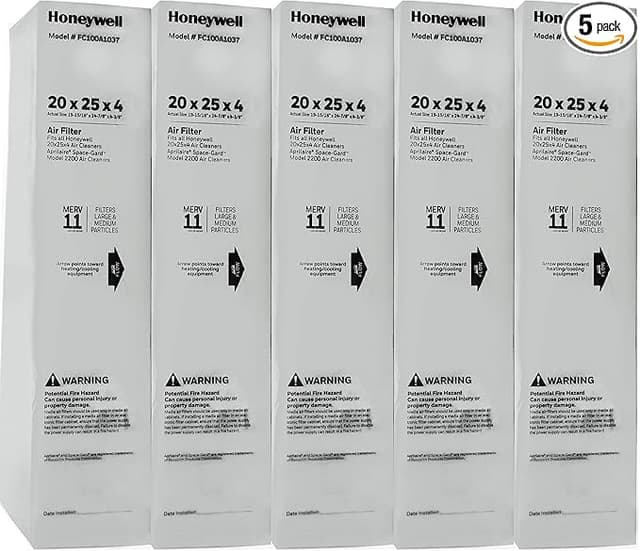
Here's where the OEM-versus-compatible question gets real. A name-brand Honeywell pleated filter in my size — a standard 1-inch pleat — runs me somewhere around $14 to $18 each at the big-box store, and they love to sell them one or two to a pack. Call it $16 a filter. I change a 1-inch pleated every 60 to 90 days, so that's four to six filters a year. Roughly $80 to $95 annually just to keep one system breathing.
The compatible multipack I switched to ran about $28 for a six-pack. That's under $5 a filter. Same MERV rating, same nominal dimensions, arrows printed on the frame just like the brand-name one. Over a year I'm spending maybe $25 instead of $90. And — this is the part that matters — because they're cheap and I've got a stack of them in the utility closet, I actually swap them on time now. The expensive filter I'd ration. The cheap one I treat like the consumable it's supposed to be.
Does it fit, and does it seat right?
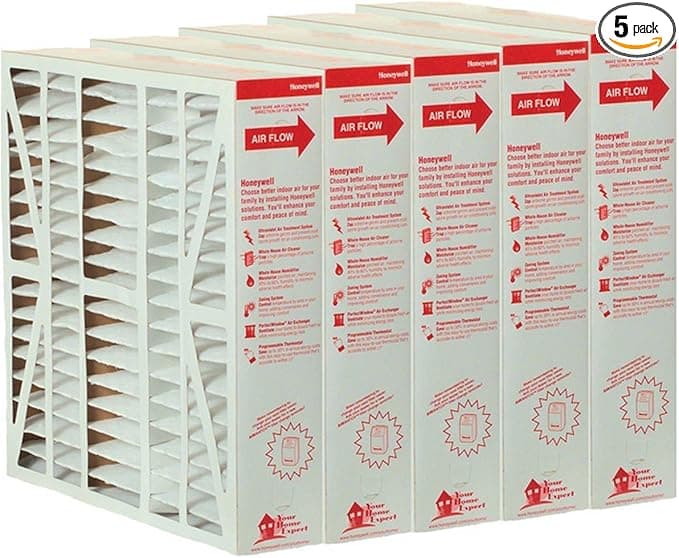
Installing one is genuinely a two-minute job, and the steps are the same as any HVAC filter: kill the system at the thermostat first so the blower isn't yanking the new filter into the housing while you're sliding it in. Pull the old filter out of the return slot or the blower compartment. Slide the new one in with the airflow arrows pointing toward the furnace — toward the blower motor, in the direction the air travels. That arrow is not decoration. Backwards, a pleated filter collapses and does almost nothing.
Fit-wise, the compatible filters seated fine in my return slot. I'll be straight with you, though: the cardboard frame on the budget multipack is a touch flimsier than the Honeywell branded one. On one of the six, the frame had a slight bow to it out of the box, and I had to press the edge flat to get it to sit square in the track. Took ten extra seconds. It's not a dealbreaker, but if your filter sits in a tight rack you'll notice the OEM frame is a little more rigid and a little more confidence-inspiring going in.
How it actually performs — and the one place it lags
Over four months across a winter, the compatible pleats did the job. Air coming through the vents smelled clean, the dust on my shelves came back slower than it used to with a neglected filter, and pulling one at the 75-day mark showed an even gray load across the pleats — exactly what you want to see, captured and held, not blown through. No furnace short-cycling. No high-limit trips.
The honest gap: if you jump up to a high-MERV version — MERV 13, the kind that grabs the really fine stuff — a denser aftermarket pleat can restrict airflow more than you'd think on an older or undersized blower. Mine handled MERV 11 without complaint, but when I tried a cheap MERV 13 the system ran noticeably longer to hit temperature. That's not a knock on the compatible filter specifically; a dense pleat is a dense pleat. But it's worth knowing your blower before you chase the highest rating you can find. Denser is not automatically better if your system can't pull through it.
Who should skip these — and what I actually buy
If you've got someone in the house with serious asthma or a real allergy problem, or you run a variable-speed system the manufacturer specifically pairs with a branded high-efficiency media, buy the OEM and stop reading. The margins there are too thin to gamble on a bowed cardboard frame, and a sealed-media setup is its own thing. Same if you simply forget — and an $80-a-year habit is what gets you to swap on time, then pay it.
For everyone else with a standard return and a normal forced-air furnace? After that gray, light-blocking filter nearly cost me a blower, I switched to the compatible multipack and I haven't looked back. Same MERV, same fit, a frame that's a hair cheaper but does the identical job — for roughly a third of the yearly cost, and a closet stocked with spares so I never let one go dead again. I'd buy them again. I already have, twice.