Troubleshooting & Analysis
The cardboard frame told me everything before I even slid it in
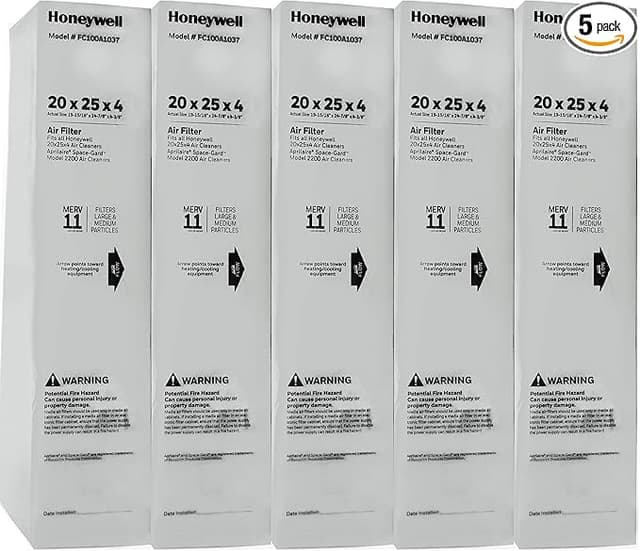
First thing I noticed pulling the compatible filter out of the box: the frame is plain kraft cardboard, no glossy printing, just a size stamp and an airflow arrow in black ink. My old Honeywell FC100A1029 had this slightly waxed, branded edge. This one felt like a moving box. And honestly, my gut reaction was "great, I just wasted money." Then I slid it into the media cabinet on the side of my furnace, felt the pleats catch the track, heard that soft thunk as the frame bottomed out against the back stop — and it sat exactly flush. Same 20x25x5 footprint, arrow pointing toward the blower like it should. The cabinet door latched without me fighting it. So much for my first impression.
I've been running these in a 1990s gas furnace with a whole-house media cabinet for about three years now. Before that I was a loyal Honeywell-branded buyer because I was scared not to be.
The number that made me switch
An OEM Honeywell FC100A1029 — the 20x25x5 MERV 11 media filter — runs me anywhere from $42 to $54 each depending on the week. I change mine twice a year (more on that in a second), so call it roughly $90 to $100 a year just to keep one furnace breathing. The compatible MERV 11 I switched to cost $26 for one, and the multipack worked out to about $19 a filter. That's the gap. Same five-inch deep pleated media, same nominal size, same MERV rating printed on the frame — for less than half. Over a couple years that's real money, the kind that buys a tank of gas or a dinner out instead of disappearing into a filter cabinet.
I did the math obsessively because I didn't believe it. Two compatible filters a year is around $38. Two OEM is closer to $95. That's roughly $57 saved a year, on a part I throw in the trash every six months anyway.
Does it actually fit, though
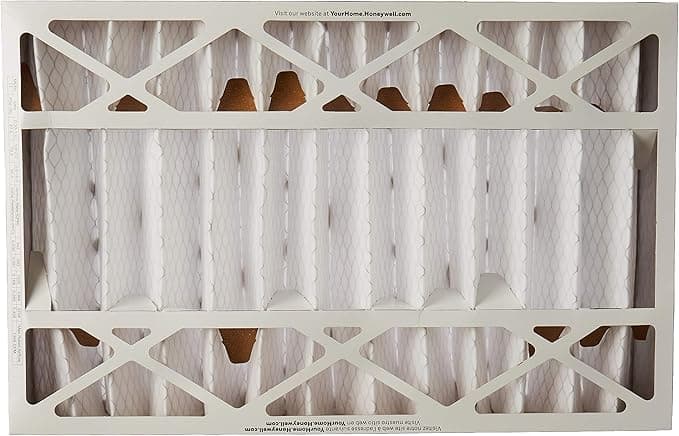
This is the part people get nervous about with the deep media filters, and fairly so — a one-inch grille filter you can fudge, but a 5-inch cabinet filter has to seat right or you get air sneaking around the edges instead of through the pleats. Mine slid into the track and the frame met the cabinet walls with no daylight gap I could see when I shined a phone flashlight along the seams. The pleats are a touch shallower and a little less densely packed than the Honeywell — I counted, the OEM crams in a few more folds — but it seated dead square. No bowing, no fighting the cabinet door. If you've ever swapped one of these, it's the same three-minute job: kill the system at the thermostat, slide the old one out, slide the new one in with the arrow aimed at the blower, latch the door. No fiddling.
Where it matches, and where it doesn't
On airflow and basic dust knockdown, I genuinely can't tell the two apart. My return vents pull the same, the furnace cycles the same length, and the visible gray fuzz on the media after a few months looks identical to what the Honeywell caught. For pet dander, the drywall dust from a kitchen project, the everyday stuff — it does the job a MERV 11 is supposed to do. Where it falls a hair behind: the OEM media stays stiffer deeper into its life. By month five the compatible filter's pleats had started to relax and sag just slightly in the middle, where the Honeywell held its shape closer to the end. Did it hurt performance? Not that I measured. But it's the kind of thing that tells me the media or the glue beads are a notch cheaper.
The real downside
Here's the one I'd want a friend to tell me: the lifespan runs shorter. I could push a Honeywell to a full year if I was lazy. With the compatible, by about month seven the airflow noticeably dropped and the filter looked loaded — I started hearing the blower work a little harder. So I went to a strict six-month swap, and at $19 a pop that's still way cheaper, but you can't stretch these the way you might an OEM. If you're the type who forgets and runs a filter into the ground, that matters. A choked filter isn't just wasted money — it starves the blower, makes the furnace run hot and long, and that's the slow road to a cracked heat exchanger or a burned-out motor. The savings aren't worth it if you forget to change it. Set a phone reminder. I did.
Oh — and the first day, there was a faint papery cardboard smell for a few hours when the heat first kicked on. Gone by the next morning. Mildly annoying, not alarming.
So who should skip it
If anyone in your house has serious asthma or you're running this on a sealed, high-static-pressure system where every pleat counts, buy the Honeywell — the tighter media and the longer hold are worth the premium when air quality is medical, not just comfort. And if you're truly a set-it-and-forget-it once-a-year person, the OEM's longer life might actually pencil out closer than the sticker suggests.
For everyone else — a normal furnace, a normal house, someone who can remember a twice-a-year swap — I grab the compatible MERV 11 without thinking twice now. It fits the same cabinet, catches the same dust, costs less than half, and the only price is changing it a couple months sooner. I've bought it three times. I'll buy it again next fall.