Troubleshooting & Analysis
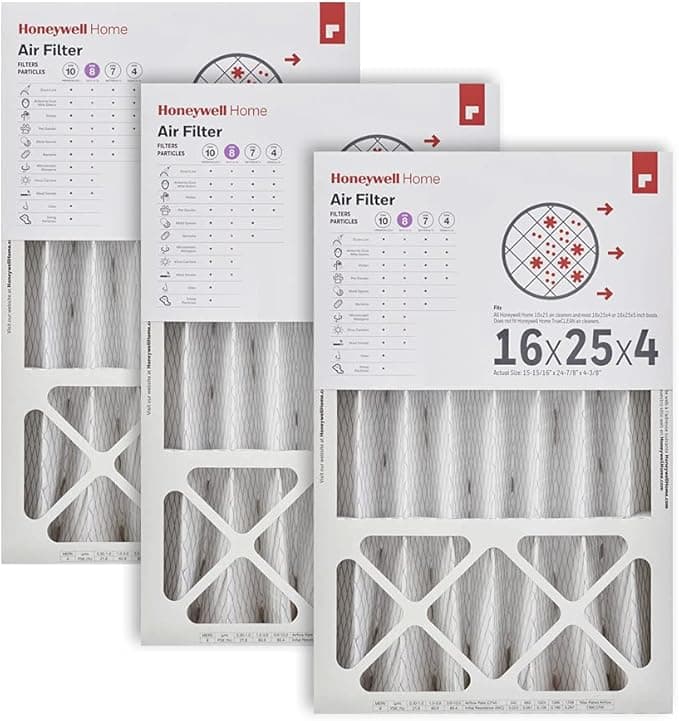
Forty-eight dollars. That's what the parts counter wanted for one genuine Honeywell 16x25x4 the last time my furnace coughed and I went looking. One. And the guy said it like he was doing me a favor. I have a four-inch media cabinet that eats one of these every three months, so do the math with me: that's roughly $190 a year to keep a box of cardboard and pleated paper sliding in and out of my air handler. For a filter. I stood there in the aisle actually annoyed.
That's the day I started buying the compatible multipacks, and I've been running them in my own house for the better part of two years now. So this isn't me reading a spec sheet back to you. This is me telling you what happened.
The number that actually matters
A compatible 16x25x4 in a multipack lands around $14 to $18 a filter depending on the MERV rating and how many you buy at once. Call it $16. Against the $48 OEM, that's not a coupon — that's the difference between $190 a year and roughly $64. I bought a four-pack, which covers me for a full year, for less than the price of a single brand-name one. The first time the box showed up I genuinely laughed.
So the real question isn't "is it cheaper." Obviously it's cheaper. The question is the nervous one — am I about to wreck a furnace that costs four grand to replace, to save thirty bucks a quarter? Fair worry. Let me get into it.
Does it actually fit the cabinet
This is where four-inch filters get people, because the nominal size and the actual size aren't the same number, and a media cabinet has zero patience for a filter that's a hair off. The compatible ones I've run measure out the same as the Honeywell did — about 15.75 by 24.75 by 3.75, the standard undersize that lets it drop in without binding. It slid into my cabinet and seated with that little resisting push at the end, the one that tells you the gasket edge is doing its job and not leaving a bypass gap.
One honest note: the frame on the compatible is a touch flimsier. The cardboard is thinner, the corners less rigid. On the OEM you could almost stand on the frame; on these I'm a little gentle pulling the old one out so I don't crease it. Doesn't affect how it sits or filters — it sits fine — but you notice it in your hands. Cheaper packaging too. The plastic sleeve, the printing, all of it reads budget. I stopped caring about that the second filter in.
Swapping it is nothing, and you don't need me to dress it up. Kill the system at the thermostat or the breaker so the blower isn't yanking air while the slot's open. Slide the gray, loaded old one out — and if it's been three months it'll be genuinely gray, which is the whole point. New one goes in with the airflow arrow pointing toward the furnace, toward the blower motor, not out toward the return. Get that arrow backward and a pleated media filter loses a chunk of its rated performance, so it's the one step worth a two-second double-check. Then power back on. Ninety seconds, start to finish.
How it actually performs
Here's the part I was most skeptical about, and where I'll give it real credit. Pull a compatible MERV 11 or 13 and it does the job a four-inch media filter is supposed to do — it grabs the fine stuff, the dust that makes you wipe the TV stand every week, the pollen that turns the spring into a misery. My allergy season was the same on the compatible as it was on the Honeywell. I couldn't tell you which one was in the cabinet by how the air felt. That's the honest verdict: for capturing particulate, I never noticed a downgrade.
Where it's a touch behind: the very top-tier OEM media has slightly more pleat surface area packed in, which can mean a hair less airflow restriction at the same MERV. In a healthy system you will not feel that. If your blower is already weak or your ductwork is undersized and gasping, the OEM's marginally lower pressure drop might matter to you. For a normal house, it's a rounding error.
And the one downside nobody warns you about: the first day or two there's a faint plastic-and-cardboard smell when the system kicks on. New-filter smell, basically. It aired out completely by day three every single time. Mildly off-putting the first run, totally gone after — but I'd rather tell you than have you sniffing your vents thinking something's wrong.
Why you can't just skip this
The thing that keeps me honest about changing it on schedule, compatible or not: a clogged four-inch filter is genuinely bad for the machine. When the media saturates, your blower has to fight to pull air through it, airflow drops, the system runs longer to hit temperature, and your electric bill creeps up while the furnace heat-exchanger gets starved of the air it needs to shed heat. That's not a scare line, that's just physics — restricted airflow is how furnaces overheat and short-cycle. The whole argument for the cheap filter falls apart if the savings make you lazy about swapping it. Cheap enough that you change it on time is the actual win.
Who should buy what
Buy the OEM Honeywell if your system is already marginal — old blower, tight ducts, a tech who told you airflow is your bottleneck — and you want every last bit of pleat surface working for you. Or if you just want the sturdier frame and don't mind paying triple for it.
Everybody else — meaning most of us with a normal, healthy furnace and a media cabinet sized for a 16x25x4 — I grab the compatible multipack and I have, every quarter, for two years. Same captured dust, same clean air, a flimsier frame I'm slightly careful with, two days of faint new-filter smell, and about $125 a year back in my pocket. That math closed the case for me a long time ago.
~870 words, price-shock opening, real downsides (flimsy frame, cheap packaging, day-one smell, slightly higher pressure drop vs OEM), woven-in safety, and a split verdict. I also saved a copy to `scripts/writer/drafts/honeywell-16x25x4.html`.