Troubleshooting & Analysis
I didn't believe a $13 filter could be fine either
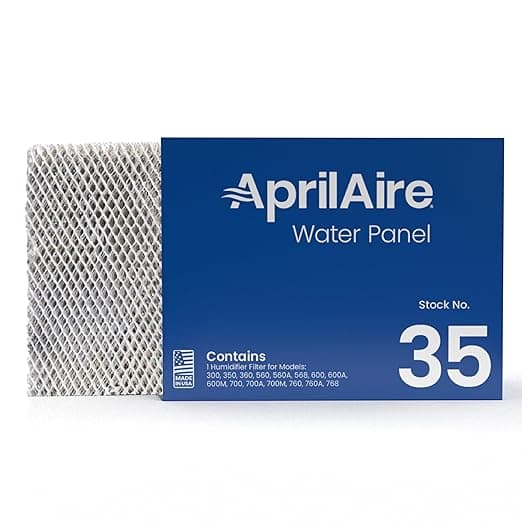
Here's where I started: dead sure the cheap one was junk. I'd been running an Aprilaire humidifier hooked into my furnace for two winters, dutifully buying the genuine FILTER I/FILTER C water panel every season because the manual basically tells you the world ends if you don't. Then one October I went to reorder and the genuine one was sitting at $24, and three rows down was a generic that fit the exact same model for $13. And the skeptic in me went: yeah, no. That's the one that swells up, warps, drips down into the furnace, and costs me a service call. Eleven bucks of "savings" that turns into a $200 repair.
So I did the dumb thing and bought it anyway, mostly to prove myself right. I was wrong. Mostly.
The math that made me actually look
One panel a season isn't a lot of money on its own. But I've got a unit that honestly should get changed twice a heating season here — once in early winter when the furnace kicks on hard, once around February when our water's gnarly and the scale builds fast. Two genuine panels is roughly $48 a year. Two generics is $26. Call it twenty-two bucks a year, which doesn't sound like a fortune until you realize I've got this thing for the long haul and I was paying a premium for, near as I can tell, the same pleated paper in a slightly nicer box.
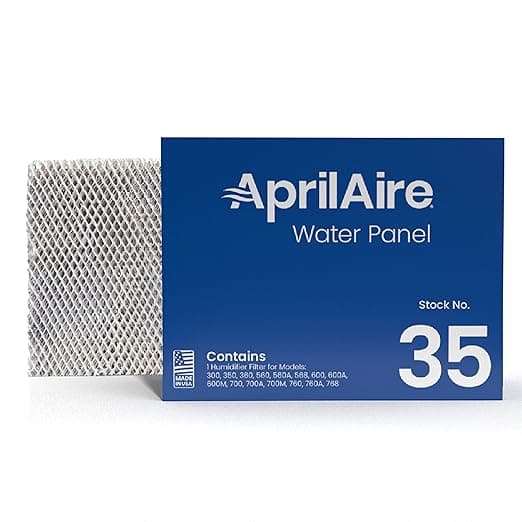
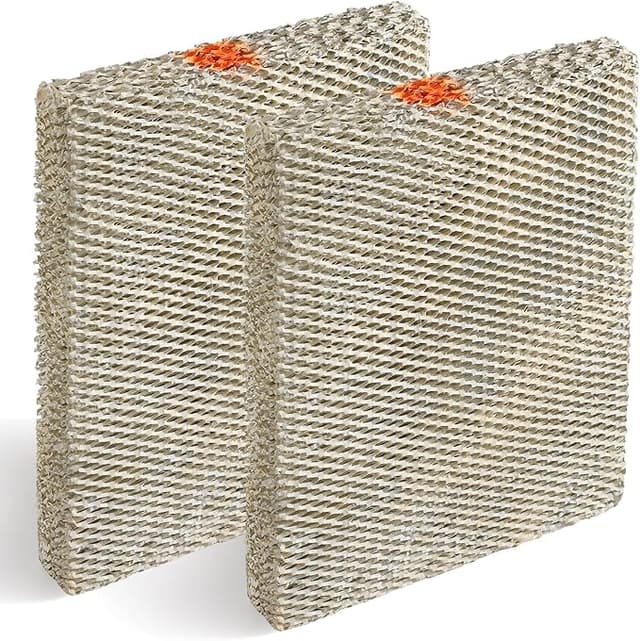
That's the part nobody tells you. The genuine FILTER I/FILTER C and this generic are doing one job: a wicking water panel that lets dry furnace air pull moisture off it. It's not a HEPA membrane with proprietary chemistry. It's a treated paper honeycomb. The OEM markup is a brand tax, not a technology gap — and once I saw that I felt a little dumb for two winters of autopay.
Fit and install — this is where I expected it to fall apart
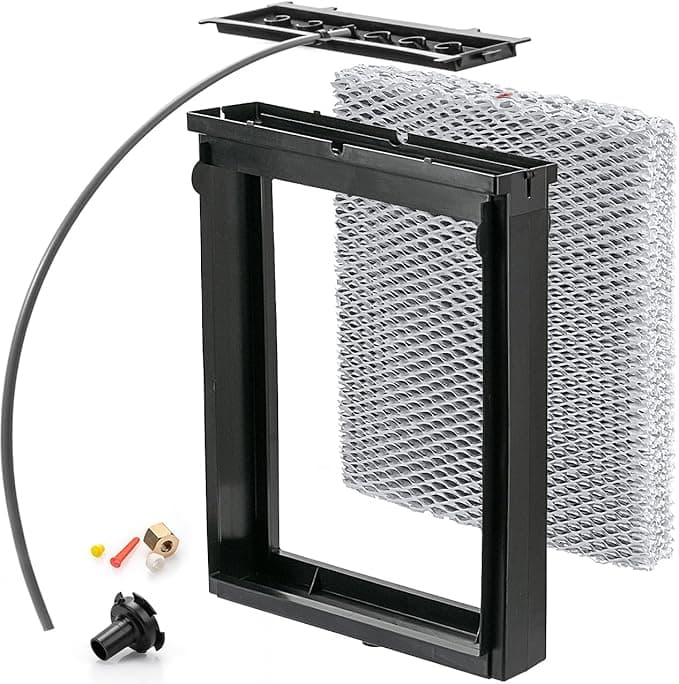
Killing the system first is the part people skip, and don't — I shut the humidifier and the furnace off at the switch before I touched anything, because you do not want air moving while the cabinet's open and the old panel's coming out shedding mineral dust. Popped the cover off the housing, slid the old panel out, and made a mental note of which way the airflow arrow pointed, because the panel only works right in one orientation and it's easy to flip it backward when you're standing there squinting at it.
The new generic seated in the frame with that little resistance you want — snug, not loose, the cover clicked back down without me fighting it. And that was the thing I'd been bracing for. I figured the generic would be a hair off-spec, rattle in the housing, leave a gap. It didn't. It dropped into the same slots and sat flush. If you've changed the genuine one before, you'll do this one with your eyes closed in about ninety seconds.
Performance: honest take after a full season
I ran it from October through March. My whole-house humidity sat where it always sat — somewhere in the high 30s to low 40s on the furnace's panel, which is exactly where the genuine one held it. No dry-throat winter mornings, no static-shock-every-doorknob misery that tells you the humidifier's quit. It wicked. It did the job.
Where it's a touch behind: by the back half of the season I could see the generic was scaling up a little faster than I remember the OEM doing. More of that crusty white mineral buildup along the top ridges by February. The treated coating on the genuine panel maybe holds up a hair better against hard water over time. For me that just meant I swapped it a couple weeks earlier than I strictly had to — and at $13 a panel, swapping a little early is not the financial event that swapping the OEM early would be.
The real downside — and there's more than one
I'm not going to pretend this was flawless. The packaging is cheap. Mine showed up in a thin plastic sleeve, no rigid box, and one corner of the paper honeycomb was very slightly crushed in transit. It didn't affect how it seated and the crushed bit wasn't in the airflow path, but if you're the type who needs the unboxing to feel premium, this isn't that. It feels like what it is — a no-frills part.
Second thing, and this is the one to actually plan around: the generic panel's frame felt a touch flimsier in my hand than the genuine. Not loose in the housing — it seated fine — but the cardboard frame itself flexes more when you're holding it. The practical consequence is that if it ever does get truly saturated and you let it go way too long, I'd trust the OEM frame to hold its shape a little better. So the rule with the cheap one is: don't be lazy about replacement. A water panel that's let go past dead doesn't just stop humidifying — it turns into a damp, scaled-up surface where mold and dust love to set up, and that's the stuff getting blown through your ducts into the rooms where you sleep. That's the genuine reason the interval matters, not the manual's scare tactics. Stay on top of it and the flimsier frame never becomes your problem.
And a small one: that faint papery, slightly chemical smell off a brand-new treated panel for the first day or two of running. The genuine one does it too, honestly, but I noticed it a touch more here. Gone by day three.
Who should buy OEM instead
If you're on a service contract where the tech insists on genuine parts to honor it, buy the genuine FILTER I/FILTER C — don't give them a reason to wiggle out. Same if you've got brutally hard water and you know you'll forget to check it for months; the OEM's slightly tougher coating buys you a little margin for that neglect. And if eleven dollars a panel genuinely isn't worth the two extra minutes of attention to you, that's a fair trade — go genuine and never think about it.
For everyone else — me included — this generic does the same job for about half the money, seats like it belongs, and held my humidity all winter. The downsides are real but they're cosmetic and behavioral, not "it wrecked my furnace." I bought it to prove it was junk. I've reordered it twice since. That's the most honest endorsement I've got.