Troubleshooting & Analysis
The aisle moment, two boxes, one of them twice the price
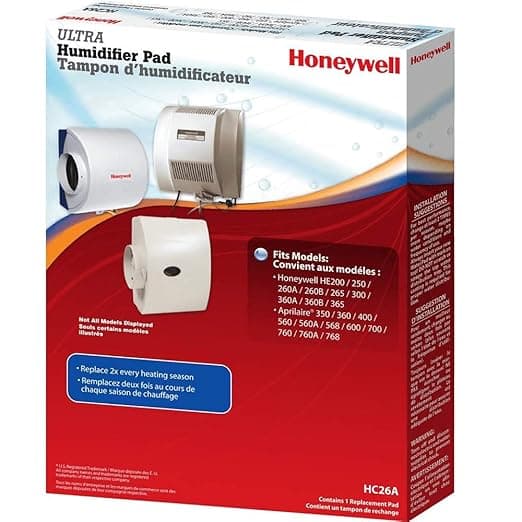
I was standing in the furnace room with my phone flashlight in my teeth, holding the old water panel out of my Honeywell whole-house humidifier — crusted white, stiff as cardboard, basically a mineral brick at that point — and on my phone I had two tabs open. One was the genuine Honeywell HC26A1008/U pad. The other was a generic that fit the same slot. The Honeywell box wanted about $30. The generic was sitting at $14. Same shape. Same job. Roughly half the money.
And I just stood there for a second, because that's the exact spot you're probably in right now. You searched the part number, you found a cheaper one, and some quiet voice is going "yeah but it's the cheap one, what if it ruins something." I've had that voice. So let me tell you what actually happened when I told it to be quiet and bought the generic.
The math, because the math is the whole argument
These pads aren't a once-a-decade thing. You're supposed to swap the water panel every humidifier season — call it once a year for most people, twice if your water is hard and your furnace runs hard all winter. So this isn't a one-time $16 saving. Buy the OEM pad at ~$30 a year for the next five years and you've spent $150 on what is, at the end of the day, an aluminum-coated paper grid that water drips through. Buy the generic at ~$14 and that same five years is $70. That gap — eighty bucks — buys a decent space heater, or a year of furnace filters, or honestly just stays in your pocket.
I'm not anti-Honeywell. Honeywell makes the unit, and the unit is good. But the consumable that wicks the water? That's where the OEM markup has the least to defend itself. You're paying brand tax on a wear part.
Does it actually seat right
This was my real worry. A humidifier pad that fits "almost" is worse than useless — if it sits proud in the frame, water sheets past it instead of through it and you get nothing, or it bows and rubs. So I went slow. Unplugged the unit, popped the cover, slid the old brick out, and dropped the generic into the same channel. It seated. The little tabs lined up with the frame guides, and it sat flush — no forcing, no trimming, no "well if I bend this corner." If it doesn't drop in clean, don't muscle it; that's the one place you can crack a frame. Mine didn't need it.
I buttoned it back up, plugged it in, and ran it low for a few minutes watching for drips or water running off-target. Dry tray, even wicking. That was the whole install. Maybe four minutes, most of which was me being paranoid.
The honest performance read — and where it's a touch behind
Through a full Minnesota-ish winter, my whole-house humidity held right where I set it. The bedrooms stopped feeling like the inside of a cracker. My lips stopped splitting. By the standard that matters — does the house feel right — the generic did the OEM's job and I could not tell you the difference blindfolded.
Where it's a hair behind: the genuine Honeywell panel's coating is a little more even, and I'd bet the OEM scales up a touch slower in really brutal hard water. The generic I used started showing white crust maybe a few weeks earlier in the season than the OEM did the year before. Not failure — just earlier visible mineral. Which, given it costs half as much, I genuinely do not care about. I'd rather replace a $14 part a little sooner than baby a $30 one.
The real downsides, said out loud
The packaging is cheap. Thin cardboard, a sticker label, none of the glossy Honeywell presentation — if unboxing matters to you, this'll feel like a knockoff because in the literal sense it is one. There was also a faint papery, slightly chemical smell the first day it ran. Gone by day two or three. I think it's just the coating off-gassing as it gets wet the first time, and it never reached the air I was breathing in any way I'd call a problem, but I noticed it and you deserve to know it's there.
And quality control across generics is genuinely more of a coin-flip than OEM. Most are fine. But "compatible" is a category, not a guarantee, so check that the tabs and dimensions match your exact frame before you run it, and buy from a seller that'll take a return if you get a dud. I haven't gotten a dud yet. Doesn't mean nobody will.
Why a dead pad is the thing you should actually fear
Here's the part people skip. The risk in this whole equation isn't the cheap pad — it's the OLD pad you leave in because replacements feel expensive. A mineral-bricked panel stops wicking, so your humidifier runs dry, mold and scale get a home, and you end up pushing white mineral dust and stale air through the house all winter. That's the respiratory-irritation, gunk-up-the-unit scenario. A $14 pad you actually swap on schedule beats a $30 pad you stretch to two seasons every single time. Cheaper replacement parts mean you replace on time. That's the safety win nobody markets.
So who should buy which
If your humidifier is under warranty and you're the type who'll lose sleep that an aftermarket part might give a dealer an excuse to deny a claim — buy the genuine Honeywell. It's thirty bucks and your peace is worth it. Same if you've got punishing hard water and you'd genuinely rather change it less often than save the cash.
Everybody else? I stood in that furnace room, did the math, dropped the generic in, and ran it all winter without a single thing going wrong. For about $14 instead of $30, doing the same job, I bought it again the next year — and I'll buy it again this fall. That's not a pitch. That's just what's in my cart.