Troubleshooting & Analysis
I almost spit out my coffee at the OEM checkout. The genuine Honeywell wicking filter set for my HCM-series humidifier wanted $34 for a two-pack — and you go through these things. One filter per tank, swapped out every couple months in heating season, and suddenly you're spending real money to keep a $60 humidifier breathing. The HAC-504 compatible pack I ended up grabbing instead? Right around $14 for the same count. That's roughly twenty bucks saved on a single order, and if you're running the unit all winter like I do, that gap multiplies into a number that actually changes what this thing costs you over a couple years.
So I bought the cheap ones. Half expecting to regret it. Here's what actually happened.
The math, before anything else
Let me lay it out plain, because this is the whole reason you're reading. A Honeywell humidifier in a dry bedroom — forced-air heat, winter, the kind of dry that cracks your knuckles — needs its wicking filter replaced about every two months when it's running daily. Some people stretch it to three. I don't, and I'll explain why later. Call it four to six filters a heating season if you're honest about how often it gets crusty.
At OEM pricing that's somewhere north of $60 a year just in filters, on a unit that didn't cost much more than that to begin with. At $14 a two-pack for the HAC-504 compatible, you're at maybe $28 to $35 for the same season of clean wicks. That's not a rounding error. That's the difference between "ugh, do I really need to" and "yeah, just toss a fresh one in." And honestly, the cheaper you make the swap, the more likely you are to actually do it on schedule — which is the entire point of a humidifier filter.
Does it fit, or did I just buy regret
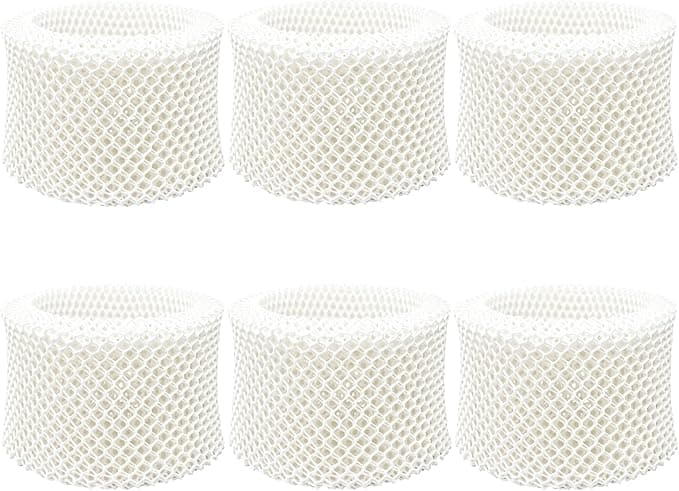
This was my real worry. Wicking filters aren't a precision part, but they're cut to a footprint, and a compatible that's a few millimeters off either flops around or won't seat in the frame. The HAC-504 dropped into my filter holder like it belonged there. I did the usual: killed the power, pulled the tank, dumped the leftover water — you do not want to be wrestling a filter compartment with a full reservoir sloshing around — and lifted the old crusty wick out of its plastic cage.
The new one slid into the same cage with that little bit of resistance you want, where you can feel it gripping the frame and not just sitting loose. Snapped the cage shut, dropped it back over the reservoir, tank back on. Maybe ninety seconds of actual work. No trimming, no folding a too-big filter to make it cram in, none of that nonsense I've hit with other off-brand wicks. It fit on the first try, which after years of doing this I've learned not to take for granted.
How it actually performs
Here's where I expected the compatible to fall on its face, and mostly it didn't. The whole job of a wicking filter is to suck water up out of the tray and present a big wet surface for the fan to blow across, so the water evaporates into your room instead of dripping out as a puddle. The HAC-504 wicks fine. My bedroom hygrometer climbed into the low 40s overnight, same as it did on the genuine filter — I actually watched it for a week to be sure I wasn't fooling myself. The antimicrobial coating Honeywell makes a big deal about? The compatible has its own treatment, and I didn't get any of the sour, swampy smell that tells you mold's setting up shop in a wick. That smell is the real test, and three months in, it stayed neutral.
Where it's a touch behind: the paper feels a hair thinner than OEM when it's dry and new. Not flimsy, but you notice it if you've handled both back to back. And I think — think — the genuine one held its shape a week or two longer before going stiff and mineral-crusted. Marginal. If your water's soft you might not see it at all.
The downside I want you to hear
I won't pretend this was flawless. Two things.
First, the packaging is cheap and a little alarming. The filters come in a thin plastic sleeve, and on my order one of the two had a slightly squashed corner where the cardboard backing had bent in shipping. It wicked fine anyway — the corner relaxed once it got wet — but if you're the type who needs the box to look premium, this'll bug you. It looks like what it is: a no-frills generic.
Second, and this is the one that matters: with hard water, these stiffen up and white-crust faster than I'd like. Around the eight-week mark mine had a noticeable mineral shell on the lower third where it sits in the tray. The OEM did this too, just a little slower. So if you've got hard tap water, plan on swapping closer to every six weeks rather than babying one for three months — and at $7 a filter that's an easy call, where at OEM prices you'd be tempted to push it too long. Which is exactly the trap. A wick you leave in too long isn't just less effective; it's a wet, warm sponge growing the stuff you bought a humidifier to avoid breathing. A saturated, mineral-clogged filter stops evaporating cleanly and starts harboring bacteria and mold, and then your "healthy" humid air is carrying spores into a bedroom where you sleep eight hours a night. The cheap filter actually helps here, because the low price removes every excuse to leave a dead one in.
Who should skip this
If you're under warranty and the fine print insists on genuine Honeywell parts to keep it valid — read your card, some do — then buy OEM and don't think twice. Twenty bucks isn't worth voiding coverage on a unit that might fail. And if you're someone who genuinely cannot stand the idea of a slightly thinner filter or budget packaging, your peace is worth more than the savings, so go OEM and enjoy it.
For everyone else — and that's most of us — the HAC-504 compatible does the same job. It fits the same cage, wicks water into the same dry room, resists mold across a normal replacement cycle, and costs less than half. I've now bought it twice. The first time was a gamble; the second time was just me being a sensible person who'd rather keep twenty dollars and a fresh filter in the machine than pay a premium for a logo on the cardboard. Replace it on time, watch it harder if your water's hard, and you'll never look back at the OEM price tag without wincing a little.