Troubleshooting & Analysis
Twenty-nine dollars. For a folded piece of paper and a plastic frame. That's what the Honeywell store wanted for a single OEM FILTER C the last time my console humidifier started smelling like a wet basement and I went looking for a replacement. A two-pack of the compatible version — same FILTER C cut, same dimensions — sat right under it at about $15 for two. So one OEM wick, or two aftermarket ones, for half the money. I stood there doing the math like an idiot, and the math wins every single time.
I run a Honeywell console humidifier in my daughter's room all winter, the kind that takes the FILTER T / FILTER W / FILTER C family of wicks depending on the model. Dry forced-air heat turns that room into the Sahara by February, so the thing runs basically nonstop from November to March. Which means I'm burning through wicks. And when you're replacing a filter every six to eight weeks, that $29-versus-$15 gap stops being a one-time annoyance and becomes a real number on your year.
The annual math nobody tells you about
Here's the part that actually changed my mind. A wicking filter isn't a "replace once a season" deal, no matter what the box implies. If you've got hard water like I do, the wick crusts over with white mineral scale and stops drawing water up within a couple of months. So realistically I'm going through four to six FILTER C wicks a heating season.
At OEM prices, call it five wicks times $29 — that's $145 a year to keep one humidifier honest. With the compatible FILTER C running around $7-8 each in a multipack, that same five wicks is roughly $40. I'm not chasing pennies here. That's a hundred-dollar swing, on one device, for a part that gets thrown away the second it's crusty. Spend that on two humidifiers and you're looking at real grocery money.
So the only question that matters: does the cheap wick actually do the job, or am I trading a hundred bucks for a soggy paperweight?
Fit and install — does it actually seat?
I'll be honest, this is where I expected the cheap one to fall apart, and it mostly didn't. The install is dead simple and the compatible wick respected that. I shut the unit off and unplugged it first — you're reaching into a water reservoir, do not skip that — popped the top housing off, and lifted the old crusted wick out of its frame.
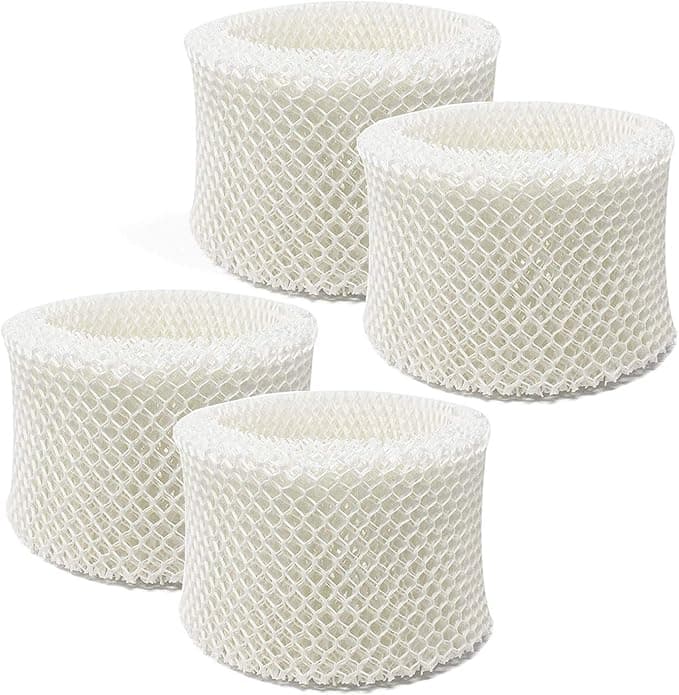
The compatible FILTER C dropped into the same frame slot the OEM uses. The cardboard collar on top was a hair thinner than Honeywell's, and on one of the two-packs the wick sat maybe a millimeter proud of the frame, so I had to press it down to get the lid to click shut clean. Not a fight — just a "oh, push it" moment. OEM has never made me do that. But once it seated and I poured the tank back in, water wicked up the material within about ten minutes, same as the original. No gaps, no slop, no leaking past the frame.
How it actually performs
Evaporative wicks all do the same boring, important thing: soak up water and give the fan a big wet surface to blow dry air across. The compatible FILTER C does that just about as well as the Honeywell-branded one. I keep a cheap hygrometer on the dresser, and the room held the same 40-ish percent humidity overnight that it did on the OEM wick. My kid stopped waking up with a scratchy nose either way. As far as the actual job, I genuinely cannot tell them apart in performance.
Where the OEM still has an edge is lifespan, and I'm not going to pretend otherwise. The Honeywell wick tends to go maybe a week or two longer before it scales over hard and stops drinking. The compatible material feels a touch less dense, so in my hard water it crusts up a little sooner. But — and this is the whole point — even buying one extra wick a season, I'm still way, way ahead on cost. Two cheap wicks that each last a hair shorter beats one expensive wick every time the wallet does the talking.
The real downsides, said plainly
So here's where I keep it straight with you, because a review with no complaints is a review you shouldn't trust.
First, the smell. The first day or two on a fresh compatible wick, there's a faint papery, slightly cardboard-y odor when the fan kicks on. It's mild and it fully airs out by day three, but if you've got a sensitive nose you'll catch it the first night. The OEM has this too, honestly, just a touch less.
Second, the packaging is cheap and inconsistent. One multipack arrived with the wicks loose in a thin plastic sleeve, slightly bent at a corner. The bend pressed right out once it was wet and framed, so no harm done — but it doesn't inspire the same confidence as Honeywell's boxed-and-sealed presentation. You're paying for the filter, not the box, and it shows.
Third, batch consistency. Across the packs I've bought, one wick was very slightly looser in the frame than the others. It still worked fine, but if you're the type who needs every part to feel machined-perfect, the compatible stuff will occasionally annoy you. The trade-off is half-price filtration, and I've made my peace with a slightly looser collar.
Why you can't just skip replacing it
One thing I won't budge on, OEM or compatible: change the wick on schedule. A scaled-over, water-logged filter doesn't just stop humidifying — it sits there as a damp, mineral-caked sponge in standing water, which is exactly the environment that grows the stuff you do not want blowing into a kid's bedroom. Mold and that musty pink film love a tired wick. The fact that the compatible FILTER C is cheap is the best argument for swapping it more often, not less. When a fresh wick costs seven bucks instead of twenty-nine, you stop "stretching" a gross one for another two weeks.
The verdict — who buys what
If you run your humidifier lightly — a few weeks a year, soft water, one wick lasts you the whole season — honestly, just buy the OEM. The lifespan edge matters more when you're only buying one, and the price gap on a single filter isn't life-changing.
But if you're like me — hard water, all-winter runtime, burning through four, five, six wicks a season — the compatible FILTER C is the obvious move. Same humidity, same easy install, one extra wick a year at most, and roughly a hundred dollars back in your pocket per device. The looser frame and the day-one paper smell are real, and I told you about them. They're also nothing next to half-price. I've bought the cheap FILTER C three winters running now, and I'll grab it again the second this one crusts over.