Troubleshooting & Analysis
The smell is the first thing you notice
Pull a fresh Honeywell humidifier filter out of its sleeve and it hits you — that dry, papery cardboard-and-glue smell, like a new egg carton. The OEM ones smell exactly the same. So does this generic. I held both up to my face in my kitchen like a weirdo, one in each hand, and honestly couldn't tell them apart with my eyes closed. That little detail mattered to me more than it probably should have, because the cheap one is the one I was nervous about.
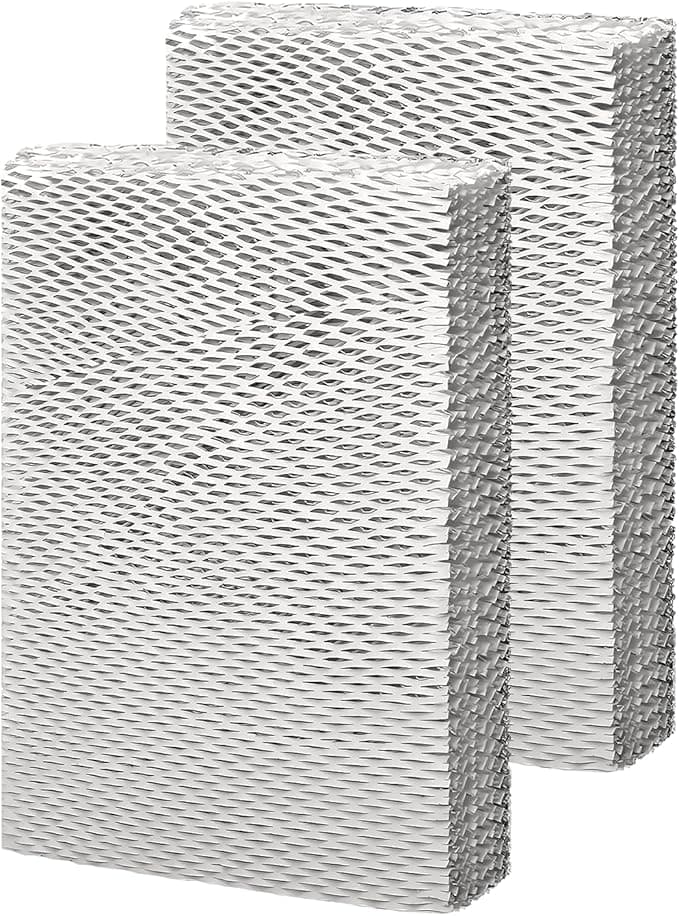
I run a Honeywell cool-mist unit in my bedroom every winter — bone-dry forced-air heat, my throat used to wake me up at 3 a.m. The filter on these is the wicking type: a stiff honeycomb of treated paper that sits in the water tray and drinks it up so the fan can blow moisture off it. Filter L, Filter P, Filter F — the letter just depends on which Honeywell tank you've got. They all do the same job, and they all need swapping out way more often than people expect.
The price gap is the whole reason I switched
Here's what got me. The genuine Honeywell wicking filter runs me about $20 for a single one, and during heavy winter use I'm replacing it every four to six weeks. Do that math across a season and you're spending sixty, eighty bucks on what is, at the end of the day, treated paper. The generic 3-pack I bought was around $24 — call it eight dollars a filter. So I'm paying roughly a third of OEM, and I'm getting three of them in the box instead of hunting down a new one every month.
That's not a small gap. That's the difference between "ugh, I need to reorder again" and having a stack of them in the closet so I actually change the thing on schedule. Which — and I'll get to this — is the part that actually matters for your machine.
Does it fit? Yeah. Mostly.
Swapping it is genuinely a two-minute job, and you don't need the manual. I shut the unit off and pull the plug first — water and electricity, don't be lazy about that part. The tank lifts off, the tray underneath holds the filter, and the old one comes out soggy and gray and honestly kind of gross. Toss it. The new one drops straight into the same slot.
Now, the fit. The generic seated fine — it clicked down into the tray and the tank went back on without fighting me. But I'll be straight with you: the frame is a hair looser than the OEM. There's maybe a millimeter of wiggle the genuine filter doesn't have. It didn't float, it didn't rattle, it stayed put once the tank pinned it down — but if you're the kind of person who notices that stuff, you'll notice it. First time I installed one I pressed it down twice just to be sure it had bottomed out. It had.
Performance: where it matches, where it's a step behind
For the actual job — pulling water up and putting humidity in the air — I genuinely can't tell the difference. My little hygrometer across the room reads the same 42–45% it always did. The room felt the same. My throat stopped waking me up, same as before. If you're buying this to keep your air from feeling like the Sahara, it does that, full stop.
Where it's a touch behind is lifespan and even wicking. The genuine Honeywell paper seems to hold up a week or two longer before it stiffens up and crusts over with mineral scale. The generic gets that chalky white buildup along the top edge a little sooner — especially because my tap water is hard. By week four mine was getting crunchy where the OEM might've stretched to five or six. With a 3-pack at eight bucks each, I do not care even slightly. But if you were hoping the cheap one would also last longer, it won't. It does the same work for less money; it doesn't do more work.
The real downside, and it's about your water
Let me actually sit on the downside, because there's a genuine one. These wicking filters live or die by your water. With hard tap water — and most of us have it — minerals build up on the paper and on every surface the mist touches. That's the white dust people complain about settling on the dresser and the TV. The generic doesn't cause that, your water does, but a slightly cheaper paper that crusts a touch faster means you're more on the hook for changing it on time.
And changing it on time is the part nobody wants to hear. A wicking filter that you leave in past its life doesn't just stop working — it turns into a damp sponge sitting in standing water, and damp paper plus warm room is exactly how you grow mold and that sour, musty smell that then blows out into your bedroom air. I had this happen years ago with an OEM filter I got lazy about. The unit smelled like a wet basement for a week before I figured out why. So the safety angle isn't fear-mongering, it's just plumbing: a dead filter in a humidifier is a little mildew farm. The fix is dirt-simple — swap it, run a vinegar rinse through the tray every few weeks, dump the water when you're not using it. The cheap 3-pack actually makes you more likely to do this, because you're not protecting a $20 filter anymore.
So who should buy what
If you're running a humidifier in a baby's room, or someone in the house has a real respiratory condition and you want the absolute longest, most consistent wick life with zero second-guessing — buy the genuine Honeywell. The extra dollars buy you a slightly longer interval and that dead-tight frame fit, and for some people that's worth it. No shame in it.
For everybody else — me included — the generic is the easy call. It fits, it wicks, the room reads the same humidity, and the only honest knocks against it are a millimeter of frame play and a slightly shorter life that the three-pack price more than pays for. I went in skeptical, ran it a full winter, and I've already reordered. For roughly $12 less per filter doing the exact same job in my tray, I'd buy it again. I have.