
Troubleshooting & Analysis
Problem Identification: Understanding the Symptoms of a Diminished Vacuum
Have you noticed that your Dyson V12 vacuum is struggling to maintain its powerful suction? Perhaps you've recently encountered unpleasant odors emanating from your vacuum while cleaning, especially if you have pets. These frustrating symptoms can signal underlying issues that need immediate attention. Whether it’s blinking lights indicating a problem or a noticeable decrease in performance, your vacuum can quickly become a source of stress rather than a helpful cleaning tool.
Troubleshooting Guide: Addressing Common Issues
Before you consider replacement parts or new vacuums, try these troubleshooting steps to restore your Dyson V12 to its former glory:
- Check for Blockages: Inspect the hose and brush bar for clogs. Pet hair and debris can easily accumulate and impede airflow.
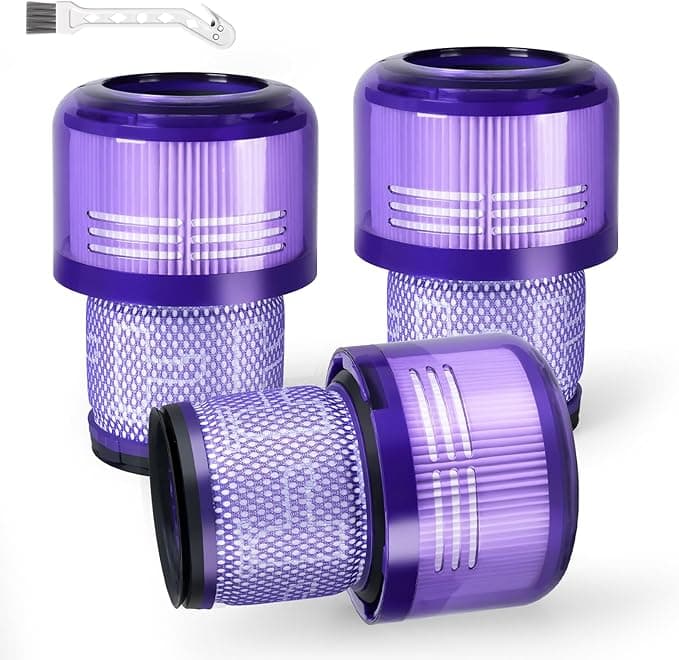
- Clean the Filters: Your vacuum's motor filter should be washed regularly. Rinse it under cold water until the water runs clear, but avoid using detergents.
- Inspect Seals and Connections: Ensure all seals are intact and connections are secure. Loose components can lead to suction loss.
- Reset the Vacuum: If you see blinking lights, try resetting your vacuum by removing the battery, waiting for a minute, and then reinserting it.
While these steps can often resolve minor issues, there are instances where washing filters isn't enough, and you may need to look into replacement parts for optimal performance.
Cost Analysis: Original Brand vs. Compatible Parts
When considering a replacement part for your Dyson V12, cost is a crucial factor. Below is a comparison of the annual costs associated with using original Dyson parts versus our compatible alternatives:
| Item | Original Dyson Part Cost | Compatible Part Cost | Annual Cost (assuming 2 replacements/year) |
|---|---|---|---|
| Motor Filter | $50 | $25 | $100 (Original) / $50 (Compatible) |
| Brush Bar | $40 | $20 | $80 (Original) / $40 (Compatible) |
| Battery | $150 | $75 | $150 (Original) / $75 (Compatible) |
As demonstrated, switching to compatible parts can significantly reduce your annual maintenance costs while still providing the performance you expect from your vacuum.
Installation Pro-Tips: Ensuring Proper Functionality
Installing replacement parts may seem straightforward, but there are nuances that can make a big difference:
- Flush the Filter: After washing, let the motor filter dry completely for at least 24 hours before reinserting it. This prevents moisture from entering the motor.
- Listen for the Snap: When installing the brush bar or other components, ensure you hear a click to confirm that it is securely in place.
- Regular Checks: After installation, run your vacuum for a few minutes and check for any unusual noises or smells. This helps identify potential issues early.
FAQ Section: Common Queries Regarding Replacement Parts
Will using compatible parts void my warranty?
No, using compatible parts should not void your warranty as long as the original parts are not damaged. However, it's always best to check your warranty terms for specifics.
How long do replacement parts typically last?
Replacement parts can last anywhere from 6 months to a year, depending on usage frequency and maintenance. Regular cleaning and care can extend their lifespan significantly.
What if I still experience issues after replacing parts?
If problems persist after replacing filters or other components, it might be time to consult a professional or consider a full vacuum inspection. There may be deeper mechanical issues at play.
In conclusion, maintaining your Dyson V12 vacuum can save you both hassle and money. By understanding common problems, conducting troubleshooting, evaluating costs, and knowing how to install parts correctly, you can keep your vacuum operating at peak performance. Don’t let diminished suction and unpleasant odors disrupt your cleaning routine—take proactive steps to restore your vacuum’s effectiveness today!
